Chip8-CTRU 3DS: Difference between revisions
From GameBrew
More actions
No edit summary |
m Text replacement - "Category:3DS homebrew emulators" to "" |
||
| (3 intermediate revisions by the same user not shown) | |||
| Line 12: | Line 12: | ||
|source=https://github.com/YourNerdyJoe/Chip8-CTRU | |source=https://github.com/YourNerdyJoe/Chip8-CTRU | ||
}} | }} | ||
Chip8-CTRU is a Chip8 Emulator for 3DS. Originally developed by St4rk, it was modified and ported to 3DS usermode | Chip8-CTRU is a Chip8 Emulator for 3DS. | ||
Originally developed by St4rk, it was modified and ported to 3DS usermode code by Joseph LoManto (aka YourNerdyJoe). | |||
==Features== | ==Features== | ||
| Line 21: | Line 23: | ||
Available in 3DS format (Gateway users only). | Available in 3DS format (Gateway users only). | ||
Put all your roms in a folder called Chip8 on the root of the SD card. | |||
==User guide== | |||
Tap the rom you want to play at anytime. | |||
==Controls== | ==Controls== | ||
| Line 45: | Line 50: | ||
* GitHub - https://github.com/YourNerdyJoe/Chip8-CTRU | * GitHub - https://github.com/YourNerdyJoe/Chip8-CTRU | ||
* GBAtemp - https://gbatemp.net/threads/homebrew-development.360646/post-5056858 | * GBAtemp - https://gbatemp.net/threads/homebrew-development.360646/post-5056858 | ||
Latest revision as of 05:59, 6 May 2024
| Chip8-CTRU | |
|---|---|
 | |
| General | |
| Author | YourNerdyJoe |
| Type | Computer |
| Version | 2014 |
| License | Mixed |
| Last Updated | 2014/07/27 |
| Links | |
| Download | |
| Website | |
| Source | |
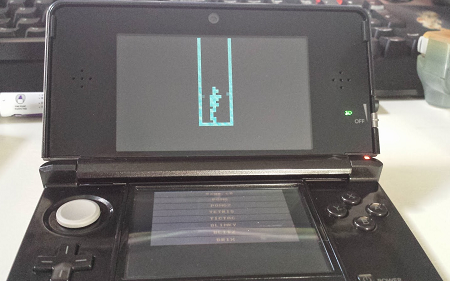
Chip8-CTRU is a Chip8 Emulator for 3DS.
Originally developed by St4rk, it was modified and ported to 3DS usermode code by Joseph LoManto (aka YourNerdyJoe).
Features
- Multi-Rom touch screen menu.
- 3D set-in effect.
Installation
Available in 3DS format (Gateway users only).
Put all your roms in a folder called Chip8 on the root of the SD card.
User guide
Tap the rom you want to play at anytime.
Controls
Left/Up/Right - 1/2/3
Y/X/A - 4/5/6
L+Left/Up/Right - 7/8/9
L+Y/X/A - A/0/B
Down - C
B - D
L+Down/B - E/F
Screenshots