
ButtonPresser3DS: Difference between revisions
From GameBrew
More actions
No edit summary |
m Text replacement - "Category:Other 3DS homebrew applications" to "" |
||
| (2 intermediate revisions by the same user not shown) | |||
| Line 1: | Line 1: | ||
{{Infobox 3DS Homebrews | {{Infobox 3DS Homebrews | ||
|title=ButtonPresser3DS | |title=ButtonPresser3DS | ||
|image= | |image=Buttonpresser3ds2.png | ||
|description=Press the button. | |description=Press the button. | ||
|author=trainboy2019 | |author=trainboy2019 | ||
| Line 22: | Line 22: | ||
==Controls== | ==Controls== | ||
Start - Return to the Home Menu | Start - Return to the Home Menu | ||
Up/Down - Change the color of your button | Up/Down - Change the color of your button | ||
| Line 43: | Line 43: | ||
* GitHub - https://github.com/trainboy2019/ButtonPresser3DS | * GitHub - https://github.com/trainboy2019/ButtonPresser3DS | ||
* GBAtemp - https://gbatemp.net/threads/release-buttonpresser3ds-another-useless-homebrew-app.474764 | * GBAtemp - https://gbatemp.net/threads/release-buttonpresser3ds-another-useless-homebrew-app.474764 | ||
Latest revision as of 04:19, 6 May 2024
| ButtonPresser3DS | |
|---|---|
 | |
| General | |
| Author | trainboy2019 |
| Type | Other Apps |
| Version | 2.0 |
| License | Mixed |
| Last Updated | 2017/06/22 |
| Links | |
| Download | |
| Website | |
| Source | |
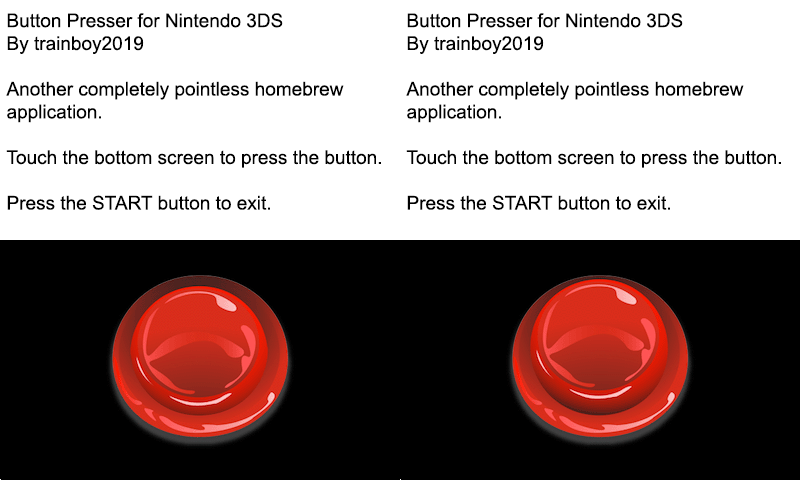
A simple button pressing homebrew for the 3DS.
User guide
It's a button. You press it.
Tap and hold the button to press it. Release it to stop pressing it.
See how many times you can press the button.
Controls
Start - Return to the Home Menu
Up/Down - Change the color of your button
Left/Right - Change the style of your button
R - Reset your score
Screenshots
Credits
- LucarioWolf for bringing up the idea and starting the thread that evolved into an eternal pit of fire.
- TricksterGuy for using several resources from your 3DS Homebrew Template.
- Xerp for SF2D and SFIL, as well as for your Makefile.
- wintermute808 and fincs, for the 3DS Application Template, which was used in the creation of this.
- B_E_P_I_S_M_A_N for the base of the code.