
Diagnos3 3DS: Difference between revisions
From GameBrew
More actions
No edit summary |
m Text replacement - "Category:3DS homebrew system tools" to "" |
||
| (7 intermediate revisions by the same user not shown) | |||
| Line 1: | Line 1: | ||
{{Infobox 3DS Homebrews | {{Infobox 3DS Homebrews | ||
|title=Diagnos3 | |title=Diagnos3 | ||
|image= | |image=Diagnos3fuk2.png | ||
|description=Check the functionailty of your 3DS. | |description=Check the functionailty of your 3DS. | ||
|author=FUK-TEAM | |author=FUK-TEAM | ||
| Line 8: | Line 8: | ||
|version=1.0.2 | |version=1.0.2 | ||
|license=Mixed | |license=Mixed | ||
|download=https://dlhb.gamebrew.org/ | |download=https://dlhb.gamebrew.org/3dshomebrews/diagnos3fuk.7z | ||
|website= | |website=http://technicmaster0.no-ip.biz/FUK-Team | ||
|source=https://dlhb.gamebrew.org/ | |source=https://dlhb.gamebrew.org/3dshomebrews/diagnos3fuk.7z | ||
}} | }} | ||
Diagnos3 is a diagnostic application that runs on the ARM11. | |||
==Installation== | |||
Available in 3DS, CIA and 3DSX/SMDH. | |||
* 3DSX - Copy the 3ds folder into the root of your big SD card. | |||
* CIA - Install the .cia with the CIA manager of your choice. | |||
* 3DS - Put .3ds into the root of your MicroSD card. For Gateway user only. | |||
==Controls== | |||
Touchscreen - Exit the application | |||
==Screenshots== | |||
https://dlhb.gamebrew.org/3dshomebrews/diagnos3fuk3.png | |||
https://dlhb.gamebrew.org/3dshomebrews/diagnos3fuk4.png | |||
==Media== | |||
'''3DS Homebrew: Diagnos3 [Deutsch|HD]''' ([https://www.youtube.com/watch?v=sgjVoipkWgA Flashcardsinfo]) <br> | |||
<youtube>sgjVoipkWgA</youtube> | <youtube>sgjVoipkWgA</youtube> | ||
== | ==Known issues== | ||
* C-Stick, ZL and ZR are not availble with .3DS and .CIA. | |||
* C-Stick, ZL and ZR don't work with NINJHAX. Close Cubic Ninja and start it again. | |||
* The Touchscreen tester stops to work after some time. The GFX Cache gets cleared if there are about 500 white squares. Just wait a few seconds until the cache is cleared if this occurs. | |||
== | ==Changelog== | ||
'''V1.0.2''' | |||
*An error in the detection of the N3DS has been fixed. | |||
== | ==Credits== | ||
Banner, Logo and other graphics by Kero. | |||
== | ==External links== | ||
* | * Official website - https://www.fuk-team.tk | ||
* GBAtemp - https://gbatemp.net/threads/release-diagnos3.389435 | |||
Latest revision as of 05:17, 6 May 2024
| Diagnos3 | |
|---|---|
 | |
| General | |
| Author | FUK-TEAM |
| Type | System Tools |
| Version | 1.0.2 |
| License | Mixed |
| Last Updated | 2015/10/10 |
| Links | |
| Download | |
| Website | |
| Source | |
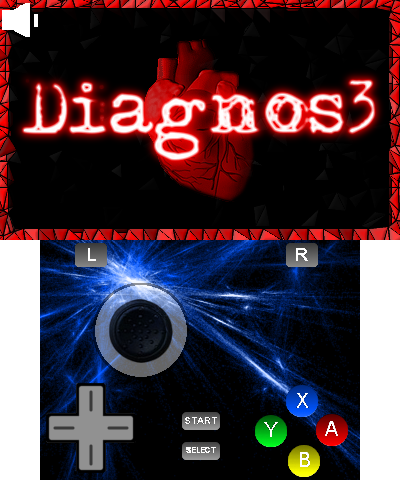
Diagnos3 is a diagnostic application that runs on the ARM11.
Installation
Available in 3DS, CIA and 3DSX/SMDH.
- 3DSX - Copy the 3ds folder into the root of your big SD card.
- CIA - Install the .cia with the CIA manager of your choice.
- 3DS - Put .3ds into the root of your MicroSD card. For Gateway user only.
Controls
Touchscreen - Exit the application
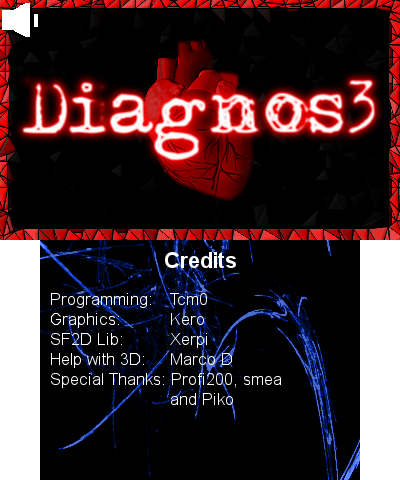
Screenshots
Media
3DS Homebrew: Diagnos3 [Deutsch|HD] (Flashcardsinfo)
Known issues
- C-Stick, ZL and ZR are not availble with .3DS and .CIA.
- C-Stick, ZL and ZR don't work with NINJHAX. Close Cubic Ninja and start it again.
- The Touchscreen tester stops to work after some time. The GFX Cache gets cleared if there are about 500 white squares. Just wait a few seconds until the cache is cleared if this occurs.
Changelog
V1.0.2
- An error in the detection of the N3DS has been fixed.
Credits
Banner, Logo and other graphics by Kero.
External links
- Official website - https://www.fuk-team.tk
- GBAtemp - https://gbatemp.net/threads/release-diagnos3.389435