
DsCube: Difference between revisions
More actions
Created page with "{{Infobox homebrew | title = DsCube | image = File:Dscube.PNG | type = Puzzle | version = Final | licence = Mixed | author = Sebastian Proost ..." |
2026 |
||
| (27 intermediate revisions by the same user not shown) | |||
| Line 1: | Line 1: | ||
{{Infobox | {{Infobox DS Homebrews | ||
| title | |title=DsCube | ||
| image | |image=dscube0328.png | ||
| type | |description=A 3D version Rubiks cube. | ||
| version | |author=Sebastian Proost | ||
| | |lastupdated=2026/03/28 | ||
| | |type=Puzzle | ||
| website | |version=2026 | ||
| | |license=CC BY-NC-SA 4.0 | ||
|download=https://dlhb.gamebrew.org/dshomebrew2/dscube_20260328.7z | |||
}} | |website=https://sebastianproost.itch.io/dscube | ||
|donation=https://sebastianproost.itch.io/dscube | |||
}}<!--dscube_20080617.zip,dscube_20260328.7z--> | |||
DsCube is a three dimensional cube rotates at 360. It is a 3D Rubik's cube simulator for the NDS, which includes 2x2x2, 3x3x3 & 4x4x4 versions. | |||
It was participated in the NEO Summer Coding Compo 2008 (NDS Game). | |||
==Installation== | |||
Copy dscube.nds to a DS-compatible flashcart's microSD card, insert it into your Nintendo DS, and launch the ROM from the flashcart menu. | |||
== | ==User guide== | ||
While playing, tap a face on the cube and drag in the direction you want the layer to rotate. A short drag (roughly one cubelet's width) triggers the move. | |||
Setting options: | |||
* Rotation Speed (Slow/Normal/Fast) - Controls how quickly layers animate when rotated. Tap to cycle through values. | |||
* Animation (On/Off) - When off, rotations snap instantly to their final position. | |||
Gameplay tips: | |||
* Use L and R to zoom out and in - a wider view helps when planning your next moves. | |||
* Orbit the camera with the D-pad to find the face you need before dragging. | |||
* Start with the 2×2 Mini cube to get comfortable with the touch controls before moving to larger sizes. | |||
* If a rotation doesn't trigger, make sure you're dragging far enough — a deliberate swipe across one cubelet works best. | |||
* Turn animations off in settings if you prefer faster solving with instant snaps. | |||
==Controls== | ==Controls== | ||
'''Camera:''' | |||
D-Pad - Rotate camera left/right/up/down | |||
L/R - Zoom out/in | |||
'''Menus and navigation:''' | |||
Start - Pause/Resume (while playing), Return to title (after solving) | |||
B - Resume from pause | |||
A - Activate the focused button | |||
D- | D-Pad - Move focus between buttons in menus | ||
Touch screen - Tap any button directly | |||
==Screenshots== | |||
https://dlhb.gamebrew.org/dshomebrew2/images/dscube03282.png | |||
https://dlhb.gamebrew.org/dshomebrew2/images/dscube03283.png | |||
==Credits== | |||
Originally created by Sebastian Proost. Modernized to build with current toolchains. | |||
Developed with [https://devkitpro.org/ devkitARM] (part of the devkitPro toolchain) and [https://github.com/devkitPro/libnds libnds]. | |||
Tested on [https://melonds.kuribo64.net/ melonDS]. | |||
: | * [https://devkitpro.org/ devkitPro] - homebrew development toolchain | ||
: | * [https://melonds.kuribo64.net/ melonDS] - recommended Nintendo DS emulator | ||
: | * [https://desmume.org/ DeSmuME] - alternative Nintendo DS emulator | ||
* [https://creativecommons.org/licenses/by-nc-sa/4.0/ CC BY-NC-SA 4.0] - full license text | |||
==External links== | |||
: | * itch.io - https://sebastianproost.itch.io/dscube | ||
: | * Author's website - http://seb.channelwood.org | ||
* NeoFlash - https://www.neoflash.com/forum/index.php?topic=5248.0 | |||
: | |||
[[Category:Homebrew | [[Category:NEO Summer Coding Compo 2008]] | ||
[[Category:R4 DS Homebrew Contest]] | |||

Latest revision as of 00:31, 28 June 2026
| DsCube | |
|---|---|
 | |
| General | |
| Author | Sebastian Proost |
| Type | Puzzle |
| Version | 2026 |
| License | CC BY-NC-SA 4.0 |
| Last Updated | 2026/03/28 |
| Links | |
| Download | |
| Website | |
| Support Author | |
DsCube is a three dimensional cube rotates at 360. It is a 3D Rubik's cube simulator for the NDS, which includes 2x2x2, 3x3x3 & 4x4x4 versions.
It was participated in the NEO Summer Coding Compo 2008 (NDS Game).
Installation
Copy dscube.nds to a DS-compatible flashcart's microSD card, insert it into your Nintendo DS, and launch the ROM from the flashcart menu.
User guide
While playing, tap a face on the cube and drag in the direction you want the layer to rotate. A short drag (roughly one cubelet's width) triggers the move.
Setting options:
- Rotation Speed (Slow/Normal/Fast) - Controls how quickly layers animate when rotated. Tap to cycle through values.
- Animation (On/Off) - When off, rotations snap instantly to their final position.
Gameplay tips:
- Use L and R to zoom out and in - a wider view helps when planning your next moves.
- Orbit the camera with the D-pad to find the face you need before dragging.
- Start with the 2×2 Mini cube to get comfortable with the touch controls before moving to larger sizes.
- If a rotation doesn't trigger, make sure you're dragging far enough — a deliberate swipe across one cubelet works best.
- Turn animations off in settings if you prefer faster solving with instant snaps.
Controls
Camera:
D-Pad - Rotate camera left/right/up/down
L/R - Zoom out/in
Menus and navigation:
Start - Pause/Resume (while playing), Return to title (after solving)
B - Resume from pause
A - Activate the focused button
D-Pad - Move focus between buttons in menus
Touch screen - Tap any button directly
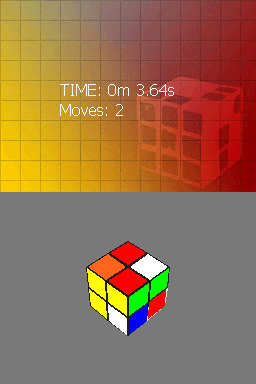
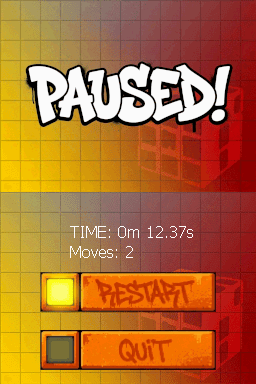
Screenshots
Credits
Originally created by Sebastian Proost. Modernized to build with current toolchains.
Developed with devkitARM (part of the devkitPro toolchain) and libnds.
Tested on melonDS.
- devkitPro - homebrew development toolchain
- melonDS - recommended Nintendo DS emulator
- DeSmuME - alternative Nintendo DS emulator
- CC BY-NC-SA 4.0 - full license text
External links
- itch.io - https://sebastianproost.itch.io/dscube
- Author's website - http://seb.channelwood.org
- NeoFlash - https://www.neoflash.com/forum/index.php?topic=5248.0