
GoldenIdol-Vita: Difference between revisions
More actions
No edit summary |
0.8.7 |
||
| (3 intermediate revisions by 2 users not shown) | |||
| Line 4: | Line 4: | ||
|description=Port of The Case of the Golden Idol for PSVita. | |description=Port of The Case of the Golden Idol for PSVita. | ||
|author=WolffsRoom | |author=WolffsRoom | ||
|lastupdated=2026/06/ | |lastupdated=2026/06/25 | ||
|type=Puzzle | |type=Puzzle | ||
|version=0. | |version=0.8.7 | ||
|license=N/A | |license=N/A | ||
|download=https://dlhb.gamebrew.org/vitahomebrews/GoldenIdolVita.7z | |download=https://dlhb.gamebrew.org/vitahomebrews/GoldenIdolVita.7z | ||
| Line 19: | Line 19: | ||
|image_alt=GoldenIdol-Vita | |image_alt=GoldenIdol-Vita | ||
}} | }} | ||
A port of The Case of the Golden Idol for the PlayStation Vita, adapted from the original Godot Engine PC release | A port of The Case of the Golden Idol for the PlayStation Vita, adapted from the original Godot Engine PC release. | ||
'''Note''': You must own the original game on Steam to generate the Vita playable files. No game assets are provided | '''Note''': You must own the original game on Steam to generate the Vita playable files. No game assets are provided. | ||
== Installation == | == Installation == | ||
| Line 28: | Line 28: | ||
Extract <code>GoldenIdol-Patch.zip</code> into a new folder on your PC. | Extract <code>GoldenIdol-Patch.zip</code> into a new folder on your PC. | ||
Open Steam, right-click on "The Case of the Golden Idol", go to "Manage" | Open Steam, right-click on "The Case of the Golden Idol", go to "Manage" > "Browse local files". | ||
Copy the file named <code>game.pck</code> from that folder into the <code>DataSteam</code> folder of your extracted patcher. | Copy the file named <code>game.pck</code> from that folder into the <code>DataSteam</code> folder of your extracted patcher. | ||
| Line 40: | Line 40: | ||
Connect your Vita via FTP or USB, and copy the entire newly created <code>game_data</code> folder into your Vita's game app folder at: <code>ux0:app/IDOL00001/</code> (this ensures the file ends up exactly at <code>ux0:app/IDOL00001/game_data/game.pck</code>, not just the root app folder). | Connect your Vita via FTP or USB, and copy the entire newly created <code>game_data</code> folder into your Vita's game app folder at: <code>ux0:app/IDOL00001/</code> (this ensures the file ends up exactly at <code>ux0:app/IDOL00001/game_data/game.pck</code>, not just the root app folder). | ||
'''Update warning''': If you want to update the game, update the game files too, not just the VPK. | '''Update warning/notes''': | ||
* If you want to update the game, update the game files too (<code>game.pck</code>), not just the VPK. | |||
* Save files are not lost when uninstalling or updating the game (they are stored in 'ux0:data\godot\app_userdata\The Case of Golden Idol...) | |||
== Controls == | == Controls == | ||
D-Pad Up/Down - Zoom in/out | D-Pad Up/Down - Zoom in/out | ||
D-Pad Left - Show / Hide highlights | |||
Right Analog - Move while zoomed | |||
Left Analog - Mouse control | |||
Touchscreen - Interact (click) | Touchscreen - Interact (click) | ||
| Line 52: | Line 60: | ||
Triangle/Square - Open Thinking Panel | Triangle/Square - Open Thinking Panel | ||
Select - Options | |||
==Screenshots== | ==Screenshots== | ||
| Line 71: | Line 81: | ||
== Known issues == | == Known issues == | ||
A slightly longer loading time for screens and levels (about 5 seconds). | |||
==Changelog== | ==Changelog== | ||
'''v0.8.7''' | |||
* '''Controls & Input:''' | |||
** '''Cancel button fix:''' it was mapped to both ''accept'' and ''cancel'', so menus closed and immediately reopened. It now only cancels. (issue [https://github.com/WolffsRoom/GoldenIdol-PSVita/issues/4 #4]) | |||
** '''Volume sync fix:''' corrected volume synchronization in the project. (issue [https://github.com/WolffsRoom/GoldenIdol-PSVita/issues/3 #3]) | |||
** '''Help screen:''' now lists the real PS Vita controls instead of the PC ones (I'll improve it even further in a future version). | |||
* '''Zoom:''' | |||
** '''Progressive zoom:''' holding L/R or D-Pad Up/Down now zooms smoothly (continuous) instead of fixed steps, for both the scene camera and the Thinking Panel. | |||
** '''Thinking Panel zoom (up to 3x):''' zoom the deduction board to read the text on the small screen. | |||
** '''Hint zoom:''' the hint illustrations can be zoomed and panned the same way. | |||
* '''Visual and UI:''' | |||
** '''Brightness setting:''' new Settings slider that fades the screen dark or light. | |||
** '''Scene-only transitions:''' the black fade between locations now only covers the scene, keeping the toolbar visible. | |||
** '''Overhauled Credits & Discord supporters screens:''' rolling credits that finish and return automatically. | |||
** '''Object-description box:''' fixed the text centering inside the item description box. | |||
* '''Audio and Video:''' | |||
** '''Intermission videos:''' re-encoded to a lighter resolution for smoother playback, with the scenario selector hidden behind the video to reduce GPU load. | |||
* '''Performance:''' | |||
** '''DLC crash fix:''' resolved the <code>C2-12828-1</code> out-of-memory crash on the ''Mystery of Monkey Paw Island'' DLC scene. (issue [https://github.com/WolffsRoom/GoldenIdol-PSVita/issues/2 #2]) | |||
** '''Project cleanup:''' unused scenes and prototype images removed from the build (smaller PCK). | |||
** '''Extended memory mode:''' the VPK runs in expanded RAM mode for fewer graphical glitches and smoother gameplay. | |||
** ''I tested a low-memory version (the one used for native games). The problem is that limiting the RAM significantly increases load times between scenes and causes a bunch of graphical bugs. I ended up scrapping the idea because the trade-off just isn't worth it. The only real benefit would be the ability to use the browser or listen to music in the background while playing.'' | |||
* '''Trophies (work in progress)''' | |||
** Groundwork for trophy support: <code>TROPHY.TRP</code> generated, Steam -> Vita trophy extraction and <code>.TRP</code> build tools created, and a dedicated plugin under test. Full functionality is '''not guaranteed yet''' in this version. | |||
'''v0.7.1''' (Hotfix) | |||
* Removed debug mouse logs on Vita builds. | |||
'''v0.7.0''' | |||
* This release of The Case of the Golden Idol for the PS Vita is fully adapted to run natively on the console, with a custom UI, virtual mouse/cursor support, touch-optimized screens, animated menu transitions, and reworked controls that make better use of the Vita's buttons. | |||
'''v0.3.0''' | '''v0.3.0''' | ||
* First Release. | * First Release. | ||
== External links == | == External links == | ||
* Author's website - https://wolffsroom.wordpress.com/ | |||
* GitHub - https://github.com/WolffsRoom/GoldenIdol-PSVita | * GitHub - https://github.com/WolffsRoom/GoldenIdol-PSVita | ||
* Reddit - https://www.reddit.com/r/vitahacks/comments/1twztqs/release_the_case_of_golden_idol_psvita_port/ | * Reddit - https://www.reddit.com/r/vitahacks/comments/1twztqs/release_the_case_of_golden_idol_psvita_port/ | ||
Latest revision as of 03:27, 26 June 2026
| GoldenIdol-Vita | |
|---|---|
 | |
| General | |
| Author | WolffsRoom |
| Type | Puzzle |
| Version | 0.8.7 |
| License | N/A |
| Last Updated | 2026/06/25 |
| Links | |
| Download | |
| Website | |
| Source | |
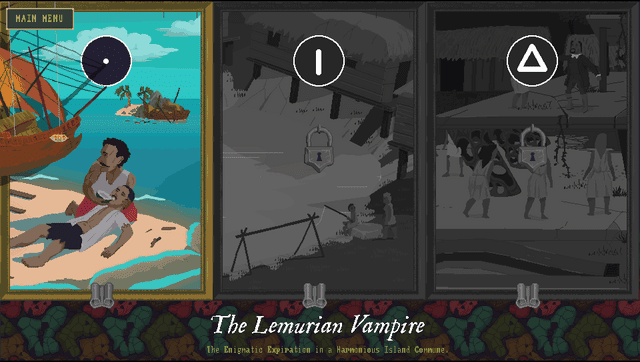
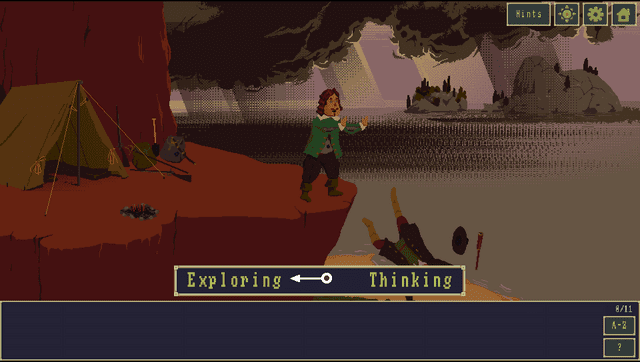
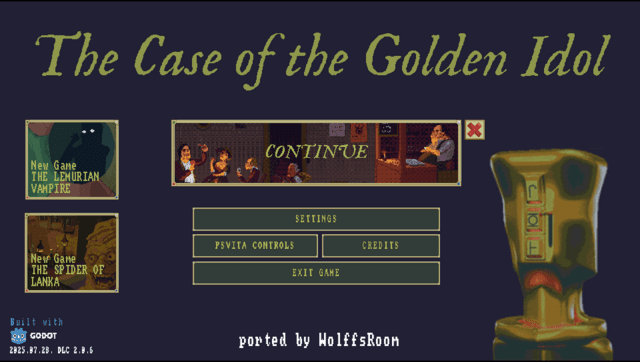
A port of The Case of the Golden Idol for the PlayStation Vita, adapted from the original Godot Engine PC release.
Note: You must own the original game on Steam to generate the Vita playable files. No game assets are provided.
Installation
Download the latest GoldenIdol-Patch.zip and GoldenIdol-Vita-x.x.x.vpk from Releases.
Extract GoldenIdol-Patch.zip into a new folder on your PC.
Open Steam, right-click on "The Case of the Golden Idol", go to "Manage" > "Browse local files".
Copy the file named game.pck from that folder into the DataSteam folder of your extracted patcher.
Go back to the main patcher folder and run ApplyPatch.bat. Follow the on-screen instructions to select your language.
Wait for the process to finish. It will automatically apply the patch and create a new folder named game_data containing your patched game file.
Install the GoldenIdol-Vita-0.3.0.vpk on your PS Vita using VitaShell or FMVita (the author's personalized VitaShell).
Connect your Vita via FTP or USB, and copy the entire newly created game_data folder into your Vita's game app folder at: ux0:app/IDOL00001/ (this ensures the file ends up exactly at ux0:app/IDOL00001/game_data/game.pck, not just the root app folder).
Update warning/notes:
- If you want to update the game, update the game files too (
game.pck), not just the VPK. - Save files are not lost when uninstalling or updating the game (they are stored in 'ux0:data\godot\app_userdata\The Case of Golden Idol...)
Controls
D-Pad Up/Down - Zoom in/out
D-Pad Left - Show / Hide highlights
Right Analog - Move while zoomed
Left Analog - Mouse control
Touchscreen - Interact (click)
Cross - Confirm, Interact
Circle - Cancel, Back
Triangle/Square - Open Thinking Panel
Select - Options
Screenshots
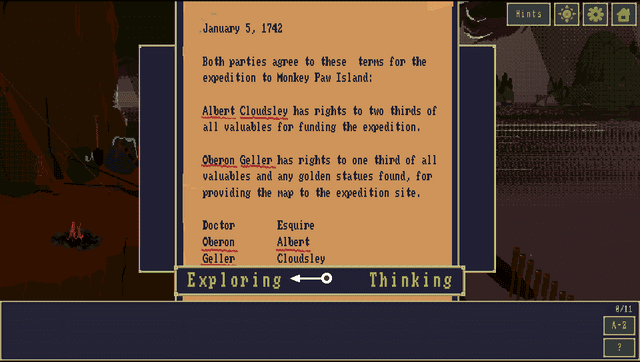
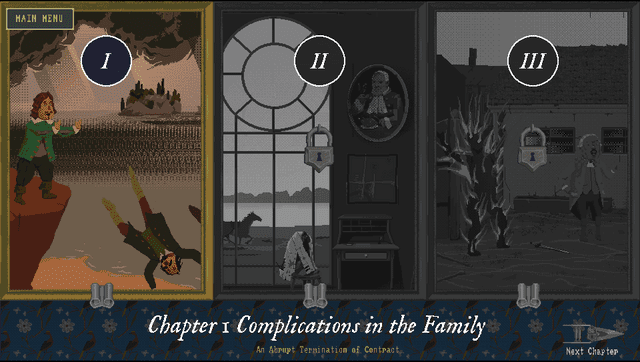
Media
The Case of the Golden Idol - Official Reveal Trailer (GameTrailers)
Known issues
A slightly longer loading time for screens and levels (about 5 seconds).
Changelog
v0.8.7
- Controls & Input:
- Cancel button fix: it was mapped to both accept and cancel, so menus closed and immediately reopened. It now only cancels. (issue #4)
- Volume sync fix: corrected volume synchronization in the project. (issue #3)
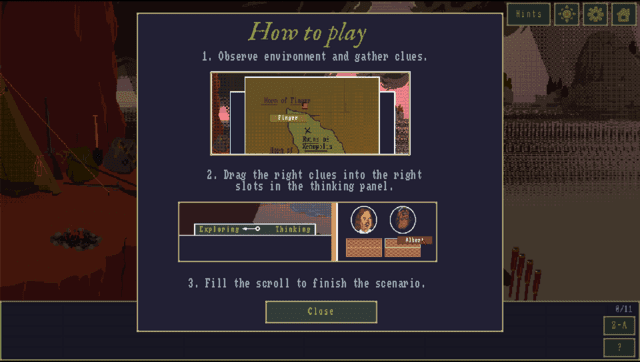
- Help screen: now lists the real PS Vita controls instead of the PC ones (I'll improve it even further in a future version).
- Zoom:
- Progressive zoom: holding L/R or D-Pad Up/Down now zooms smoothly (continuous) instead of fixed steps, for both the scene camera and the Thinking Panel.
- Thinking Panel zoom (up to 3x): zoom the deduction board to read the text on the small screen.
- Hint zoom: the hint illustrations can be zoomed and panned the same way.
- Visual and UI:
- Brightness setting: new Settings slider that fades the screen dark or light.
- Scene-only transitions: the black fade between locations now only covers the scene, keeping the toolbar visible.
- Overhauled Credits & Discord supporters screens: rolling credits that finish and return automatically.
- Object-description box: fixed the text centering inside the item description box.
- Audio and Video:
- Intermission videos: re-encoded to a lighter resolution for smoother playback, with the scenario selector hidden behind the video to reduce GPU load.
- Performance:
- DLC crash fix: resolved the
C2-12828-1out-of-memory crash on the Mystery of Monkey Paw Island DLC scene. (issue #2) - Project cleanup: unused scenes and prototype images removed from the build (smaller PCK).
- Extended memory mode: the VPK runs in expanded RAM mode for fewer graphical glitches and smoother gameplay.
- I tested a low-memory version (the one used for native games). The problem is that limiting the RAM significantly increases load times between scenes and causes a bunch of graphical bugs. I ended up scrapping the idea because the trade-off just isn't worth it. The only real benefit would be the ability to use the browser or listen to music in the background while playing.
- DLC crash fix: resolved the
- Trophies (work in progress)
- Groundwork for trophy support:
TROPHY.TRPgenerated, Steam -> Vita trophy extraction and.TRPbuild tools created, and a dedicated plugin under test. Full functionality is not guaranteed yet in this version.
- Groundwork for trophy support:
v0.7.1 (Hotfix)
- Removed debug mouse logs on Vita builds.
v0.7.0
- This release of The Case of the Golden Idol for the PS Vita is fully adapted to run natively on the console, with a custom UI, virtual mouse/cursor support, touch-optimized screens, animated menu transitions, and reworked controls that make better use of the Vita's buttons.
v0.3.0
- First Release.