
PSV MIDI Player Vita: Difference between revisions
From GameBrew
More actions
Created page with "{{Infobox Vita Homebrews |title=PSV MIDI Player |image=PSVMIDIPlayerVita.png |description=MIDI player for PSVita. |author=snkilc |lastupdated=2026/03/27 |type=Media Players |version=1.0 |license=N/A |download=https://dlhb.gamebrew.org/vitahomebrews/PSVMIDIPlayerVita.7z |website=https://gbatemp.net/threads/psv-midi-player-v1-0-native-fluidsynth-based-midi-player-for-vita.680692/ |source= |donation= }} {{#seo: |title=Vita Homebrew Apps (Media Players) - GameBrew |title_mod..." |
No edit summary |
||
| Line 19: | Line 19: | ||
|image_alt=PSV MIDI Player | |image_alt=PSV MIDI Player | ||
}} | }} | ||
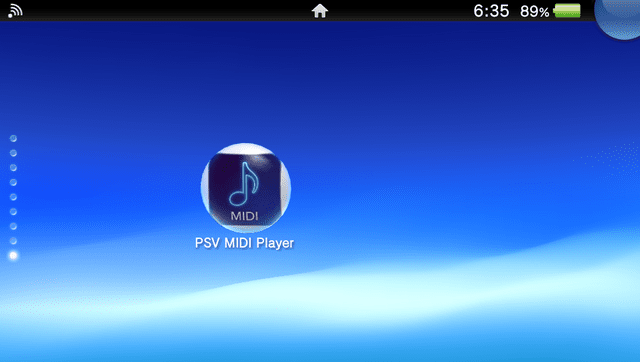
PSV MIDI Player is a homebrew music application for the PlayStation Vita that plays MIDI files using the FluidSynth audio synthesis engine. | |||
== | == User guide == | ||
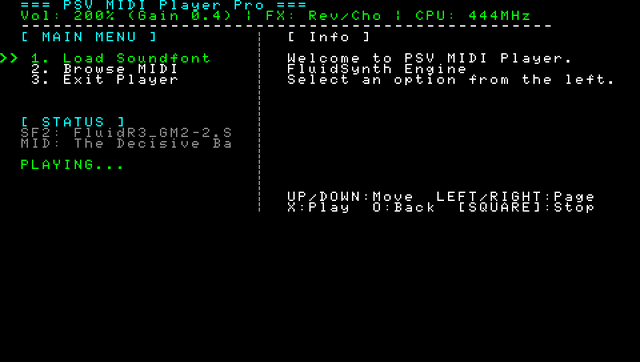
First, load your .sf2 file (it maps everything into RAM). | |||
Use the D-Pad to navigate your directories and select your favorite MIDI files. | |||
The player will automatically play files in sequence. | |||
Hold [R Trigger] + Left/Right on the D-Pad to adjust the FluidSynth gain. (Recommendation: 0.4. Going too high might cause audio clipping/distortion.) | |||
If no buttons are pressed for 1 minute during playback, the screen will automatically turn off (black screen mode) | |||
==Screenshots== | ==Screenshots== | ||
| Line 62: | Line 42: | ||
== External links == | == External links == | ||
* | * GBAtemp - https://gbatemp.net/threads/psv-midi-player-v1-0-native-fluidsynth-based-midi-player-for-vita.680692/ | ||
* VitaDB - https://www.rinnegatamante.eu/vitadb/#/info/1382 | * VitaDB - https://www.rinnegatamante.eu/vitadb/#/info/1382 | ||
Latest revision as of 04:33, 9 April 2026
| PSV MIDI Player | |
|---|---|
 | |
| General | |
| Author | snkilc |
| Type | Media Players |
| Version | 1.0 |
| License | N/A |
| Last Updated | 2026/03/27 |
| Links | |
| Download | |
| Website | |
PSV MIDI Player is a homebrew music application for the PlayStation Vita that plays MIDI files using the FluidSynth audio synthesis engine.
User guide
First, load your .sf2 file (it maps everything into RAM).
Use the D-Pad to navigate your directories and select your favorite MIDI files.
The player will automatically play files in sequence.
Hold [R Trigger] + Left/Right on the D-Pad to adjust the FluidSynth gain. (Recommendation: 0.4. Going too high might cause audio clipping/distortion.)
If no buttons are pressed for 1 minute during playback, the screen will automatically turn off (black screen mode)
Screenshots
Changelog
v1.0
- First Release.