
Toziuha Night Dracula's Revenge Vita: Difference between revisions
From GameBrew
More actions
No edit summary |
|||
| Line 20: | Line 20: | ||
}} | }} | ||
A patch for [https://store.steampowered.com/app/1872040/Toziuha_Night_Draculas_Revenge/ Toziuha Night: Dracula's Revenge] to run on the PlayStation Vita. | A patch for [https://store.steampowered.com/app/1872040/Toziuha_Night_Draculas_Revenge/ Toziuha Night: Dracula's Revenge] to run on the PlayStation Vita. | ||
== Installation == | == Installation == | ||
=== 1. Download required files === | |||
Get the game from [https://dannygaray60.itch.io/toziuha-night-draculas-revenge Itch.io] or [https://store.steampowered.com/app/1872040/Toziuha_Night_Draculas_Revenge/ Steam]. | |||
Clone or download the [https://github.com/Rocroverss/Toziuha-Night-Dracula-s-Revenge-patch-psvita PSVita patch repository]. | |||
=== 2. Prepare the game files === | === 2. Prepare the game files === | ||
Locate <code>toziuha_night_dracula's_revenge.pck</code> in the downloaded game folder. | |||
Place it inside the patch repository folder. | |||
=== 3. Run the patch script === | === 3. Run the patch script === | ||
Using Python 3, execute the following command (or double click it to execute): | Using Python 3, execute the following command (or double click it to execute): | ||
<pre>python pck_patch_gui.py</pre> | <pre>python pck_patch_gui.py</pre> | ||
Set up the required paths in the GUI and press | |||
Set up the required paths in the GUI and press "Apply Patch". | |||
=== 4. Install on your PSVita === | === 4. Install on your PSVita === | ||
There are two options: | There are two options: | ||
* | * Install via VPK: Use [[VitaShell]] to install the generated <code>game.vpk</code>. | ||
* | * Manual install: | ||
* | ** Download the game from VitaDB. | ||
* | ** Replace the <code>.pck</code> file in <code>ux0:data/game_data/</code> with your <code>game_merged.pck</code>, renamed to <code>game.pck</code>. | ||
Note: It is recommended to change the graphic quality setting to 1 in the options tab to get better performance. | |||
==Screenshots== | ==Screenshots== | ||
| Line 68: | Line 57: | ||
https://dlhb.gamebrew.org/vitahomebrews/images/ToziuhaNightDraculasRevengeVita-04.png | https://dlhb.gamebrew.org/vitahomebrews/images/ToziuhaNightDraculasRevengeVita-04.png | ||
== | ==Media== | ||
''' | '''Toziuha Night: Dracula's Revenge | On Steam Trailer''' ([https://www.youtube.com/watch?v=6SdwzbGwjNU On Game Trailers]) <br> | ||
<youtube width="640">6SdwzbGwjNU</youtube> | |||
== Known issues == | == Known issues == | ||
* Small stutters while loading some assets. | * Small stutters while loading some assets. | ||
* Translations not working. | * Translations not working. | ||
==Changelog== | |||
'''v1.0 2026/02/14''' | |||
* Initial release. | |||
== External links == | == External links == | ||
* | * GitHub - https://github.com/Rocroverss/Toziuha-Night-Dracula-s-Revenge-patch-psvita | ||
* VitaDB - https://www.rinnegatamante.eu/vitadb/#/info/1368 | * VitaDB - https://www.rinnegatamante.eu/vitadb/#/info/1368 | ||
Latest revision as of 04:23, 17 February 2026
| Toziuha Night Dracula's Revenge Vita | |
|---|---|
 | |
| General | |
| Author | Rocroverss |
| Type | Platform |
| Version | 1.0 |
| License | N/A |
| Last Updated | 2026/02/14 |
| Links | |
| Download | |
| Website | |
| Source | |
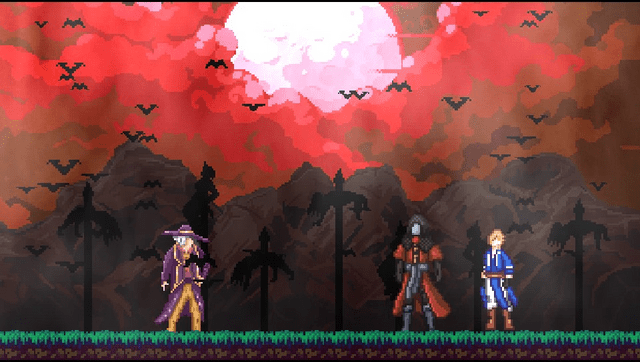
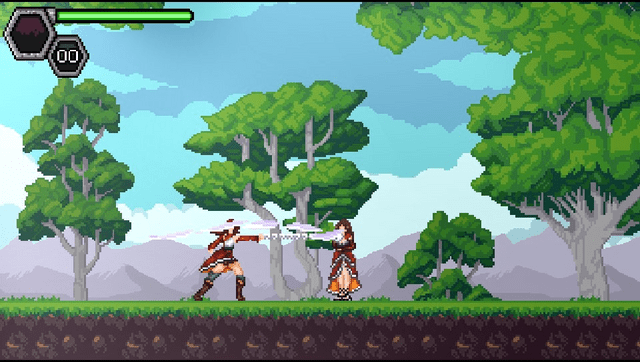
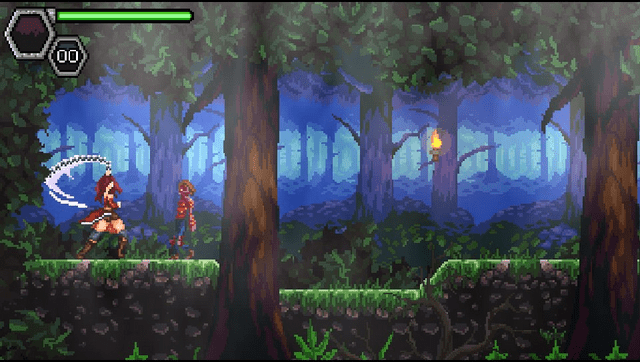
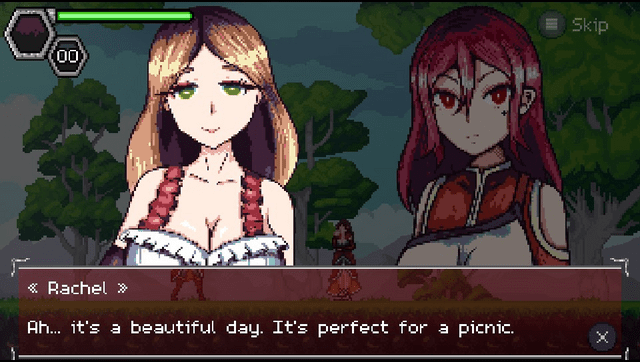
A patch for Toziuha Night: Dracula's Revenge to run on the PlayStation Vita.
Installation
1. Download required files
Get the game from Itch.io or Steam.
Clone or download the PSVita patch repository.
2. Prepare the game files
Locate toziuha_night_dracula's_revenge.pck in the downloaded game folder.
Place it inside the patch repository folder.
3. Run the patch script
Using Python 3, execute the following command (or double click it to execute):
python pck_patch_gui.py
Set up the required paths in the GUI and press "Apply Patch".
4. Install on your PSVita
There are two options:
- Install via VPK: Use VitaShell to install the generated
game.vpk. - Manual install:
- Download the game from VitaDB.
- Replace the
.pckfile inux0:data/game_data/with yourgame_merged.pck, renamed togame.pck.
Note: It is recommended to change the graphic quality setting to 1 in the options tab to get better performance.
Screenshots
Media
Toziuha Night: Dracula's Revenge | On Steam Trailer (On Game Trailers)
Known issues
- Small stutters while loading some assets.
- Translations not working.
Changelog
v1.0 2026/02/14
- Initial release.