
BattleBox Vita: Difference between revisions
From GameBrew
More actions
Created page with "{{Infobox Vita Homebrews |title=BattleBox |image=BattleBoxVita.png |description=This is yet again a another ChaloApps game being ported to the PSVITA. |author=nonogamer9 |lastupdated=2026/01/07 |type=Shooter |version=1.0 |license=N/A |download=https://dlhb.gamebrew.org/vitahomebrews/BattleBoxVita.7z |website=https://nonogamer9-youtube.itch.io/battlebox-psvita-port |source= |donation= }} {{#seo: |title=Vita Homebrew Games (Shooter) - GameBrew |title_mode=append |image=Bat..." |
No edit summary |
||
| (One intermediate revision by the same user not shown) | |||
| Line 19: | Line 19: | ||
|image_alt=BattleBox | |image_alt=BattleBox | ||
}} | }} | ||
Port of the mobile shooter BattleBox by ChaloApps. | |||
Based on version 2.1.6 of the original game (April 24, 2019) using Unity/Mono. | |||
==Features== | |||
* Added PS Vita controls. | |||
* Textures ported for the Vita GPU. | |||
* Optimized performance. | |||
==Installation== | ==Installation== | ||
PS Vita: | |||
* Transfer the .vpk file to your console (commonly to the ux0:/vpk/ folder) using [[VitaShell]] via USB or FTP. | |||
* Open VitaShell on your Vita, navigate to the location of the .vpk file. | |||
* Select the .vpk file, and press the Cross button to install, confirming any permission prompts that appear. | |||
Vita3k: | |||
* Drag and drop the .vpk file into the Vita3K window, or use the menu option File > Install .vpk/.zip to select and install your VPK. | |||
* Make sure the game folder is named after the correct Title ID for proper booting. | |||
==Controls== | ==Controls== | ||
Left Stick - Movement | |||
Right Stick - Looking around | |||
Circle - Jump | |||
R - Shoot players or mobs | |||
Square - Theow grenade | |||
L or Triangle - Switch weapons | |||
==Screenshots== | ==Screenshots== | ||
| Line 70: | Line 59: | ||
https://dlhb.gamebrew.org/vitahomebrews/images/BattleBoxVita-04.png | https://dlhb.gamebrew.org/vitahomebrews/images/BattleBoxVita-04.png | ||
==Media== | |||
'''battlebox android multiplayer game review''' ([https://www.youtube.com/watch?v=o-ec21ywEsc KS Gameplay : Offroad Driving Game]) <br> | |||
<youtube width="640">o-ec21ywEsc</youtube> | |||
==Changelog== | ==Changelog== | ||
| Line 78: | Line 71: | ||
* Itch.io - https://nonogamer9-youtube.itch.io/battlebox-psvita-port | * Itch.io - https://nonogamer9-youtube.itch.io/battlebox-psvita-port | ||
* Reddit - https://www.reddit.com/r/vitahacks/comments/1q6hrtk/battlebox_psvita_port_release/ | * Reddit - https://www.reddit.com/r/vitahacks/comments/1q6hrtk/battlebox_psvita_port_release/ | ||
[[Category:Mobile game ports on Vita]] | |||
[[Category:Vita game ports]] | |||
Latest revision as of 05:08, 11 January 2026
| BattleBox | |
|---|---|
 | |
| General | |
| Author | nonogamer9 |
| Type | Shooter |
| Version | 1.0 |
| License | N/A |
| Last Updated | 2026/01/07 |
| Links | |
| Download | |
| Website | |
Port of the mobile shooter BattleBox by ChaloApps.
Based on version 2.1.6 of the original game (April 24, 2019) using Unity/Mono.
Features
- Added PS Vita controls.
- Textures ported for the Vita GPU.
- Optimized performance.
Installation
PS Vita:
- Transfer the .vpk file to your console (commonly to the ux0:/vpk/ folder) using VitaShell via USB or FTP.
- Open VitaShell on your Vita, navigate to the location of the .vpk file.
- Select the .vpk file, and press the Cross button to install, confirming any permission prompts that appear.
Vita3k:
- Drag and drop the .vpk file into the Vita3K window, or use the menu option File > Install .vpk/.zip to select and install your VPK.
- Make sure the game folder is named after the correct Title ID for proper booting.
Controls
Left Stick - Movement
Right Stick - Looking around
Circle - Jump
R - Shoot players or mobs
Square - Theow grenade
L or Triangle - Switch weapons
Screenshots
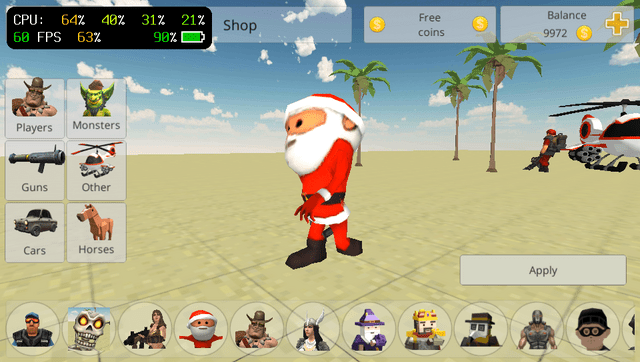
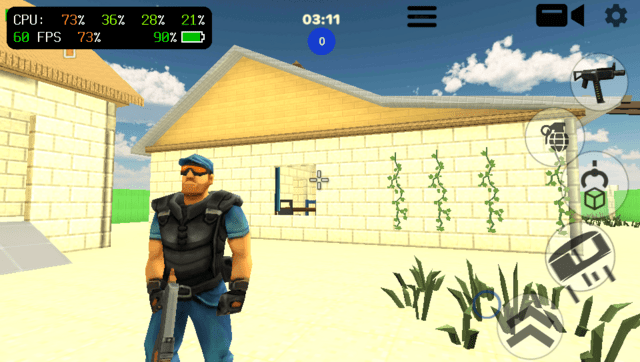
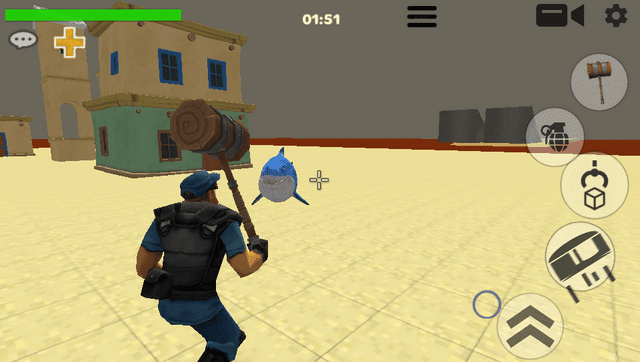
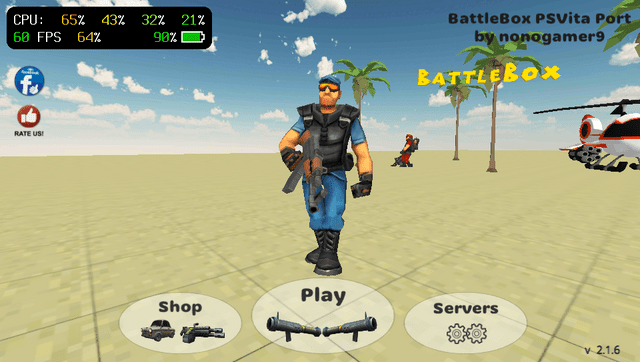
Media
battlebox android multiplayer game review (KS Gameplay : Offroad Driving Game)
Changelog
v1.0
- First Release.