
Beat Banger Vita: Difference between revisions
From GameBrew
More actions
No edit summary |
No edit summary |
||
| (3 intermediate revisions by 2 users not shown) | |||
| Line 2: | Line 2: | ||
|title=blues-vita | |title=blues-vita | ||
|image=BeatBangerVita.png | |image=BeatBangerVita.png | ||
|description= | |description=Port of Beat Banger, an adult rythm game for PS Vita. | ||
|author=masteroga | |author=masteroga | ||
|lastupdated=2025/10/07 | |lastupdated=2025/10/07 | ||
| Line 19: | Line 19: | ||
|image_alt=blues-vita | |image_alt=blues-vita | ||
}} | }} | ||
A port of the adult rhythm game Beat Banger for the | A port of the adult rhythm game Beat Banger for the PS Vita. | ||
== | ==Installation== | ||
=== How to install === | |||
You must own a legal copy of the game (Steam) in order to play this. | |||
Prerequisites: | |||
* [[Sharkf00d Vita|libshaccg plugin]] | |||
* [[IoPlus Vita|ioPlus plugin]] | |||
Patch instructions: | |||
* Hold <code>Win + R</code> together to bring up the run box and then type <code>steam://open/console</code> into the prompt to bring up the steam console. | |||
* In the steam console, type the command "download_depot 1813430 1813432 1018289862284499489" to get the required files from the correct version of beat banger. | |||
* Download the patcher and vpk, install the vpk on the PS Vita via [[VitaShell]]. | |||
* Extract the patcher archive, drag beat banger pck into the patcher so it is at the same level as the bat files. | |||
* Run the correct bat file corresponding to your operating system. | |||
* With the new pck, connect your PC and Vita and paste it in <code>ux0:app/BEAT33322/game_data</code>. | |||
Mod support: | |||
* Create the folder <code>Ux0/data/BeatBanger</code> | * Create the folder <code>Ux0/data/BeatBanger</code>. | ||
* Inside <code>Ux0:data/BeatBanger</code> create a mods folder then put all your converted mods in there and they should show up inside the game. | * Inside <code>Ux0:data/BeatBanger</code> create a mods folder then put all your converted mods in there and they should show up inside the game. | ||
== | === Mod conversion === | ||
===Prerequisites | Prerequisites: | ||
Have this [https://dotnet.microsoft.com/en-us/download/dotnet/thank-you/runtime-8.0.20-windows-x64-installer | * Have this [https://dotnet.microsoft.com/en-us/download/dotnet/thank-you/runtime-8.0.20-windows-x64-installer .NET 8.0] installed. | ||
* [https://github.com/masteroga101/Beat-Banger-Vita-mod-converter Beat Banger Vita Mod Converter] | |||
How to use: | |||
* Move all of your RELEASE (check below if mods are legacy or demo) mods so they are all at the same file level e.g. BBVita/Modstest/(All you downloaded mods here). | |||
* Run the converter and you should be given a prompt to paste a file location into. | |||
* You can find this location by going to your mods folder and going one layer up. In the above example you would be in the Modstest folder so you can see all your downloaded mods. | |||
* Click on the bar to the left of your search bar and you should be given a file location, copy and paste this into the converter and press enter. | |||
* Wait until the all the mods are sorted through and command prompt has vanished, then go back to where you stored your mods and they should all be set for moving onto the vita. | |||
===Legacy and demo mods=== | === Legacy and demo mods === | ||
Legacy and demo mods don't run natively on Beat Banger release however there are converters that allow you to convert them to release. | |||
* Oldish beat banger builds (February 2025 build is recommended), drag zipped legacy mods onto the screen and the game should convert them automatically and output them in your mods folder. | |||
* [https://drive.google.com/file/d/1RZLZBCJryJo8fACVsOVl4N_ydU61-OgJ/view?usp=drive_link A community made converter] (modified by masteroga101). | |||
After changing them to release, put them into the beat banger converter. | |||
==Screenshots== | ==Screenshots== | ||
| Line 70: | Line 69: | ||
==Changelog== | ==Changelog== | ||
''' | '''v0.99''' | ||
* First Release. | * First Release. | ||
== External links == | == External links == | ||
* | * GitHub - https://github.com/masteroga101/Beat-Banger-PsVita- | ||
* | * GitHub - https://github.com/masteroga101/Beat-Banger-Vita-mod-converter | ||
* VitaDB - https://www.rinnegatamante.eu/vitadb/#/info/1329 | * VitaDB - https://www.rinnegatamante.eu/vitadb/#/info/1329 | ||
{{18PlusDisclaimer}} | |||
[[Category:PC game ports on Vita]] | |||
[[Category:Vita game ports]] | |||
Latest revision as of 02:06, 12 October 2025
| blues-vita | |
|---|---|
 | |
| General | |
| Author | masteroga |
| Type | Music |
| Version | 0.99 |
| License | N/A |
| Last Updated | 2025/10/07 |
| Links | |
| Download | |
| Website | |
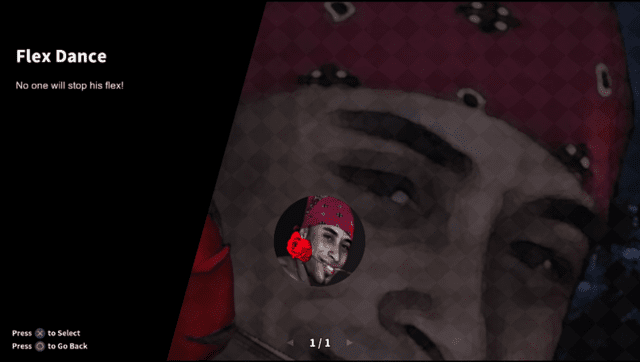
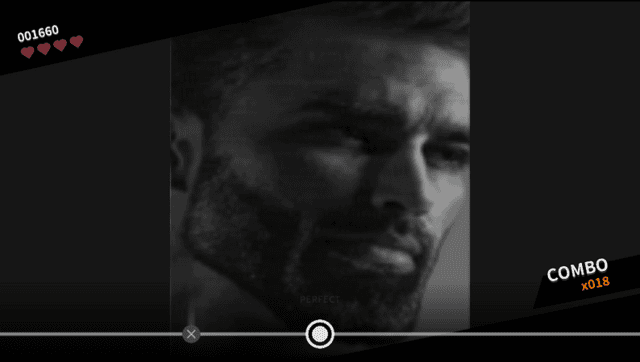
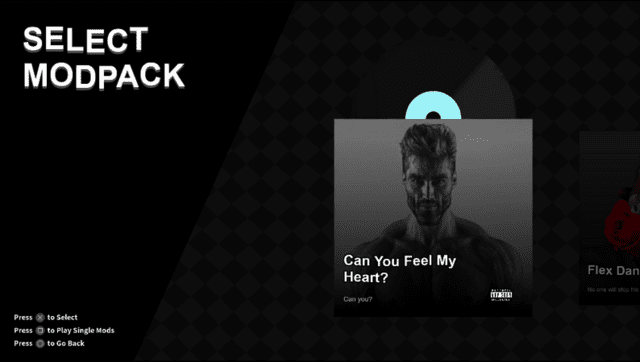
A port of the adult rhythm game Beat Banger for the PS Vita.
Installation
How to install
You must own a legal copy of the game (Steam) in order to play this.
Prerequisites:
Patch instructions:
- Hold
Win + Rtogether to bring up the run box and then typesteam://open/consoleinto the prompt to bring up the steam console. - In the steam console, type the command "download_depot 1813430 1813432 1018289862284499489" to get the required files from the correct version of beat banger.
- Download the patcher and vpk, install the vpk on the PS Vita via VitaShell.
- Extract the patcher archive, drag beat banger pck into the patcher so it is at the same level as the bat files.
- Run the correct bat file corresponding to your operating system.
- With the new pck, connect your PC and Vita and paste it in
ux0:app/BEAT33322/game_data.
Mod support:
- Create the folder
Ux0/data/BeatBanger. - Inside
Ux0:data/BeatBangercreate a mods folder then put all your converted mods in there and they should show up inside the game.
Mod conversion
Prerequisites:
- Have this .NET 8.0 installed.
- Beat Banger Vita Mod Converter
How to use:
- Move all of your RELEASE (check below if mods are legacy or demo) mods so they are all at the same file level e.g. BBVita/Modstest/(All you downloaded mods here).
- Run the converter and you should be given a prompt to paste a file location into.
- You can find this location by going to your mods folder and going one layer up. In the above example you would be in the Modstest folder so you can see all your downloaded mods.
- Click on the bar to the left of your search bar and you should be given a file location, copy and paste this into the converter and press enter.
- Wait until the all the mods are sorted through and command prompt has vanished, then go back to where you stored your mods and they should all be set for moving onto the vita.
Legacy and demo mods
Legacy and demo mods don't run natively on Beat Banger release however there are converters that allow you to convert them to release.
- Oldish beat banger builds (February 2025 build is recommended), drag zipped legacy mods onto the screen and the game should convert them automatically and output them in your mods folder.
- A community made converter (modified by masteroga101).
After changing them to release, put them into the beat banger converter.
Screenshots

Changelog
v0.99
- First Release.
External links
- GitHub - https://github.com/masteroga101/Beat-Banger-PsVita-
- GitHub - https://github.com/masteroga101/Beat-Banger-Vita-mod-converter
- VitaDB - https://www.rinnegatamante.eu/vitadb/#/info/1329