
FlatOut Paint PSP: Difference between revisions
From GameBrew
More actions
No edit summary |
No edit summary |
||
| (One intermediate revision by the same user not shown) | |||
| Line 12: | Line 12: | ||
|source= | |source= | ||
}} | }} | ||
A simple drawing program coded in Flash. | A simple drawing program coded in Flash (Russian). | ||
== Features == | == Features == | ||
| Line 19: | Line 19: | ||
== Installation == | == Installation == | ||
For CFW: | For CFW: | ||
* Extract the contents to /PSP/GAME/. | * Extract the contents to /PSP/GAME/fp/. | ||
* Launch from the PSP's Game Menu. | * Launch from the PSP's Game Menu. | ||
For OFW: | For OFW: | ||
* Extract the contents to /PSP/GAME/. | * Extract the contents to /PSP/GAME/fp/. | ||
* Open the PSP browser and enter the address: <code>file:/psp/game/fp/fp.swf</code> | * Open the PSP browser and enter the address: <code>file:/psp/game/fp/fp.swf</code> | ||
Latest revision as of 13:09, 27 June 2025
| FlatOut Paint | |
|---|---|
 | |
| General | |
| Author | FlatOut |
| Type | Other |
| Version | 0.1 |
| License | N/A |
| Last Updated | 2010/02/21 |
| Links | |
| Download | |
| Website | |
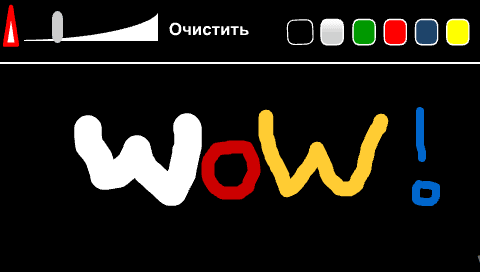
A simple drawing program coded in Flash (Russian).
Features
- Take up very little space on the Memory Stick.
Installation
For CFW:
- Extract the contents to /PSP/GAME/fp/.
- Launch from the PSP's Game Menu.
For OFW:
- Extract the contents to /PSP/GAME/fp/.
- Open the PSP browser and enter the address:
file:/psp/game/fp/fp.swf
Screenshots
Compatibility
Should work on all firmware versions.