
The Legend of Lumina Vita: Difference between revisions
From GameBrew
More actions
Created page with "{{Infobox Vita Homebrews |title=The Legend of Lumina Vita |image=TheLegendofLuminaVita.png |description=Port of The Legend of Lumina for PSVITA. |author=Rocroverss |lastupdated=2025/05/22 |type=Puzzle |version=1.0 |license=N/A |download=https://dlhb.gamebrew.org/vitahomebrews/TheLegendofLuminaVita.7z |website=https://github.com/Rocroverss/The-legend-of-lumina-patch-psvita |source=https://github.com/Rocroverss/The-legend-of-lumina-patch-psvita |donation= }} {{#seo: |title..." |
No edit summary |
||
| (7 intermediate revisions by 2 users not shown) | |||
| Line 2: | Line 2: | ||
|title=The Legend of Lumina Vita | |title=The Legend of Lumina Vita | ||
|image=TheLegendofLuminaVita.png | |image=TheLegendofLuminaVita.png | ||
|description=Port of The Legend of Lumina for | |description=Port of The Legend of Lumina for PS Vita. | ||
|author=Rocroverss | |author=Rocroverss | ||
|lastupdated=2025/05/22 | |lastupdated=2025/05/22 | ||
| Line 19: | Line 19: | ||
|image_alt=The Legend of Lumina Vita | |image_alt=The Legend of Lumina Vita | ||
}} | }} | ||
A patch for [https://wizbane.itch.io/the-legend-of-lumina The Legend of Lumina] to run on the PS Vita. | |||
Originally developed in Godot for the KB Games ZeldaJam 2022, The Legend of Lumina is a block-pushing puzzle game with Metroidvania-style progression, set in a peaceful forest environment. | |||
Explore an ancient forest, push blocks to solve puzzles, and uncover a way to lift the curse on your homeland. | Explore an ancient forest, push blocks to solve puzzles, and uncover a way to lift the curse on your homeland. | ||
== Installation == | |||
===Preparations=== | |||
== | * Clone or download the [https://github.com/Rocroverss/The-legend-of-lumina-patch-psvita/releases patch repository]. | ||
=== | |||
* Get the game from [https://wizbane.itch.io/the-legend-of-lumina Itch.io] or [https://store.steampowered.com/app/2638340/The_Legend_of_Lumina/ Steam]. | * Get the game from [https://wizbane.itch.io/the-legend-of-lumina Itch.io] or [https://store.steampowered.com/app/2638340/The_Legend_of_Lumina/ Steam]. | ||
* Locate <code>The-Legend-of-Lumina.pck</code> in the downloaded game folder. | * Locate <code>The-Legend-of-Lumina.pck</code> in the downloaded game folder. | ||
* Rename it to <code>game.pck</code> and place it inside the patch repository folder. | * Rename it to <code>game.pck</code> and place it inside the patch repository folder. | ||
* Using Python 3, execute the following command: | |||
Using | ** <code>python patch.py --pck game.pck --all --output game_patched.pck --build-vpk</code> | ||
< | |||
=== | ===Install on Vita (via vpk)=== | ||
* Use [[VitaShell]] to install the generated <code>game.vpk</code>. | |||
===Install on Vita (manual install)=== | |||
* Download the game from [https://www.rinnegatamante.eu/vitadb/#/info/1272 VitaDB]. | |||
* Replace the <code>.pck</code> file in <code>ux0:data/game_data/</code> with your <code>game_patched.pck</code>, renamed to <code>game.pck</code>. | |||
==Screenshots== | ==Screenshots== | ||
| Line 57: | Line 48: | ||
https://dlhb.gamebrew.org/vitahomebrews/images/TheLegendofLuminaVita-03.png | https://dlhb.gamebrew.org/vitahomebrews/images/TheLegendofLuminaVita-03.png | ||
https:// | ==Media== | ||
'''The Legend of Lumina | Gameplay PC | Steam''' ([https://www.youtube.com/watch?v=wogo2yck2CU GandaCu]) <br> | |||
<youtube width="640">wogo2yck2CU</youtube> | |||
==Known issues== | ==Known issues== | ||
* | * Low fps on some levels (16 fps). | ||
* | * FPS drops on undo actions. | ||
* | * Sound is not working as intended on some levels. | ||
==Changelog== | ==Changelog== | ||
| Line 69: | Line 62: | ||
== External links == | == External links == | ||
* | * GitHub - https://github.com/Rocroverss/The-legend-of-lumina-patch-psvita | ||
* VitaDB - https://www.rinnegatamante.eu/vitadb/#/info/1272 | * VitaDB - https://www.rinnegatamante.eu/vitadb/#/info/1272 | ||
Latest revision as of 04:11, 25 May 2025
| The Legend of Lumina Vita | |
|---|---|
 | |
| General | |
| Author | Rocroverss |
| Type | Puzzle |
| Version | 1.0 |
| License | N/A |
| Last Updated | 2025/05/22 |
| Links | |
| Download | |
| Website | |
| Source | |
A patch for The Legend of Lumina to run on the PS Vita.
Originally developed in Godot for the KB Games ZeldaJam 2022, The Legend of Lumina is a block-pushing puzzle game with Metroidvania-style progression, set in a peaceful forest environment.
Explore an ancient forest, push blocks to solve puzzles, and uncover a way to lift the curse on your homeland.
Installation
Preparations
- Clone or download the patch repository.
- Get the game from Itch.io or Steam.
- Locate
The-Legend-of-Lumina.pckin the downloaded game folder. - Rename it to
game.pckand place it inside the patch repository folder. - Using Python 3, execute the following command:
python patch.py --pck game.pck --all --output game_patched.pck --build-vpk
Install on Vita (via vpk)
- Use VitaShell to install the generated
game.vpk.
Install on Vita (manual install)
- Download the game from VitaDB.
- Replace the
.pckfile inux0:data/game_data/with yourgame_patched.pck, renamed togame.pck.
Screenshots
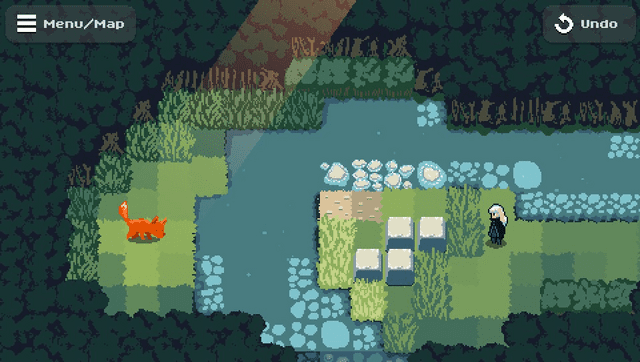
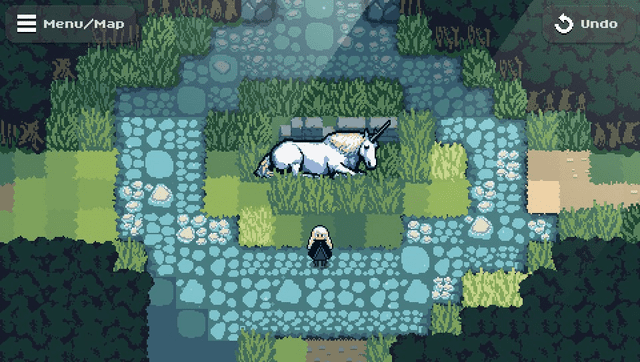
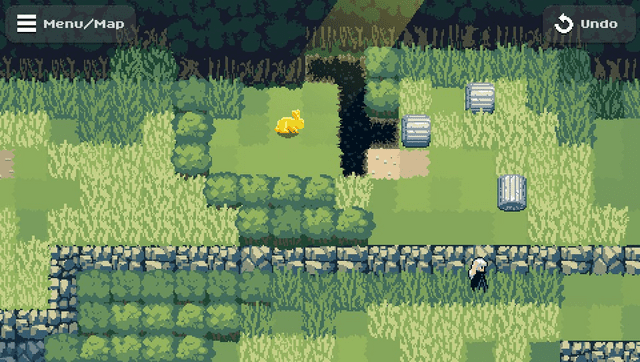
Media
The Legend of Lumina | Gameplay PC | Steam (GandaCu)
Known issues
- Low fps on some levels (16 fps).
- FPS drops on undo actions.
- Sound is not working as intended on some levels.
Changelog
v1.0
- First Release.