
Unsighted Vita: Difference between revisions
From GameBrew
More actions
Created page with "{{Infobox Vita Homebrews |title=Unsighted Vita |image=UnsightedVita.png |description=Port of Unsighted for PSVITA. |author=PatnosDD |lastupdated=2025/03/09 |type=Adventure |version=0.3 |license=Mixed |download=https://dlhb.gamebrew.org/vitahomebrews/UnsightedVita.7z |website=https://github.com/PatnosDD/Unsighted-Ps-Vita |source= |donation=https://www.patreon.com/PatnosD }} {{#seo: |title=Vita Homebrew Games (Adventure) - GameBrew |title_mode=append |image=UnsightedVita.p..." |
No edit summary |
||
| (6 intermediate revisions by 2 users not shown) | |||
| Line 2: | Line 2: | ||
|title=Unsighted Vita | |title=Unsighted Vita | ||
|image=UnsightedVita.png | |image=UnsightedVita.png | ||
|description=Port of Unsighted for | |description=Port of Unsighted for PS Vita. | ||
|author=PatnosDD | |author=PatnosDD | ||
|lastupdated=2025/03/09 | |lastupdated=2025/03/09 | ||
| Line 19: | Line 19: | ||
|image_alt=Unsighted Vita | |image_alt=Unsighted Vita | ||
}} | }} | ||
Unsighted for | Port of the PC game Unsighted by Studio Pixel Punk for PS Vita. | ||
You must own either the Steam or GOG version to use this patch. | |||
==Setup | ==Installation== | ||
* Install the Unsighted . | === Setup instructions === | ||
* Install the Unsighted .vpk file using [[VitaShell]]. | |||
* Do not launch the game immediately after installation, as it will crash without the necessary files. | * Do not launch the game immediately after installation, as it will crash without the necessary files. | ||
* | * Recommended plugin for optimal performance: | ||
* | ** [[ioPlus Vita|ioplus.skprx]] with full CPU overclocking (500MHz) | ||
==== Steam version ==== | |||
* Download UnsightedVitaSTEAM.zip from [https://github.com/PatnosDD/Unsighted-Ps-Vita/releases/latest Releases]. | |||
* Extract the downloaded zip to a folder on your PC. | |||
* Copy the Steam game folder into the extracted folder. Your "UnsightedVitaSTEAM" folder should look like this: | |||
<pre> └── UnsightedVitaPatchSteam/ | <pre> └── UnsightedVitaPatchSteam/ | ||
├── Unsighted/ <- ../steamapps/common/Unsighted | ├── Unsighted/ <- ../steamapps/common/Unsighted | ||
| Line 43: | Line 40: | ||
├── deterministic.exe | ├── deterministic.exe | ||
└── xdelta3-x.x.x-x86_64.exe</pre> | └── xdelta3-x.x.x-x86_64.exe</pre> | ||
* Run <code>APPLYPATCH.bat</code> and wait for the process to complete (this can take 15–25 minutes depending on your system). | |||
* Once completed, you will see a file named UnsightedVITA.zip. | |||
* Using [[VitaShell]], connect your PS Vita to your PC and copy the extracted contents of UnsightedVITA.zip (zip file should be around 380-450MB) to ux0:app/UNSI22233/. Your "UNSI22233" folder on your Vita should look like this: | |||
<pre> └── UNSI22233/ | <pre> └── UNSI22233/ | ||
├── Media/ | ├── Media/ | ||
| Line 52: | Line 48: | ||
├── sce_sys/ | ├── sce_sys/ | ||
└── eboot.bin</pre> | └── eboot.bin</pre> | ||
* When prompted, select "Replace the files in destination". | |||
* if you encounter any issues take a look at the Troubleshooting section. | |||
==== GOG version ==== | |||
* Download UnsightedVitaSTEAM.zip from [https://github.com/PatnosDD/Unsighted-Ps-Vita/releases/latest Releases]. | |||
* Extract the downloaded zip to a folder on your PC. | |||
* Copy the GOG game folder into the extracted folder. Your "UnsightedVitaGOG" folder should look like this: | |||
<pre> └── UnsightedVitaPatchSteam/ | <pre> └── UnsightedVitaPatchSteam/ | ||
├── Unsighted_Data/ <- ../GOG/Unsighted/Unsighted_Data | ├── Unsighted_Data/ <- ../GOG/Unsighted/Unsighted_Data | ||
| Line 69: | Line 61: | ||
├── deterministic.exe | ├── deterministic.exe | ||
└── xdelta3-x.x.x-x86_64.exe</pre> | └── xdelta3-x.x.x-x86_64.exe</pre> | ||
* Run <code>APPLYPATCH.bat</code> and wait for the process to complete (this can take 15–25 minutes depending on your system). | |||
* Once completed, you will see a file named UnsightedVITA.zip. | |||
* Using [[VitaShell]], connect your PS Vita to your PC and copy the extracted contents of UnsightedVITA.zip (zip file should be around 380-450MB) to ux0:app/UNSI22233/. Your "UNSI22233" folder on your Vita should look like this: | |||
<pre> └── UNSI22233/ | <pre> └── UNSI22233/ | ||
├── Media/ | ├── Media/ | ||
| Line 78: | Line 69: | ||
├── sce_sys/ | ├── sce_sys/ | ||
└── eboot.bin</pre> | └── eboot.bin</pre> | ||
# When prompted, select | # When prompted, select "Replace the files in destination". | ||
# if you encounter any issues take a look at | # if you encounter any issues take a look at the Troubleshooting section. | ||
=== Troubleshooting === | |||
* Ensure that your PS Vita is properly overclocked. | |||
* Verify that you have the correct game version (Steam or GOG) and have followed the steps for your version. | |||
* If ux0:app does not appear in File Explorer, make sure you have visibility of hidden directories enabled. | |||
== Controls == | |||
D-Pad Up - Aim Lock | |||
D-Pad Left - Heal | |||
D-Pad Right - Reload | |||
Left Analog - Move | |||
Right Analog - Aim | |||
L - Weapon 1 | |||
R - Weapon 2 | |||
Square - Run | |||
Triangle - Interact | |||
Circle - Block | |||
Cross - Jump | |||
Select - Map | |||
Start - Pause | |||
==Screenshots== | ==Screenshots== | ||
| Line 141: | Line 113: | ||
https://dlhb.gamebrew.org/vitahomebrews/images/UnsightedVita-04.png | https://dlhb.gamebrew.org/vitahomebrews/images/UnsightedVita-04.png | ||
== | ==Media== | ||
''' | '''A NEW Hack & Slash Game on the PsVita // Unsighted Port''' ([https://www.youtube.com/watch?v=EFgNd7ExyvY Dr Brute]) <br> | ||
<youtube width='640'>EFgNd7ExyvY</youtube> | |||
==Known Issues== | ==Known Issues== | ||
| Line 149: | Line 121: | ||
* Reduced frames per second (FPS) in areas with a high number of enemies. | * Reduced frames per second (FPS) in areas with a high number of enemies. | ||
=== | ==Changelog== | ||
'''v1.0''' | |||
* First Release. | |||
* | |||
== External links == | == External links == | ||
* | * GitHub - https://github.com/PatnosDD/Unsighted-Ps-Vita | ||
* VitaDB - https://www.rinnegatamante.eu/vitadb/#/info/1262 | * VitaDB - https://www.rinnegatamante.eu/vitadb/#/info/1262 | ||
Latest revision as of 11:14, 2 May 2025
| Unsighted Vita | |
|---|---|
 | |
| General | |
| Author | PatnosDD |
| Type | Adventure |
| Version | 0.3 |
| License | Mixed |
| Last Updated | 2025/03/09 |
| Links | |
| Download | |
| Website | |
| Support Author | |
Port of the PC game Unsighted by Studio Pixel Punk for PS Vita.
You must own either the Steam or GOG version to use this patch.
Installation
Setup instructions
- Install the Unsighted .vpk file using VitaShell.
- Do not launch the game immediately after installation, as it will crash without the necessary files.
- Recommended plugin for optimal performance:
- ioplus.skprx with full CPU overclocking (500MHz)
Steam version
- Download UnsightedVitaSTEAM.zip from Releases.
- Extract the downloaded zip to a folder on your PC.
- Copy the Steam game folder into the extracted folder. Your "UnsightedVitaSTEAM" folder should look like this:
   └── UnsightedVitaPatchSteam/
    ├── Unsighted/  <- ../steamapps/common/Unsighted
    ├── vcdiff/
    ├── APPLYPATCH.bat
    ├── deterministic.exe
    └── xdelta3-x.x.x-x86_64.exe
- Run
APPLYPATCH.batand wait for the process to complete (this can take 15–25 minutes depending on your system). - Once completed, you will see a file named UnsightedVITA.zip.
- Using VitaShell, connect your PS Vita to your PC and copy the extracted contents of UnsightedVITA.zip (zip file should be around 380-450MB) to ux0:app/UNSI22233/. Your "UNSI22233" folder on your Vita should look like this:
   └── UNSI22233/
    ├── Media/
    ├── sce_module/
    ├── sce_sys/
    └── eboot.bin
- When prompted, select "Replace the files in destination".
- if you encounter any issues take a look at the Troubleshooting section.
GOG version
- Download UnsightedVitaSTEAM.zip from Releases.
- Extract the downloaded zip to a folder on your PC.
- Copy the GOG game folder into the extracted folder. Your "UnsightedVitaGOG" folder should look like this:
   └── UnsightedVitaPatchSteam/
    ├── Unsighted_Data/  <- ../GOG/Unsighted/Unsighted_Data
    ├── vcdiff/
    ├── APPLYPATCH.bat
    ├── deterministic.exe
    └── xdelta3-x.x.x-x86_64.exe
- Run
APPLYPATCH.batand wait for the process to complete (this can take 15–25 minutes depending on your system). - Once completed, you will see a file named UnsightedVITA.zip.
- Using VitaShell, connect your PS Vita to your PC and copy the extracted contents of UnsightedVITA.zip (zip file should be around 380-450MB) to ux0:app/UNSI22233/. Your "UNSI22233" folder on your Vita should look like this:
   └── UNSI22233/
    ├── Media/
    ├── sce_module/
    ├── sce_sys/
    └── eboot.bin
- When prompted, select "Replace the files in destination".
- if you encounter any issues take a look at the Troubleshooting section.
Troubleshooting
- Ensure that your PS Vita is properly overclocked.
- Verify that you have the correct game version (Steam or GOG) and have followed the steps for your version.
- If ux0:app does not appear in File Explorer, make sure you have visibility of hidden directories enabled.
Controls
D-Pad Up - Aim Lock
D-Pad Left - Heal
D-Pad Right - Reload
Left Analog - Move
Right Analog - Aim
L - Weapon 1
R - Weapon 2
Square - Run
Triangle - Interact
Circle - Block
Cross - Jump
Select - Map
Start - Pause
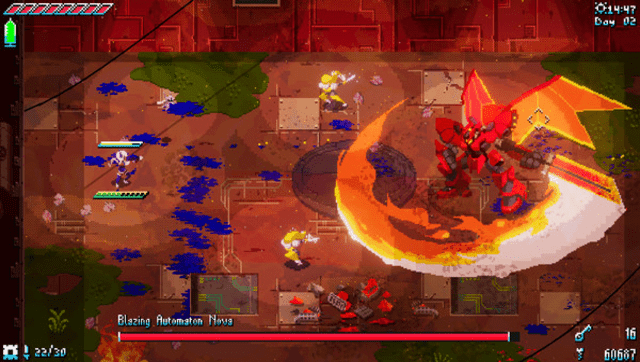
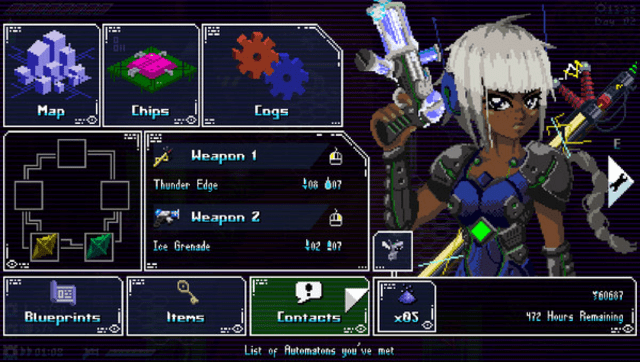
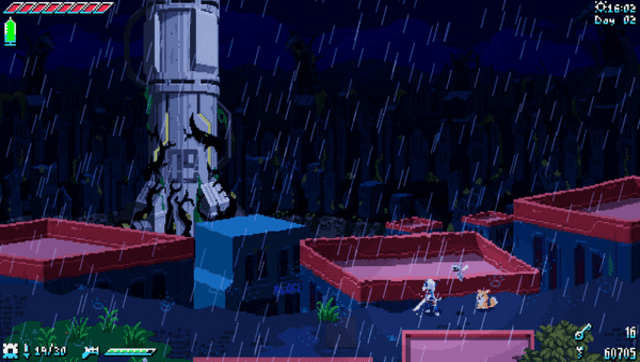
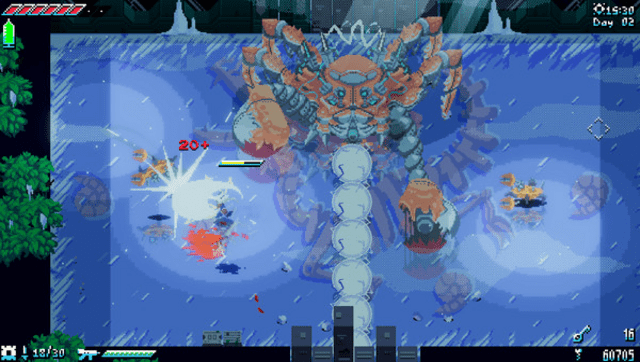
Screenshots
Media
A NEW Hack & Slash Game on the PsVita // Unsighted Port (Dr Brute)
Known Issues
- Incorrect controller button glyphs.
- Reduced frames per second (FPS) in areas with a high number of enemies.
Changelog
v1.0
- First Release.