
Button Logger PSP: Difference between revisions
From GameBrew
More actions
Created page with "{{Infobox PSP Homebrews |title=Button Logger |image=buttonloggerpsp.png |description=This will print the button you press on the PSP. |author=MSX |lastupdated=2005/08/14 |type=Other |format= |version=1.0 |license=Mixed |download=https://dlhb.gamebrew.org/psphomebrew/ButtonLogger_v1.0.zip |website=https://www.dcemu.co.uk/vbulletin/threads/9224-Button-Logger-v1-0 |source=https://dlhb.gamebrew.org/psphomebrew/ButtonLogger_v1.0.zip }} Button Logger will output whatever butto..." |
No edit summary |
||
| Line 32: | Line 32: | ||
== External links == | == External links == | ||
* DCEmu - https://www.dcemu.co.uk/vbulletin/threads/9224-Button-Logger-v1-0 | * DCEmu - https://www.dcemu.co.uk/vbulletin/threads/9224-Button-Logger-v1-0 | ||
[[Category:Lua applications on PSP]] | |||
Latest revision as of 08:20, 29 January 2025
| Button Logger | |
|---|---|
 | |
| General | |
| Author | MSX |
| Type | Other |
| Version | 1.0 |
| License | Mixed |
| Last Updated | 2005/08/14 |
| Links | |
| Download | |
| Website | |
| Source | |
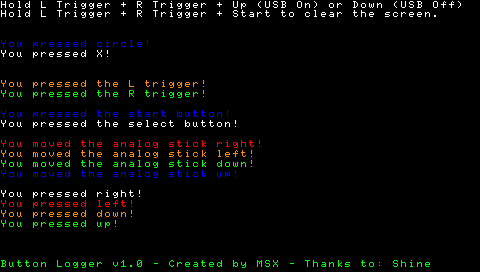
Button Logger will output whatever button you press on the PSP, except for Home, Vol +, Vol -, Display Brightness, and the Musical Note button.
You can press any button, including the analog stick, and the button/direction will be output to the screen in a color.
Controls
L+R+Up/Down - USB mode on/off
L+R+Start - Clear the screen
L+R+Select - Take screenshot
Screenshots
Credits
Thanks go to: Shine, ps2dev.org, Nils, wraggster & the best new site: psp-news.dcemu.co.uk, and psp-spot.com