
Descent for PSP: Difference between revisions
From GameBrew
More actions
Created page with "{{Infobox PSP Homebrews |title=Descent for PSP |image=descentforpsp.png |description=Port of D1X-Rebirth to the PSP. |author=magiK |lastupdated=2006/04/29 |type=Shooter |format= |version=2006 |license=Mixed |download=https://dlhb.gamebrew.org/psphomebrew/descentforpsp.7z |website=https://www.dcemu.co.uk/vbulletin/threads/23572-Descent-for-PSP |source= }} This is a port of D1X-Rebirth to the PSP. D1X-Rebirth is a modified version of D1X, a port of Parallax Software's Desc..." |
No edit summary |
||
| Line 82: | Line 82: | ||
== External links == | == External links == | ||
* DCEmu - https://www.dcemu.co.uk/vbulletin/threads/23572-Descent-for-PSP | * DCEmu - https://www.dcemu.co.uk/vbulletin/threads/23572-Descent-for-PSP | ||
{{PSP first person shooters}} | |||
Latest revision as of 08:18, 29 January 2025
| Descent for PSP | |
|---|---|
 | |
| General | |
| Author | magiK |
| Type | Shooter |
| Version | 2006 |
| License | Mixed |
| Last Updated | 2006/04/29 |
| Links | |
| Download | |
| Website | |
This is a port of D1X-Rebirth to the PSP. D1X-Rebirth is a modified version of D1X, a port of Parallax Software's Descent to Windows and Linux.
Please note that it requires the original game files to run. They are not provided.
Features
- All original features should be available on the PSP, including:
- Sound.
- Music.
- Ad-hoc.
- Infrastructure network play.
Installation
Download contains:
- DescentPSP.zip (Descent for PSP)
- 10to14a-patch.zip (Descent 1.0 to 1.4a patch)
- goemon.tgz (timidity patchkit)
Instructions:
- Copy the DESCENT folder from the 1.0 folder to the /PSP/GAME/ folder on your PSP.
- Updated your data files to version 1.4a with the patch.
- Copy the updated descent.hog and descent.pig (and descent.dem) to the /PSP/GAME/DESCENT/ folder on your PSP.
- (Optional) If you want music, unpack timidity patchkit and .cfg file into /PSP/GAME/DESCENT/ and rename goemon.cfg to timidity.cfg.
Controls
Text input:
Cross - Confirm
Circle - Cancel
Square - Bring up the on-screen keyboard
Menus:
Cross - Confirm
Circle - Back
Square - Toggle checkboxes
Triangle - Screenshot
Customize controls:
Circle - Back
Cross - Change
Square - Delete
Start - Cancel input
In game:
Start - Save game
Select - Quit
Hold - Pause
Screenshots
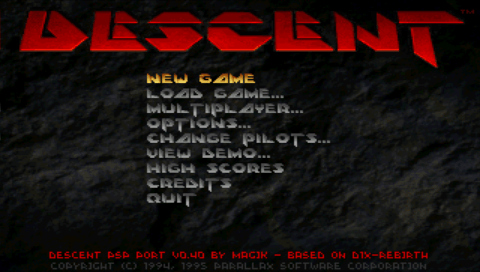
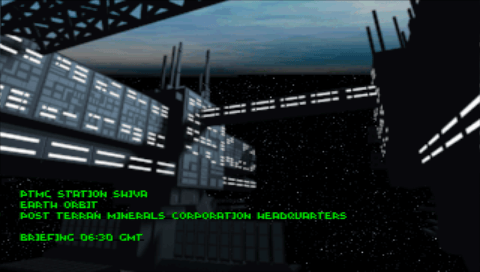
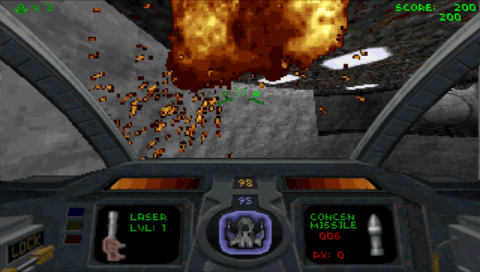
External links
| ||||||||||||||||||||||||||||||||||||||||||||||||||||||||||||