PSP Digi Comix Reader: Difference between revisions
From GameBrew
More actions
Created page with "{{Infobox PSP Homebrews |title=PSP Digi Comix Reader |image=pspdigicomixreader.png |description=A modified version of PSPComic. |author=Dx |lastupdated=2011/10/11 |type=Other |format= |version=2011 |license=Mixed |download=https://dlhb.gamebrew.org/psphomebrew/digi_comix_reader.rar |website=https://wololo.net/talk/viewtopic.php?t=8932&p=106634#p106634 |source= }} This is a comic reader modified based on PSPComic. == Features == * Supporting Formats: .cbr/.cbz and rar. *..." |
No edit summary |
||
| Line 13: | Line 13: | ||
|source= | |source= | ||
}} | }} | ||
This is a comic reader modified based on PSPComic. | This is a comic reader modified based on [[PSPComic]]. | ||
== Features == | == Features == | ||
Latest revision as of 04:29, 9 December 2024
| PSP Digi Comix Reader | |
|---|---|
 | |
| General | |
| Author | Dx |
| Type | Other |
| Version | 2011 |
| License | Mixed |
| Last Updated | 2011/10/11 |
| Links | |
| Download | |
| Website | |
This is a comic reader modified based on PSPComic.
Features
- Supporting Formats: .cbr/.cbz and rar.
- Faster than other comic book readers and it takes no time while scrolling.
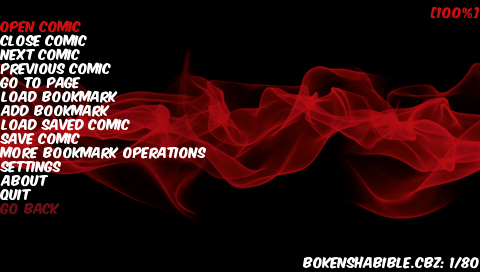
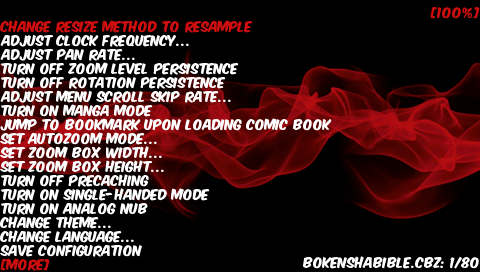
- Change CPU speed, rendering speed, etc.
Installation
Put the Digital Comics folder to the /PSP/GAME/ folder.
Put the COMICS folder to the root of the Memory Stick (this is where you place your comic files).
Controls
L/R - Next/Previous page
Cross - Select, Zoom out
Triangle - Zoom in, Return
Square - Turn right 90°
Circle - Turn left 90°
Select - Fit the image to the PSP screen
Start - Menu
Screenshots