
Spiced Miku Vu Vita: Difference between revisions
From GameBrew
More actions
Created page with "{{Infobox Vita Homebrews |title=Spiced Miku Vu |image=SpicedMikuVuVita.png |description=Hatsune Miku random image viewer. |author=null, EK720, SonicMastr |lastupdated=2024/10/11 |type=Other Apps |version=1.51 |license=Mixed |download=https://dlhb.gamebrew.org/vitahomebrews/SpicedMikuVuVita.7z |website=https://github.com/EK720/MikuVU |source=https://github.com/EK720/MikuVU |donation= }} {{#seo: |title=Vita Homebrew Apps (Other Apps) - GameBrew |title_mode=append |image=S..." |
1.6 |
||
| (One intermediate revision by the same user not shown) | |||
| Line 1: | Line 1: | ||
{{Infobox Vita Homebrews | {{Infobox Vita Homebrews | ||
|title=Spiced | |title=Spiced MikuVu | ||
|image=SpicedMikuVuVita.png | |image=SpicedMikuVuVita.png | ||
|description=Hatsune Miku random image viewer. | |description=Hatsune Miku random image viewer. | ||
|author=null, EK720, SonicMastr | |author=null, EK720, SonicMastr | ||
|lastupdated= | |lastupdated=2026/01/19 | ||
|type=Other Apps | |type=Other Apps | ||
|version=1. | |version=1.6 | ||
|license=Mixed | |license=Mixed | ||
|download=https://dlhb.gamebrew.org/vitahomebrews/SpicedMikuVuVita.7z | |download=https://dlhb.gamebrew.org/vitahomebrews/SpicedMikuVuVita.7z | ||
| Line 19: | Line 19: | ||
|image_alt=Spiced Miku Vu | |image_alt=Spiced Miku Vu | ||
}} | }} | ||
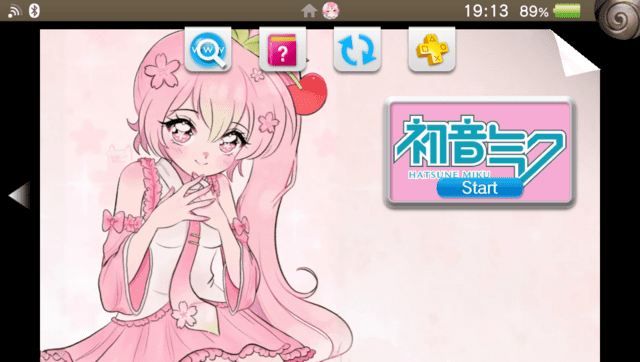
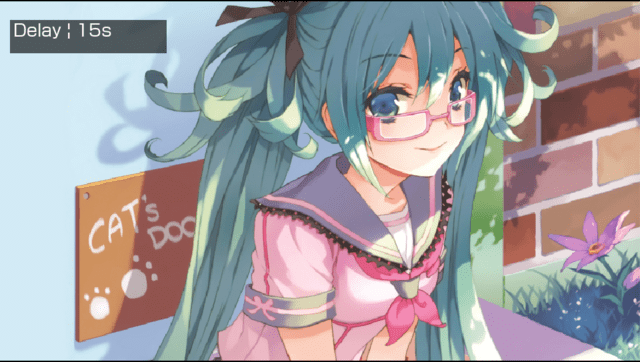
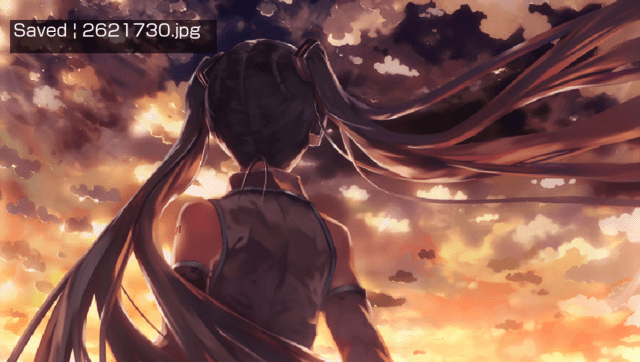
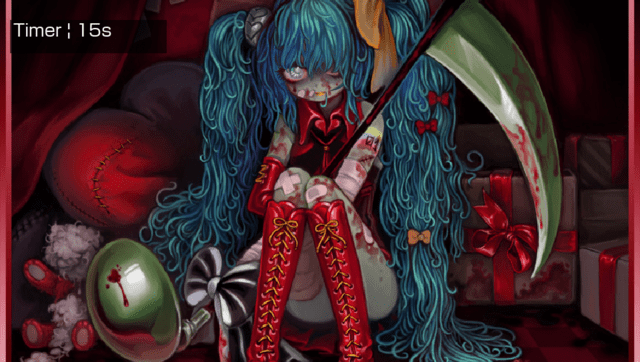
An application that shows random images of Hatsune Miku from Gelbooru. Allows saving images to album, features a slideshow mode, and supports offline use | An application that shows random images of Hatsune Miku from Gelbooru. Allows saving images to album, features a slideshow mode, and supports offline use. | ||
== | Contains optional NSFW content. | ||
==Controls== | |||
L/R - Save current image to ux0:data/MikuVU/SAVED | |||
Triangle/Up - Toggle timer on & off | |||
Square/Left - Decrease timer delay | |||
Circle/Right - Increase timer delay | |||
Cross/Down - Load next image | |||
Select - Cycle content rating | |||
Start - Toggle fade transition | |||
==Screenshots== | ==Screenshots== | ||
| Line 39: | Line 47: | ||
https://dlhb.gamebrew.org/vitahomebrews/images/SpicedMikuVuVita-04.png | https://dlhb.gamebrew.org/vitahomebrews/images/SpicedMikuVuVita-04.png | ||
==Changelog== | ==Changelog== | ||
'''1.6''' | |||
* Updated the internal API endpoint to match recent Gelbooru API updates. | |||
** Users who have been seeing "Network error" popups should now be fixed. | |||
'''v1.5''' | '''v1.5''' | ||
* Added a toggleable fade between images (press Start) | * Added a toggleable fade between images (press Start). | ||
* Added an offline mode that shows your previously saved images when you don't have an Internet connection. | * Added an offline mode that shows your previously saved images when you don't have an Internet connection. | ||
* Other general visual improvements | * Other general visual improvements. | ||
'''v1.4''' | '''v1.4''' | ||
* First Release. | * First Release. | ||
== External links == | == External links == | ||
* | * GitHub - https://github.com/EK720/MikuVU | ||
* VitaDB - https://www.rinnegatamante.eu/vitadb/#/info/1238 | * VitaDB - https://www.rinnegatamante.eu/vitadb/#/info/1238 | ||
Latest revision as of 04:51, 23 January 2026
| Spiced MikuVu | |
|---|---|
 | |
| General | |
| Author | null, EK720, SonicMastr |
| Type | Other Apps |
| Version | 1.6 |
| License | Mixed |
| Last Updated | 2026/01/19 |
| Links | |
| Download | |
| Website | |
| Source | |
An application that shows random images of Hatsune Miku from Gelbooru. Allows saving images to album, features a slideshow mode, and supports offline use.
Contains optional NSFW content.
Controls
L/R - Save current image to ux0:data/MikuVU/SAVED
Triangle/Up - Toggle timer on & off
Square/Left - Decrease timer delay
Circle/Right - Increase timer delay
Cross/Down - Load next image
Select - Cycle content rating
Start - Toggle fade transition
Screenshots
Changelog
1.6
- Updated the internal API endpoint to match recent Gelbooru API updates.
- Users who have been seeing "Network error" popups should now be fixed.
v1.5
- Added a toggleable fade between images (press Start).
- Added an offline mode that shows your previously saved images when you don't have an Internet connection.
- Other general visual improvements.
v1.4
- First Release.