
TrickBrick PSP: Difference between revisions
From GameBrew
More actions
Created page with "{{Infobox PSP Homebrews |title=TrickBrick |image=trickbrickpsp.png |description=A joke application that pretends to install 5.00M33 into the PSP. |author=Playboy21 |lastupdated=2008/12/04 |type=Other |format= |version=5 |license=Mixed |download=https://dlhb.gamebrew.org/psphomebrew/trickbrickpsp.7z |website=http://www.psp-hacks.com/forums/f141/release-trickbrick-v5-t230099/ |source= }} A simple tool that tricks users into thinking they've bricked their PSP unit when flas..." |
No edit summary |
||
| Line 21: | Line 21: | ||
== User guide == | == User guide == | ||
The concept of this is really simple. Your n00b friend wants their PSP's firmware upgraded to a newer firmware. They bring it to you. You slip this brew' in their stick without them realizing. Then boot it, and enjoy the show | The concept of this is really simple. Your n00b friend wants their PSP's firmware upgraded to a newer firmware. They bring it to you. You slip this brew' in their stick without them realizing. Then boot it, and enjoy the show. | ||
Just run the app, select any of the available options. Once it bricks, press D-Pad Down and Triangle to return to your XMB. | Just run the app, select any of the available options. Once it bricks, press D-Pad Down and Triangle to return to your XMB. | ||
Latest revision as of 05:59, 6 February 2025
| TrickBrick | |
|---|---|
 | |
| General | |
| Author | Playboy21 |
| Type | Other |
| Version | 5 |
| License | Mixed |
| Last Updated | 2008/12/04 |
| Links | |
| Download | |
| Website | |
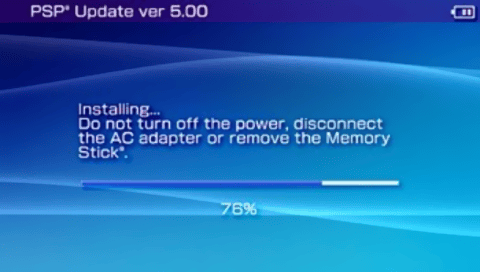
A simple tool that tricks users into thinking they've bricked their PSP unit when flashing a firmware (5.00 M33).
Installation
Copy the "Installer" folder and place it in ms0:/PSP/GAME/.
Kernel needs to be set to 3.xx/4.xx/5.xx.
User guide
The concept of this is really simple. Your n00b friend wants their PSP's firmware upgraded to a newer firmware. They bring it to you. You slip this brew' in their stick without them realizing. Then boot it, and enjoy the show.
Just run the app, select any of the available options. Once it bricks, press D-Pad Down and Triangle to return to your XMB.
Screenshots
V5
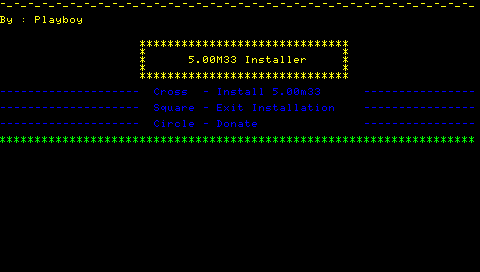
V4
Compatibility
Both slim and fat compatible.
Changelog
v5
- A new warning screen with red and yellow background flash.
- A whole new official looking update gui. All done using Dark_AleX's vlf library.
v4
- Added a warning screen with red and black background flash-new feature to edit "file.txt" so users can add custom text to display.
Credits
Thanks to:
- NIGathan - Thanks for the coding help.
- HellCat - Thanks for the suggestions.
- Nex - Suggestions.
- Lampworker - Special thanks for testing and providing awesome suggestions.
- Dumbfounded - Special thanks for testing.
- Benwong - For his suggestions.
- phobox - for his "ProgressBar example".
- pspjoke - For suggesting to use this library.
- moonlight - For his vlf library.
Thanks to LYN, Consolespot, psp-hacks.com and psp-hacks IRC users.