
JOKEtopia PSP: Difference between revisions
From GameBrew
More actions
Created page with "{{Infobox PSP Homebrews |title=JOKEtopia |image=joketopiapsp.png |description=This program shows some "yo mamma jokes". |author=thecobra |lastupdated=2008/03/01 |type=Other |format= |version=2 |license=Mixed |download=https://dlhb.gamebrew.org/psphomebrew/joketopiapsp.7z |website=http://forums.qj.net/f-psp-development-forum-11/t-release-joketopia-02-136126.html |source=https://dlhb.gamebrew.org/psphomebrew/joketopiapsp.7z }} A silly homebrew that shows some &qu..." |
No edit summary |
||
| Line 21: | Line 21: | ||
== User guide == | == User guide == | ||
If you select the prank option it will show a blue screen | If you select the prank option it will show a blue screen which says the PSP is infected with a virus. | ||
(Note it | (Note it won't really infected the PSP but only show a screen with that message.) | ||
To get out of that screen just hold R+L and push Select button or wait for 500000 mini second. | To get out of that screen just hold R+L and push Select button or wait for 500000 mini second. | ||
Latest revision as of 08:57, 25 September 2024
| JOKEtopia | |
|---|---|
 | |
| General | |
| Author | thecobra |
| Type | Other |
| Version | 2 |
| License | Mixed |
| Last Updated | 2008/03/01 |
| Links | |
| Download | |
| Website | |
| Source | |
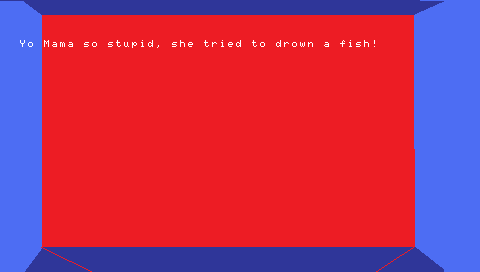
A silly homebrew that shows some "yo mamma jokes".
Installation
Copy the jkt directory to ms0:/PSP/GAME/.
To change the menu look just replace the png pic in the same directory as the eboot.
User guide
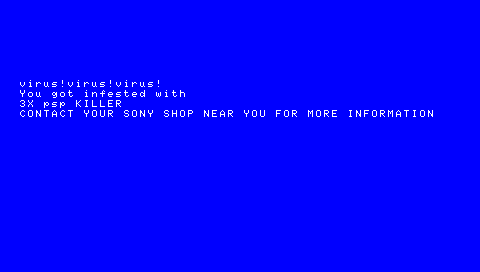
If you select the prank option it will show a blue screen which says the PSP is infected with a virus.
(Note it won't really infected the PSP but only show a screen with that message.)
To get out of that screen just hold R+L and push Select button or wait for 500000 mini second.
Controls
D-Pad - Navigate
Cross - Select option
Screenshots
Changelog
V2
- FIX credit screen.
- ADD prank.
V1
- Custom menu and background.
- About 16 different jokes.
- Source code include.