
XRaine Xbox: Difference between revisions
More actions
Created page with "{{Infobox XBOX homebrew | title = xRaine XBOX | image = 250px | type = Arcade | version = 0.51.9 | licence = Mixed | auth..." |
No edit summary |
||
| (9 intermediate revisions by the same user not shown) | |||
| Line 1: | Line 1: | ||
{{Infobox XBOX | {{Infobox XBOX Homebrews | ||
| title | |title=xRaine | ||
| image | |image=xraine2.png | ||
| type | |description=Port for Raine by Antiriad and Emmanuel Anne (Tux). | ||
| version | |author=A600 | ||
| | |lastupdated=2011/04/24 | ||
| | |type=Arcade | ||
| | |version=0.51.9 | ||
| | |license=Mixed | ||
| source | |format=XBE | ||
|download=https://dlhb.gamebrew.org/xboxhomebrews/xraine_v0.51.9.zip | |||
|website=https://www.emuxtras.net/forum/viewtopic.php?f=189&t=993 | |||
|source=https://dlhb.gamebrew.org/xboxhomebrews/xraine_v0.51.9.zip | |||
}} | }} | ||
xRaine is a port for the Xbox of [http://raine.1emulation.com/ Raine], a very fast arcade emulator, coded by Antiriad and Emmanuel Anne (Tux). | |||
=== | ==Installation== | ||
Copy the roms to the \roms folder. The xRaine.dat is a dat file for clrmamepro. | |||
The xresizer.xbe included, allows to resize the screen for those with overscan problems. It generates a xbox.cfg with this default settings: | |||
=== | xpos=0 | ||
ypos=0 | |||
xstretch=0 | |||
ystretch=0 | |||
flickerfilter=1 | |||
720p=1 | |||
- You | The flickerfilter option can be a number between 0 and 5. | ||
For a pixel perfect screen with correct aspect ratio these values should be used: | |||
- | |||
480p: | |||
- | xpos=40 | ||
ypos=0 | |||
xstretch=-80 | |||
ystretch=0 | |||
720p: | |||
xpos=160 | |||
ypos=0 | |||
xstretch=-320 | |||
ystretch=0 | |||
You can find some artwork files from [https://raine.1emulation.com/download/extras.html Raine's homepage]. | |||
==Controls== | |||
A - Button 1 | |||
B - Button 2 | |||
X - Button 3 | |||
Y - Button 4 | |||
L/R - Load/Save game | |||
Black - Show Gui | |||
Right-Stick Thumb - Save screenshot (to be used for the gui) | |||
Start- Start | |||
Back - Insert coin | |||
Back | |||
All controls can be remapped using the gui. | All controls can be remapped using the gui. | ||
==Screenshots== | |||
https://dlhb.gamebrew.org/xboxhomebrews/xneoraine3.png | |||
https://dlhb.gamebrew.org/xboxhomebrews/xneoraine4.png | |||
==Credits== | |||
Raine by Antiriad and Emmanuel Anne (Tux). | |||
SDLx libs by lantus. | |||
==External links== | |||
* Xbox-Scene - [https://web.archive.org/web/20120709095454/http://www.xbox-scene.com/xbox1data/sep/EFpFylylupcDvDKXle.php http://www.xbox-scene.com/xbox1data/sep/EFpFylylupcDvDKXle.php] (archived) | |||

Latest revision as of 14:47, 23 June 2024
| xRaine | |
|---|---|
 | |
| General | |
| Author | A600 |
| Type | Arcade |
| Version | 0.51.9 |
| License | Mixed |
| Last Updated | 2011/04/24 |
| Links | |
| Download | |
| Website | |
| Source | |
xRaine is a port for the Xbox of Raine, a very fast arcade emulator, coded by Antiriad and Emmanuel Anne (Tux).
Installation
Copy the roms to the \roms folder. The xRaine.dat is a dat file for clrmamepro.
The xresizer.xbe included, allows to resize the screen for those with overscan problems. It generates a xbox.cfg with this default settings:
xpos=0
ypos=0
xstretch=0
ystretch=0
flickerfilter=1
720p=1
The flickerfilter option can be a number between 0 and 5.
For a pixel perfect screen with correct aspect ratio these values should be used:
480p:
xpos=40
ypos=0
xstretch=-80
ystretch=0
720p:
xpos=160
ypos=0
xstretch=-320
ystretch=0
You can find some artwork files from Raine's homepage.
Controls
A - Button 1
B - Button 2
X - Button 3
Y - Button 4
L/R - Load/Save game
Black - Show Gui
Right-Stick Thumb - Save screenshot (to be used for the gui)
Start- Start
Back - Insert coin
All controls can be remapped using the gui.
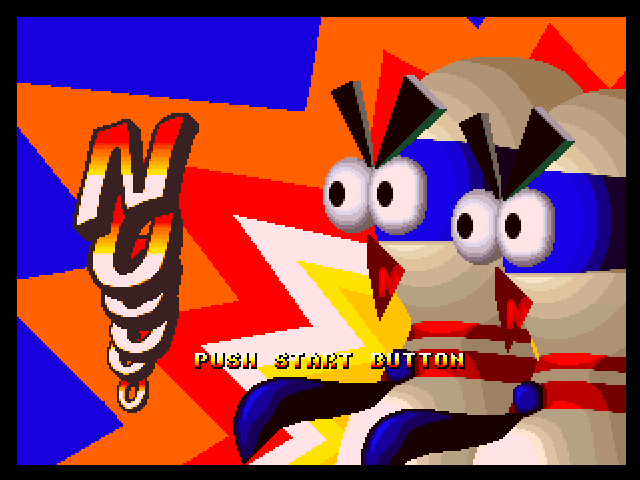
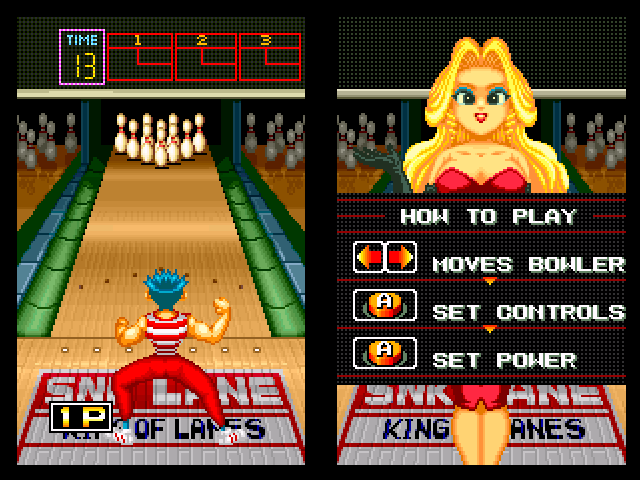
Screenshots
Credits
Raine by Antiriad and Emmanuel Anne (Tux).
SDLx libs by lantus.
External links
- Xbox-Scene - http://www.xbox-scene.com/xbox1data/sep/EFpFylylupcDvDKXle.php (archived)