
Flappy3DS: Difference between revisions
From GameBrew
More actions
| (6 intermediate revisions by the same user not shown) | |||
| Line 1: | Line 1: | ||
{{Infobox 3DS Homebrews | {{Infobox 3DS Homebrews | ||
|title=Flappy3DS | |title=Flappy3DS | ||
| Line 10: | Line 4: | ||
|description=Flappy Bird in 3DS. | |description=Flappy Bird in 3DS. | ||
|author=Komas19 | |author=Komas19 | ||
|lastupdated= | |lastupdated=2023/05/30 | ||
|type=Arcade Games | |type=Arcade Games | ||
|version=0.1. | |version=0.1.9 | ||
|license=GPL-3.0 | |license=GPL-3.0 | ||
|download=https://dlhb.gamebrew.org/3dshomebrews/flappy3ds.7z | |download=https://dlhb.gamebrew.org/3dshomebrews/flappy3ds.7z | ||
|website= | |website=https://github.com/Komas19-new/flappy3DS | ||
|source=https://github.com/Komas19-new/flappy3DS | |source=https://github.com/Komas19-new/flappy3DS | ||
}} | }} | ||
Flappy3DS | {{#seo: | ||
|title= (Arcade Games) - GameBrew | |||
|title_mode=append | |||
|image=flappy3ds.png | |||
|image_alt=Flappy3DS | |||
}} | |||
A Flappy Bird clone for 3DS. | |||
==Installation== | ==Installation== | ||
Available in 3DSX and CIA formats (use either one). | |||
* CIA - Install the .cia with the CIA manager of your choice. | |||
* | * 3DSX - Use the .3dsx provided with the Homebrew Launcher. | ||
* | |||
==Controls== | |||
A or Touch - Fly | |||
Y or Touch - Restart after game over | |||
Start - Exit after game over | |||
==Screenshots== | ==Screenshots== | ||
https://dlhb.gamebrew.org/3dshomebrews/flappy3ds.png | |||
https://dlhb.gamebrew.org/3dshomebrews/flappy3ds-01.png | https://dlhb.gamebrew.org/3dshomebrews/flappy3ds-01.png | ||
https://dlhb.gamebrew.org/3dshomebrews/flappy3ds-02.png | https://dlhb.gamebrew.org/3dshomebrews/flappy3ds-02.png | ||
https://dlhb.gamebrew.org/3dshomebrews/flappy3ds4.png | |||
==Changelog== | |||
'''v0.1.9''' | |||
*Bug Fixes: | |||
**Fixed the + being gone in each option in options menu. | |||
**Fixed the death count not increasing when dying to the ground. | |||
**Fixed that if the ground is too high, you die instantly. | |||
**Fixed saving | |||
*Known Issues: | |||
**I am aware that some lines glitches out on loading when dying, however, this does not apply to emulators, this bug was seen in an Old 2DS, possibly other too. | |||
*Supported Emulators: | |||
**Citra Nightly 1807. | |||
**Citra Nightly 1913. | |||
'''v0.1.8''' | |||
*Changes: | |||
**You now die from touching the ground, this will be as a setting soon. | |||
**Audios were now imported inside the .cia file, still isn't inside the code. | |||
**Pressing SELECT when playing has finally been fixed! The game over screen finally shows up. | |||
**The compiled version will now automatically get renamed to "flappy3ds", this is only for people who want to build their own version.. | |||
*Known issues: | |||
**I am aware about the + being gone in each option in options menu, however, you can still press on where it was supposed to be to change the setting. | |||
**I am aware that the death count does not increase when dying to the ground. | |||
**I am aware that if the ground is too high, you die instantly. | |||
'''v0.1.7''' | |||
* Fixed Deaths counter. | |||
* Started implementing AI movement. | |||
* Made the game a bit easier by default. | |||
* Started implementing a bit more audios, in a audio.bin file. | |||
==External Links== | ==External Links== | ||
* GitHub - https://github.com/Komas19-new/flappy3DS | * GitHub - https://github.com/Komas19-new/flappy3DS | ||
Latest revision as of 13:14, 9 July 2023
| Flappy3DS | |
|---|---|
 | |
| General | |
| Author | Komas19 |
| Type | Arcade Games |
| Version | 0.1.9 |
| License | GPL-3.0 |
| Last Updated | 2023/05/30 |
| Links | |
| Download | |
| Website | |
| Source | |
A Flappy Bird clone for 3DS.
Installation
Available in 3DSX and CIA formats (use either one).
- CIA - Install the .cia with the CIA manager of your choice.
- 3DSX - Use the .3dsx provided with the Homebrew Launcher.
Controls
A or Touch - Fly
Y or Touch - Restart after game over
Start - Exit after game over
Screenshots
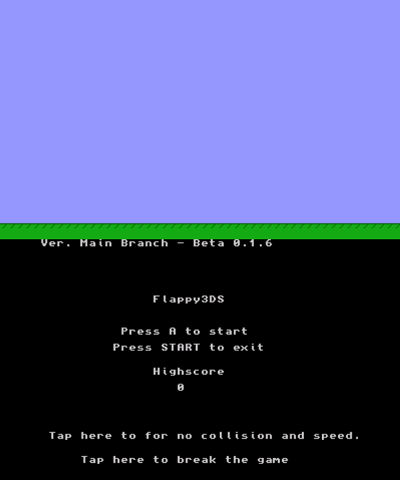
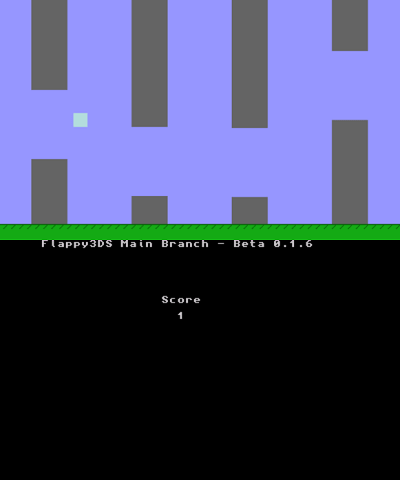
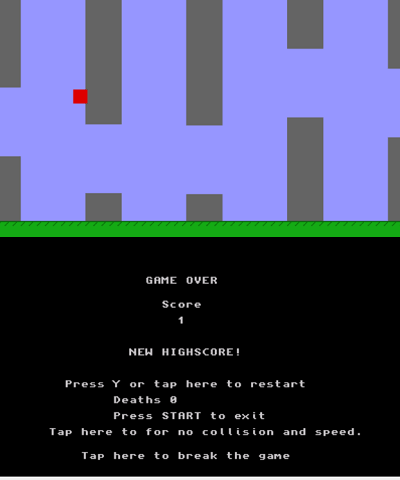
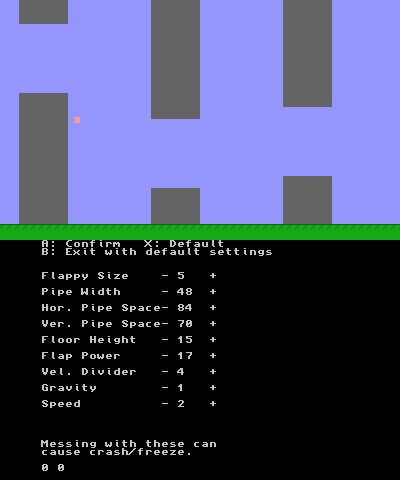
Changelog
v0.1.9
- Bug Fixes:
- Fixed the + being gone in each option in options menu.
- Fixed the death count not increasing when dying to the ground.
- Fixed that if the ground is too high, you die instantly.
- Fixed saving
- Known Issues:
- I am aware that some lines glitches out on loading when dying, however, this does not apply to emulators, this bug was seen in an Old 2DS, possibly other too.
- Supported Emulators:
- Citra Nightly 1807.
- Citra Nightly 1913.
v0.1.8
- Changes:
- You now die from touching the ground, this will be as a setting soon.
- Audios were now imported inside the .cia file, still isn't inside the code.
- Pressing SELECT when playing has finally been fixed! The game over screen finally shows up.
- The compiled version will now automatically get renamed to "flappy3ds", this is only for people who want to build their own version..
- Known issues:
- I am aware about the + being gone in each option in options menu, however, you can still press on where it was supposed to be to change the setting.
- I am aware that the death count does not increase when dying to the ground.
- I am aware that if the ground is too high, you die instantly.
v0.1.7
- Fixed Deaths counter.
- Started implementing AI movement.
- Made the game a bit easier by default.
- Started implementing a bit more audios, in a audio.bin file.