
Vid2pshv Vita: Difference between revisions
From GameBrew
More actions
No edit summary |
m Text replacement - "https://vitadb.rinnegatamante.it/" to "https://www.rinnegatamante.eu/vitadb/" |
||
| (One intermediate revision by the same user not shown) | |||
| Line 15: | Line 15: | ||
|license=GPL-3.0 | |license=GPL-3.0 | ||
|download=https://dlhb.gamebrew.org/vitahomebrews/vid2pshvvita.7z | |download=https://dlhb.gamebrew.org/vitahomebrews/vid2pshvvita.7z | ||
|website=https:// | |website=https://www.rinnegatamante.eu/vitadb/#/info/319 | ||
|source=https://github.com/Rinnegatamante/vid2pshv | |source=https://github.com/Rinnegatamante/vid2pshv | ||
| | |donation=https://www.patreon.com/Rinnegatamante | ||
}} | }} | ||
vid2pshv is a tool that allows to convert videos from different file formats to PSHV format in order to be played with [[Lua Player Plus Vita]]. | vid2pshv is a tool that allows to convert videos from different file formats to PSHV format in order to be played with [[Lua Player Plus Vita]]. | ||
| Line 72: | Line 72: | ||
== External links == | == External links == | ||
* GitHub - https://github.com/Rinnegatamante/vid2pshv | * GitHub - https://github.com/Rinnegatamante/vid2pshv | ||
* VitaDB - https:// | * VitaDB - https://www.rinnegatamante.eu/vitadb/#/info/319 | ||
[[Category:Support the author]] | [[Category:Support the author]] | ||
Latest revision as of 04:39, 5 January 2025
| vid2pshv | |
|---|---|
 | |
| General | |
| Author | Rinnegatamante |
| Type | PC Utilities |
| Version | 1.0 |
| License | GPL-3.0 |
| Last Updated | 2017/09/25 |
| Links | |
| Download | |
| Website | |
| Source | |
| Support Author | |
vid2pshv is a tool that allows to convert videos from different file formats to PSHV format in order to be played with Lua Player Plus Vita.
PSHV (PlayStation Homebrew Video) video format is a video format ideated to simplify the demuxing process and execution on a PS Vita device.
- Supported audiocodecs = Vorbis.
- Supported videocodecs = H.264.
You can find a simple converter from various video format to PSHV here.
User guide
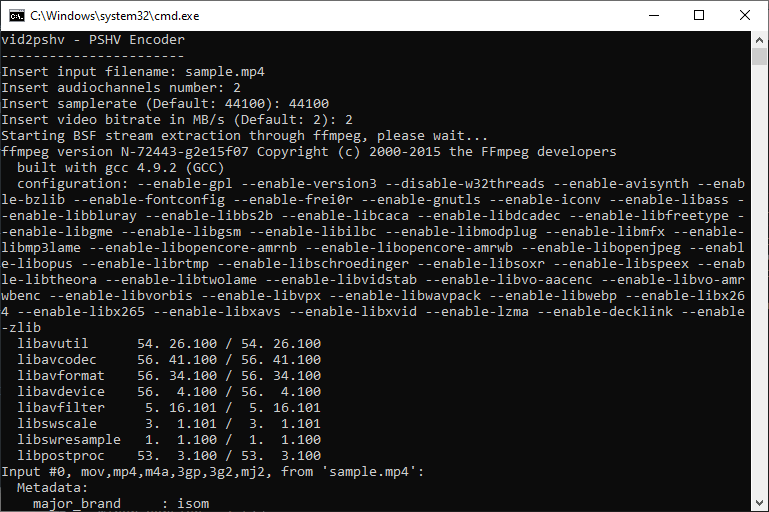
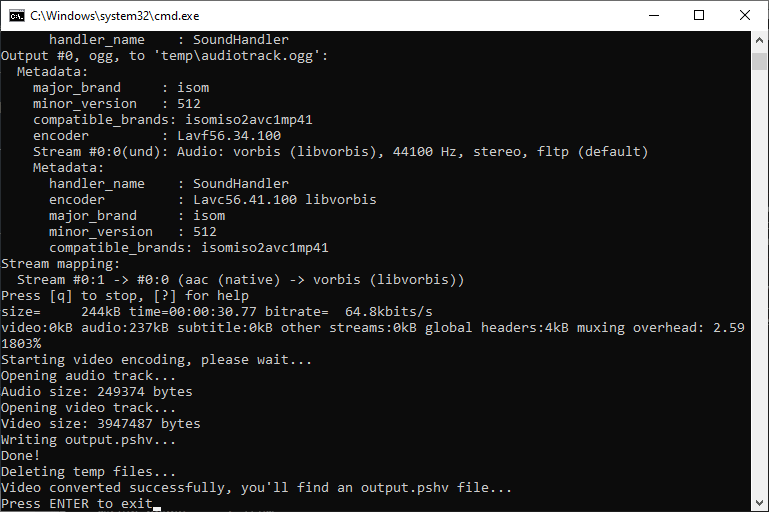
Run vid2pshv.bat to perform a video conversion.
File infos:
| Offset | Size | Info |
|---|---|---|
| 0x00 | 4 | Magic (the word "PSHV" in ASCII) |
| 0x04 | 4 | Video framerate (Float representation) |
| 0x08 | 4 | Audio size |
| 0x0C | X | Audio buffer |
| X | X | Video buffer |
Screenshots
Changelog
v1.0
- Pre-compiled binary for Windows 64 Bit systems.