
Multidownload-Vita: Difference between revisions
From GameBrew
More actions
No edit summary |
m Text replacement - "↵Category:Support the author" to "" |
||
| (2 intermediate revisions by the same user not shown) | |||
| Line 17: | Line 17: | ||
|website=http://www.wololo.net/talk/viewtopic.php?t=49492 | |website=http://www.wololo.net/talk/viewtopic.php?t=49492 | ||
|source=https://github.com/DavisDev/Multidownload-Vita | |source=https://github.com/DavisDev/Multidownload-Vita | ||
|donation=https://github.com/DavisDev/Multidownload-Vita#donation | |||
}} | }} | ||
Multidownload-Vita is an application that allows you to download easily from http/https and direct in Mediafire/Google Drive/Zippyshare. | Multidownload-Vita is an application that allows you to download easily from http/https and direct in Mediafire/Google Drive/Zippyshare. | ||
| Line 56: | Line 57: | ||
==Credits== | ==Credits== | ||
Mega-icon By Papirus Development Team GNU General Public License v3.0. | |||
==External links== | ==External links== | ||
* GitHub - https://github.com/DavisDev/Multidownload-Vita | * GitHub - https://github.com/DavisDev/Multidownload-Vita | ||
* Wololo - http://www.wololo.net/talk/viewtopic.php?t=49492 | * Wololo - http://www.wololo.net/talk/viewtopic.php?t=49492 | ||
Latest revision as of 04:31, 17 May 2024
| Multidownload-Vita | |
|---|---|
 | |
| General | |
| Author | David Nuñez (DavisDev) |
| Type | Utilities |
| Version | 1.00 |
| License | GPL-3.0 |
| Last Updated | 2018/09/13 |
| Links | |
| Download | |
| Website | |
| Source | |
| Support Author | |
Multidownload-Vita is an application that allows you to download easily from http/https and direct in Mediafire/Google Drive/Zippyshare.
User guide
URI
You can create a link on your page/server that allows direct download with Multidownload:
- Download only - Direct download Vitashell with Multidownload.
- Download & Install vpk´s - Direct download & install Vitashell with Multidownload.
- Download & import Multimedia - Direct download & import image or sound with Multidownload.
Examples:
Download only,
<a href='mdl:down?https://github.com/TheOfficialFloW/VitaShell/releases/download/1.96/VitaShell.vpk'>Direct download Vitashell with Multidownload</a>

Download & Install vpk's,
<a href='mdl:install?https://github.com/TheOfficialFloW/VitaShell/releases/download/1.96/VitaShell.vpk'>Direct download & install Vitashell with Multidownload</a>

Download & import Multimedia,
<a href='mdl:media?https://www.google.com/images/branding/googlelogo/2x/googlelogo_color_272x92dp.png'>Direct download & import image or sound with Multidownload</a>
Controls
Up/Down - Browse the menu actions
Cross - Perform the action selected in the menu
Screenshots
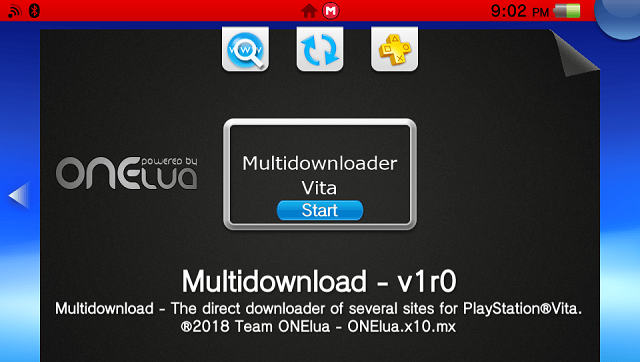
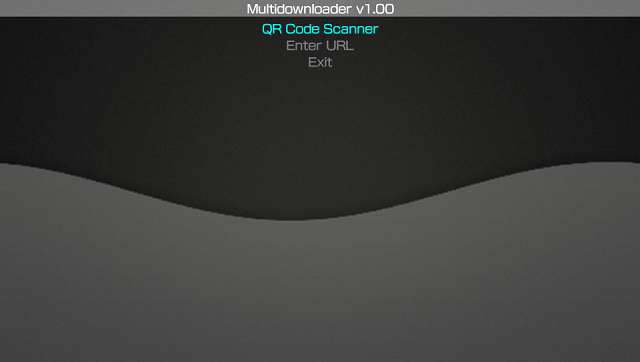
Changelog
1.0
- Initial release.
- Added automatic network update. app will now notify you when there's a new update.
- Added the possibility to download direct in Mediafire/ Google Drive/ Zippyshare!
- You can enter the url in several ways, such as QR Code, URI or Manual.
- Support download/install/import at the time.
Credits
Mega-icon By Papirus Development Team GNU General Public License v3.0.