
StorageFormat Vita: Difference between revisions
From GameBrew
More actions
No edit summary |
No edit summary |
||
| (One intermediate revision by the same user not shown) | |||
| Line 2: | Line 2: | ||
|title=Vita Homebrew Apps (System Tools) - GameBrew | |title=Vita Homebrew Apps (System Tools) - GameBrew | ||
|title_mode=append | |title_mode=append | ||
|image= | |image=storageformatvita2.png | ||
|image_alt=storageFormat | |image_alt=storageFormat | ||
}} | }} | ||
{{Infobox Vita Homebrews | {{Infobox Vita Homebrews | ||
|title=storageFormat | |title=storageFormat | ||
|image= | |image=storageformatvita2.png | ||
|description=Format your storages on the Vita itself. | |description=Format your storages on the Vita itself. | ||
|author=SKGleba | |author=SKGleba | ||
| Line 27: | Line 27: | ||
==Screenshots== | ==Screenshots== | ||
https://dlhb.gamebrew.org/vitahomebrews/storageformatvita3.png | |||
==Compatibility== | ==Compatibility== | ||
Latest revision as of 03:45, 13 December 2022
| storageFormat | |
|---|---|
 | |
| General | |
| Author | SKGleba |
| Type | System Tools |
| Version | Initial |
| License | MIT License |
| Last Updated | 2020/11/13 |
| Links | |
| Download | |
| Website | |
| Source | |
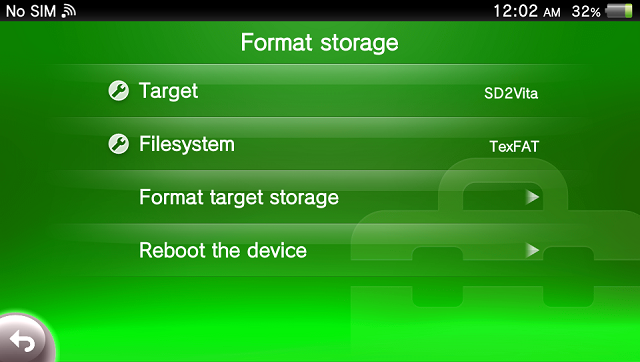
StorageFormat a tool that can format the desired storage to a desired filesystem.
PSVSD/USB need to be mounted before using this tool.
Features
- SD2Vita, USB, PSVSD, External and Internal memory card supported.
- Supported filesystems: FAT16, FAT32, TexFAT.
Screenshots
Compatibility
Tested on firmwares: retail 3.60 and 3.65.