
PluginBox Vita: Difference between revisions
From GameBrew
More actions
No edit summary |
m Text replacement - "|discussion=" to "|donation=" |
||
| (6 intermediate revisions by the same user not shown) | |||
| Line 1: | Line 1: | ||
{{#seo: | {{#seo: | ||
|title=Vita Homebrew Apps (Utilities) - GameBrew | |title=Vita Homebrew Apps (Utilities) - GameBrew | ||
| Line 18: | Line 17: | ||
|website=https://github.com/DavisDev/PluginBox | |website=https://github.com/DavisDev/PluginBox | ||
|source=https://github.com/DavisDev/PluginBox | |source=https://github.com/DavisDev/PluginBox | ||
|donation=https://github.com/DavisDev/PluginBox#donation | |||
}} | }} | ||
An application that allows you to download, install and manage your plugins. | An application that allows you to download, install and manage your plugins. | ||
| Line 25: | Line 25: | ||
==Screenshots== | ==Screenshots== | ||
pluginboxvita3.png | https://dlhb.gamebrew.org/vitahomebrews/pluginboxvita3.png | ||
pluginboxvita4.png | https://dlhb.gamebrew.org/vitahomebrews/pluginboxvita4.png | ||
==Changelogs== | ==Changelogs== | ||
| Line 42: | Line 42: | ||
== External links == | == External links == | ||
* GitHub - https://github.com/DavisDev/PluginBox | * GitHub - https://github.com/DavisDev/PluginBox | ||
[[Category:Support the author]] | |||
Latest revision as of 00:55, 14 August 2023
| PluginBox | |
|---|---|
 | |
| General | |
| Author | David Nuñez (DavisDev) |
| Type | Utilities |
| Version | 0.20 |
| License | GPL-3.0 |
| Last Updated | 2018/01/10 |
| Links | |
| Download | |
| Website | |
| Source | |
| Support Author | |
An application that allows you to download, install and manage your plugins.
Controls
Cross - Exit the application, Restart console if it is the first installation
Screenshots
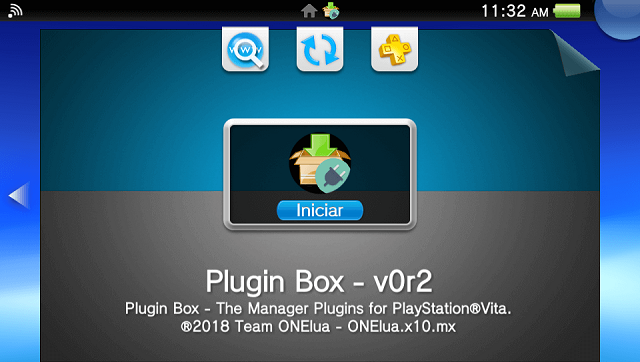
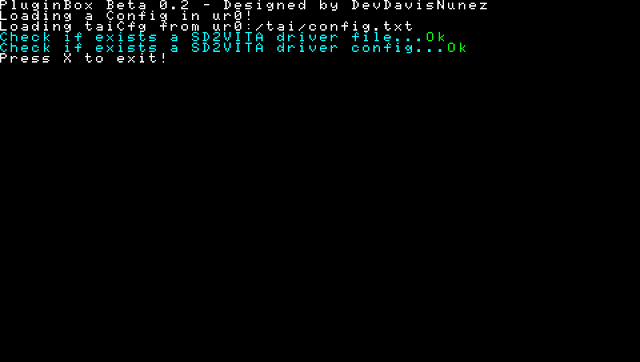
Changelogs
0.2
- Initial release POC.
- Install 'gamesd/sd2vita' Plugin.
Credits
- The idea comes from my friend and coder, Gdljjrod ToolBox.
- xyzz and The_Flow for PS Vita gamecard to microSD adapter.
- Team Molecule for HENkaku and taihen.
- All people contributed creating Plugins.