
TriCord 3DS
More actions
| TriCord | |
|---|---|
 | |
| General | |
| Author | 2b-zipper |
| Type | Other Apps |
| Version | 0.4.1 |
| License | GPL-3.0 |
| Last Updated | 2026/03/22 |
| Links | |
| Download | |
| Website | |
| Source | |
| Support Author | |
Discord client for Nintendo 3DS.
You can create your own custom themes by following the Theme Format Specification. Check out the TriCord-Themes repository for sample themes.
Disclaimer
This project is developed for educational purposes only. This is an unofficial Discord client and is not affiliated with or endorsed by Discord Inc.
This software is provided "as is", and you use it at your own risk. The use of this application is entirely the user's own responsibility. The developers assume no responsibility for:
- Any damages, data loss, or account-related issues.
- Violations of Discord's erms of Service (ToS) resulting from the use of this software.
Features
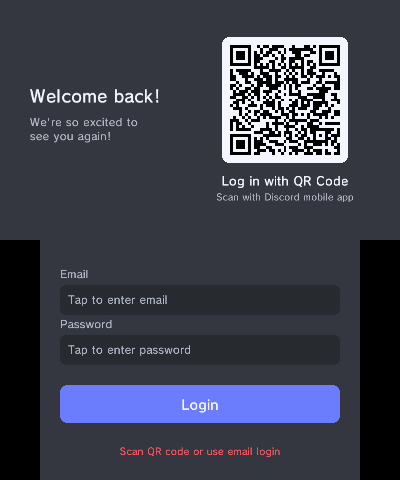
- QR code and email/password authentication.
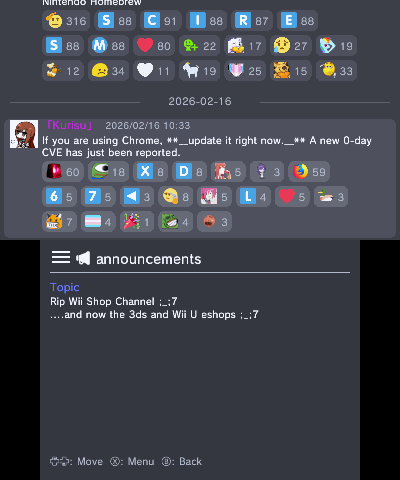
- Text messaging with emoji, attachments, embeds, reactions, and replies.
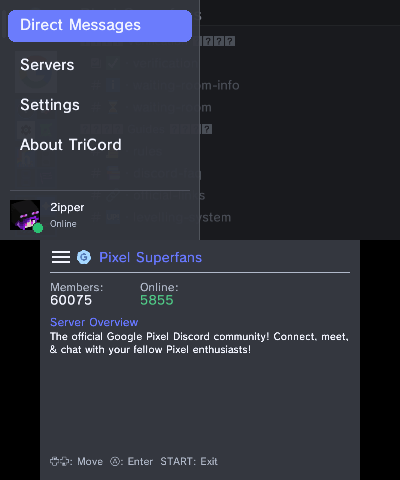
- Multi-account support.
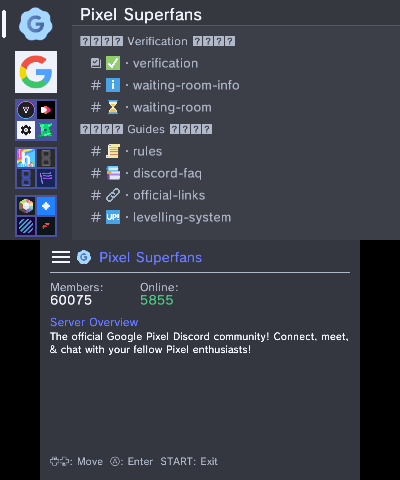
- Server, channel, and forum thread navigation.
- Customizable themes and internationalization (EN/JA).
Installation
Setup
- Download the latest release (CIA or 3DSX).
- Install via FBI (CIA) or place in
/3ds/(3DSX). - Launch and log in with QR code or email/password.
Login
Login methods:
- QR Code - Scan using the Discord mobile app.
- Email / Password - Enter your credentials directly on the bottom screen.
- token.txt - If you cannot use the above methods, you can log in using your Discord token:
Instructions:
- Create a file named
token.txtatsdmc:/3ds/TriCord/token.txt - Paste your Discord token inside (plain text, no extra whitespace)
- Launch TriCord - it will automatically read the token, log in, and delete the file
Important: Never share your Discord token with anyone. Treat it like a password.
Security Notice
The account information is stored in /3ds/TriCord/accounts.
Although this file is encrypted, never share it with others. Sharing this file may allow unauthorized access to your Discord account.
Controls
DM/Server/Channel List:
D-Pad - Navigate
A - Select
B - Back
Message View:
D-Pad - Scroll
B - Back
X - Open Menu
Y - Text input
General:
Start - Exit the app
Select - Open the hamburger menu
L+R - Toggle Debug Log
Config: sdmc:/3ds/TriCord/config.json
Screenshots
Changelog
v0.4.1
- Fixed some emojis not appearing in the emoji picker
- Fixed reactions not showing on system messages
- Fixed system messages being included in message grouping
- Fixed gateway disconnecting every time a DM was opened
- Fixed embed thumbnails not being rendered due to missing rendering code
- Improved error handling during login
- Other UI improvements
v0.4.0
- Added Portuguese (Brazil) translation by @wiretoscreen
- Added Polish translation by @ReisuErx
- Added an emoji picker. You can now react to messages with emoji (custom emoji are not supported)
- Fixed an issue where authentication failures (e.g. after a password change) would cause the app to retry indefinitely
- Added options to toggle user avatars and server icons. Disabling these can improve performance, especially on Old 3DS
- Fixed an issue where reply handling could get stuck
- Improved custom theme support. See the Theme Format Specification for details
- Fixed an issue where loading would never complete when logging in with an account that has no servers
- Fixed and improved group DM handling
- Added the ability to log in using a token. See Login Methods for details
- Enabled symbol input on the login screen keyboard
- Added access to the Settings screen from the initial login screen
- Added warning message to the bottom of the loading screen
- Added hidden Developer Options (see the FAQ for how to reveal them). Please note that bug reports and support requests regarding settings within Developer Options will not be accepted
- Added an SSL Verification toggle within Developer Options. This may help bypass certain login errors, but lowers security — use at your own risk
- Other UI improvements
v0.3.5
- Added German translation by @MorrisTheGamer
- Fixed SSL validation errors
v0.3.4
- Added Italian translation by @RossoDev in #12
- Fixed accounts file encryption. This will reset login information, so you will need to log in again
- Allow users with Manage Messages permission to delete any message
- Improved image cache management
v0.3.3
- Set clock speed to 804MHz + L2 on NEW3DS by @Core-2-Extreme in #9
- Fix forwarded message rendering
- Other minor changes
v0.3.2
- Fixed crash on O3DS
v0.3.1
- Add Disclaimer screen
v0.3.0
- Added French language support (Thanks to @Str4ky!)
- Fixed and improved emoji rendering
- Fixed chat text rendering issues
- Improved folder display in the server list screen
- Made all UI element colors customizable via
theme.json - Automatically generate
theme.jsonandsettings.jsonif they are missing - Improved crash issues when loading many servers (CIA version)
- Other minor changes
v0.2.3
- Dynamically generate RSA-2048 key (Previously hardcoded for optimization, but removed to improve security)
- Enabled line breaks in text input
- Enhanced emoji rendering
v0.2.2
- Fix text alignment issue caused by incorrect emoji measurement
v0.2.1
- Add support for ZWJ emoji sequences
- Replace single-level navigation with a history stack to fix 'B' button loops
v0.2.0
- Optimized image processing
- Minor UI fixes and adjustments
v0.1.0
- Initial release!
Credits
- 2b-zipper for the main development
- Str4ky for the French translation
- RossoDev for the Italian translation
- MorrisTheGamer for the German translation
- ReisuErx for the Polish translation
- wiretoscreen for the Brazilian Portuguese translation
- Discord Userdoccers for the documentation of the Discord API
- And all other contributors!
External links
GitHub - https://github.com/2b-zipper/TriCord