
PleNx Switch
More actions
| pleNx | |
|---|---|
 | |
| General | |
| Author | thcolin |
| Type | Media Players |
| Version | 0.1.6 |
| License | Apache-2.0 |
| Last Updated | 2026/06/12 |
| Links | |
| Download | |
| Website | |
| Source | |
pleNx (/plɛn.ɛks/, "Plex × NX") is a third-party, native, controller-first Plex client for the Nintendo Switch. It lets you browse and play the movies and shows from your Plex Media Server through a fully native interface designed for the gamepad.
pleNx is a fork of Switchfin (a Nintendo Switch Jellyfin client) fully migrated to the Plex API, with a redesigned interface. It is a third-party project, not affiliated with or endorsed by Plex.
Features
- Sign in with Plex — enter a 4-character code on plex.tv/link, then choose your server and your Plex Home profile (PIN-protected profiles supported).
- Home mirrors your server — Continue Watching followed by every hub configured on your Plex, in the order your server returns them.
- Libraries in the sidebar — one entry per library, each with Home, Suggestions, Collections and Genres views, and server-side sorting.
- Rich detail pages — full-bleed backdrop with the title logo, cast with full person pages (filmography), and related rows pulled from your server.
- Season pages — artwork, episode count and synopsis, with one-tap full-season download.
- Quick actions on any poster — press X (or long-press): go to show, go to season, mark watched, download.
- Plex Watchlist — browse your account watchlist in the sidebar, add or remove any movie or show from its detail page or the quick actions menu.
- Playback with MPV — direct play and universal transcode (HLS), resume, chapters, external and embedded subtitles, audio track selection.
- Offline downloads for playback without a connection (original quality).
- Remote file browser for WebDAV / Apache / Nginx / FTP / SFTP servers.
- External drive support on Switch via libusbhsfs.
- Available in 14 languages.
MPV decodes H.264, H.265, VP8, VP9 and AV1 video; Opus, FLAC, MP3, AAC, AC-3, E-AC-3, TrueHD and DTS audio; and SRT, VTT, SSA/ASS and DVDSUB subtitles.
Installation
Requires a Nintendo Switch running Atmosphère CFW (full-memory mode is required for playback).
- Copy
pleNx.nrotosdmc:/switch/and launch it from the homebrew menu. - On first launch in applet mode, pleNx offers to install a HOME menu tile: press the button, confirm, and the app relaunches as a regular title with full memory (required for video playback). Alternatively, hold R while launching any game (title takeover).
- Sign in with your Plex account at plex.tv/link.
Video playback needs full-memory mode. Applet mode is fine for browsing, but install the HOME tile (or use title takeover) before starting a movie.
Controls
During playback:
| Gamepad | Action |
|---|---|
| A | Play / Pause |
| B | Stop |
| Y | Toggle OSD |
| X | Menu |
| R / L | Seek forward / back |
| + | Video profile |
| R stick | Video quality |
| L stick | Playback speed |
Screenshots
|
|
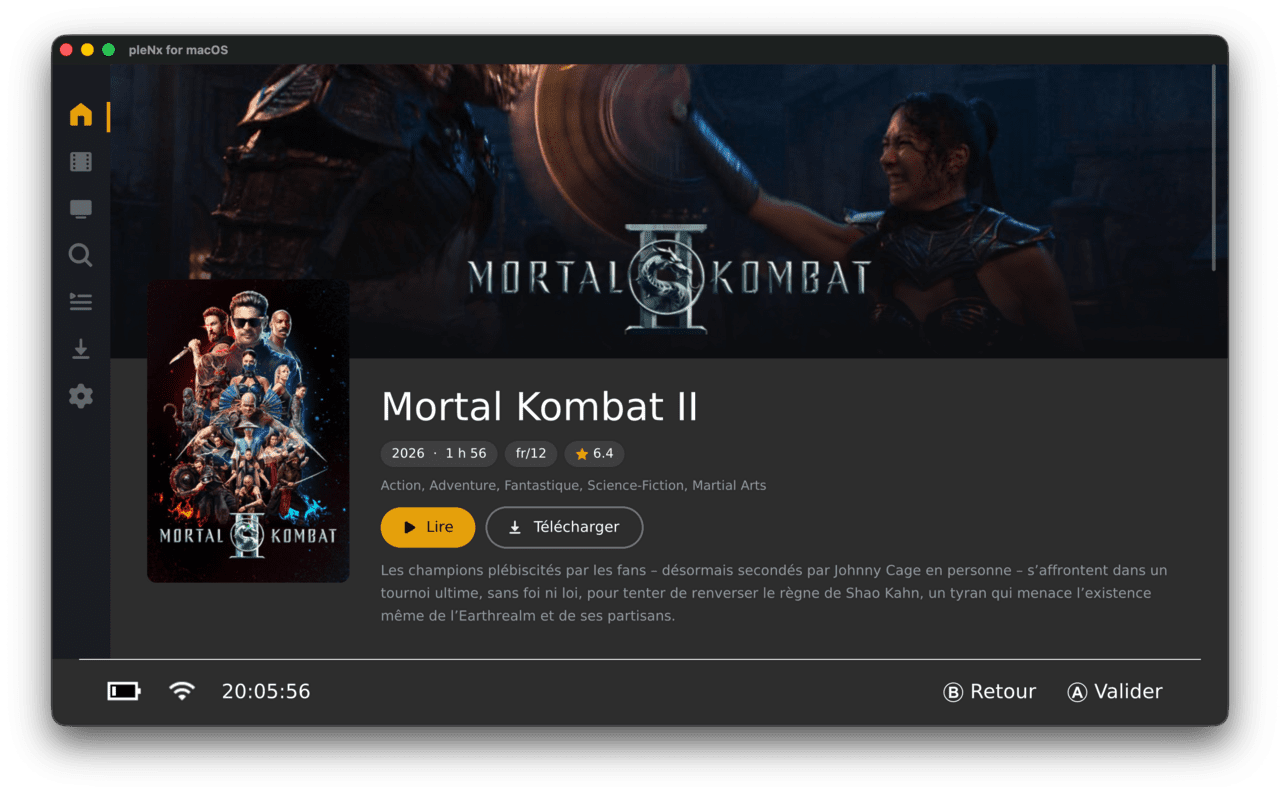
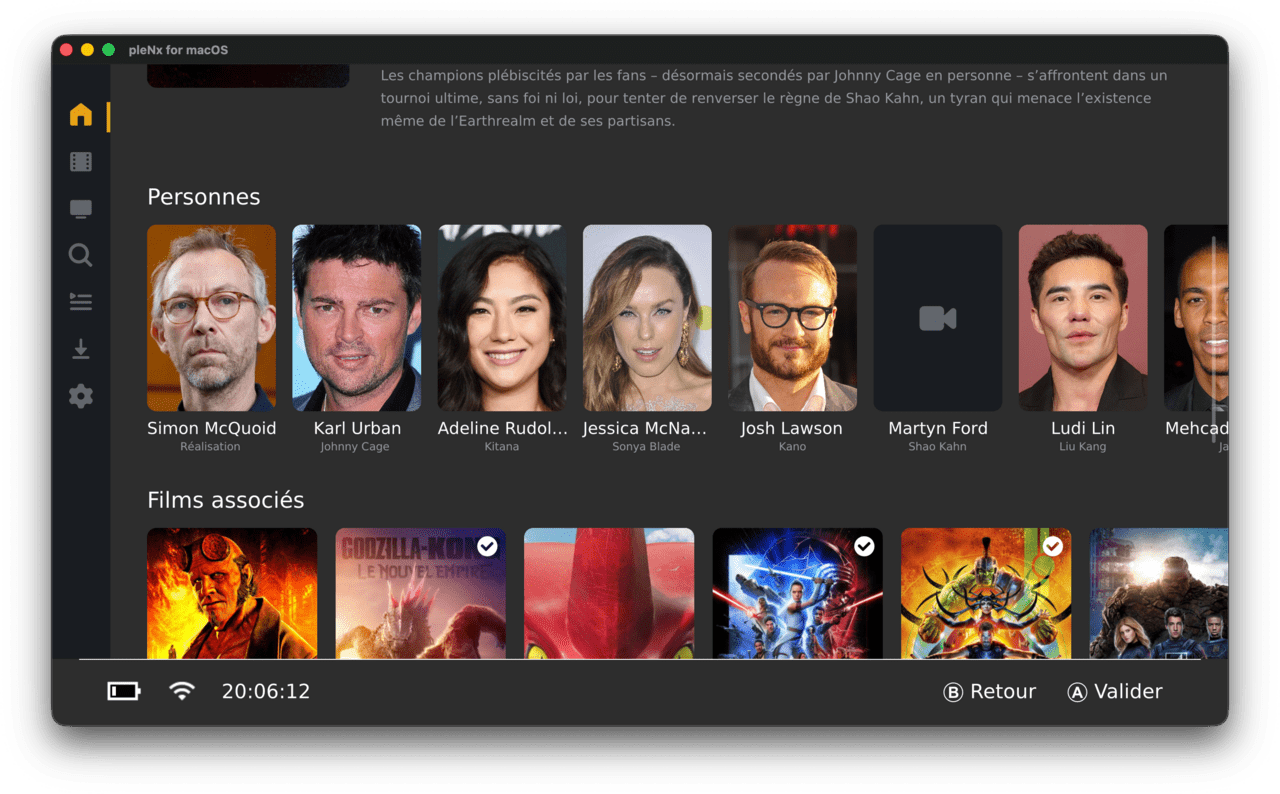
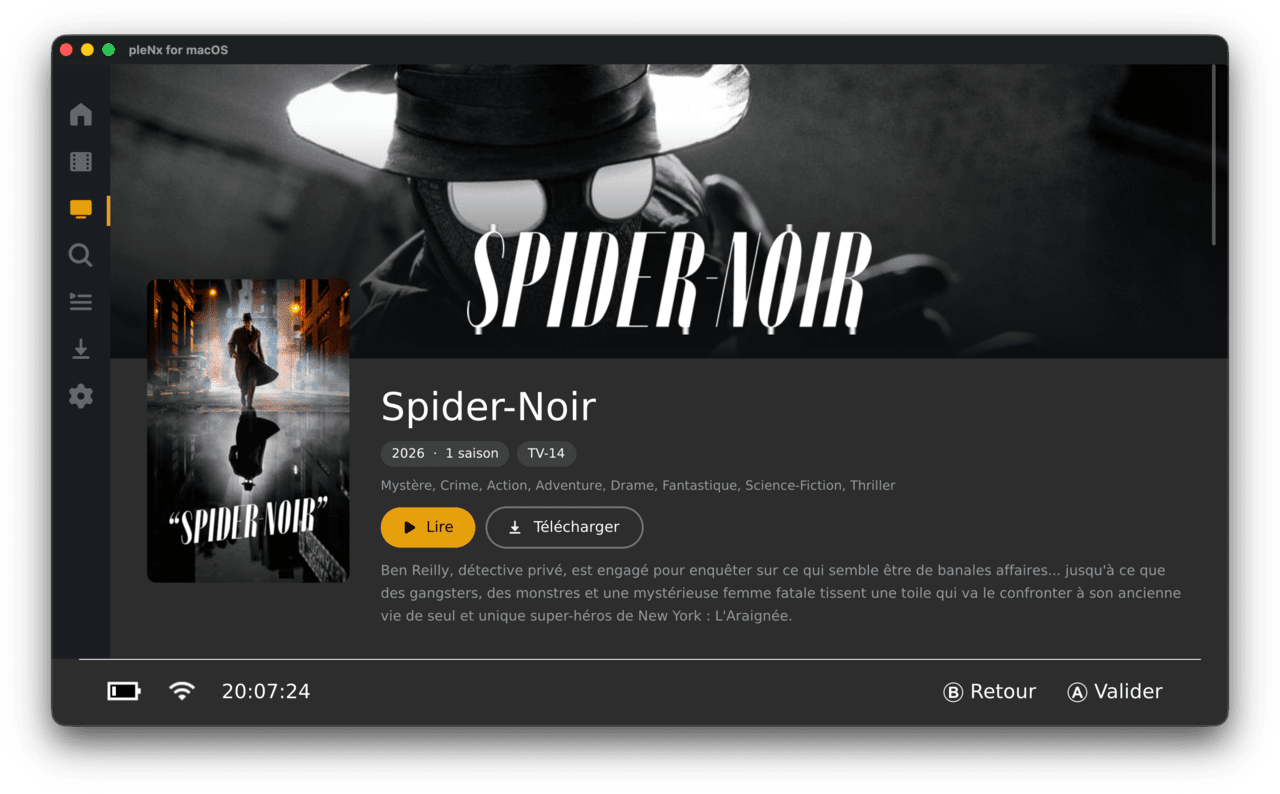
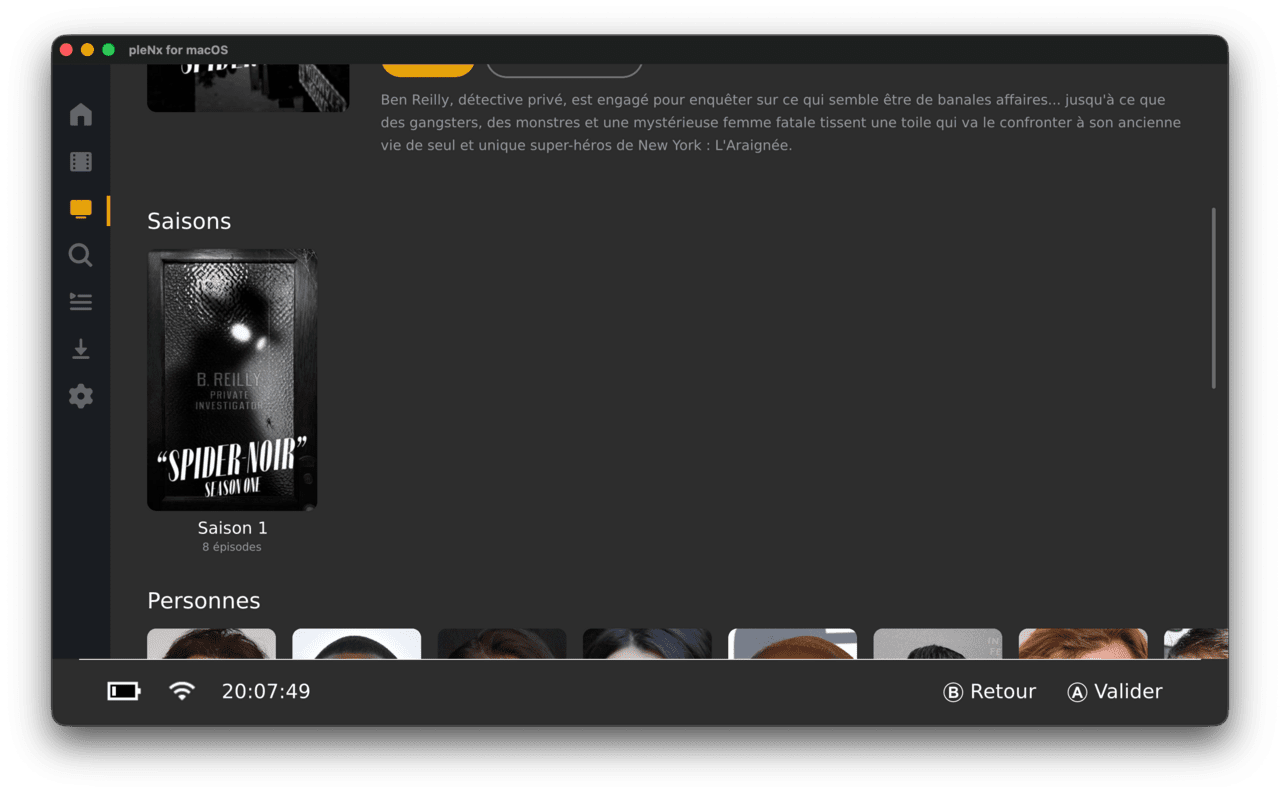
Changelog
v0.1.6
Fixes
- PS Vita: transparent images no longer render as opaque black blocks. Images with real transparency now use DXT5 (8-bit alpha) instead of DXT1, which has no alpha channel; opaque images keep DXT1.
v0.1.5
Fixes
- Controller navigation no longer breaks after closing the player; focus now returns to the first home row.
- Docking the Switch mid-playback now switches the video to fullscreen 1080p instead of leaving it small in a corner.
Player
- Focused controls now show a translucent orange background instead of the border halo.
- The close button is a round, properly centered icon.
- Up/down wake the OSD and focus the play/pause button.
- The progress bar is focusable, with accelerating left/right seek (TV-style OSD is now the default, still toggleable).
- Removed the always-on bottom progress bar and its settings.
v0.1.4
Fixes
- Every truncated row now ends with a "+" card opening the full list (the home rows and the Suggestions tabs of movie and show libraries previously lacked it). The card shows whenever the server reports more content than displayed.
v0.1.3
Breaking
- New Switch title ID for the HOME menu tile (
0104201312000000). Migration: delete any old tile ("Switchlex" or a previous pleNx) from the HOME menu, replacepleNx.nroon the SD card, then reinstall the tile from the app. - The forwarder NPDM
program_idis now generated from the singlePROJECT_TITLEIDsource of truth.
Fixes
- Branding harmonized across every derived asset (app icons, forwarder wordmark, scalable icon wrapper, website favicons / social image). The Android launcher icons and the PS4 / PS Vita system images now ship pleNx branding (Vita assets kept 8-bit indexed as the firmware requires).
Website
- The hero opens with the app icon presented as a homebrew-menu tile next to the wordmark, and the floating nav no longer flashes before first paint.
v0.1.2
Fixes
- Translations completed and corrected across all 13 languages (cs, de, es, fr, ja, ko, pt, ru, tr, uk, vi, zh-Hans, zh-Hant), now at full key parity with English. Filled missing strings, translated Plex sign-in and HOME-tile hint screens left in English in several locales, fixed mistranslations and typos, and restored the French "current speed" overlay placeholder.
v0.1.1
Features
- Working in-app self-update on Nintendo Switch: pleNx offers to update itself (checked at startup and from Settings → "Check for updates"), downloads the NRO with a live progress dialog, verifies the file size against the GitHub release asset, then replaces itself and prompts to relaunch. On other platforms the dialog opens the release page in the browser.
Fixes
- The app now replaces the NRO it was actually launched from (
argv[0]). Updating from 0.1.0 via the in-app dialog may appear to have no effect depending on NRO location; 0.1.0 users with the NRO atsdmc:/switch/pleNx.nroshould replace it manually once. - The release-asset download URL and expected size are now taken from the GitHub API response.
- The startup update check now honors its intended delay.
- All references to the repository now use its new name
thcolin/pleNx. - The Arch package version is now derived from
CMakeLists.txt.
v0.1.0
First release of pleNx, a third-party native Plex client for Nintendo Switch, macOS, Windows, Linux, Android, PS4 and PS Vita; a fork of Switchfin (a Jellyfin client) fully migrated to the Plex API with a complete UI overhaul.
Features
- Full migration from the Jellyfin API to the Plex API: plex.tv PIN sign-in (link code), server discovery and connection selection, libraries, home hub, movies, shows, collections, search, and playback (direct play and transcode) backed by mpv.
- Complete UI overhaul with the new pleNx branding: icon-only sidebar, full-bleed detail pages, scrollable season / playlist / collection views, redesigned search, quick-actions side panel on any poster, guaranteed 2:3 poster ratios, skeletons and empty states, pill-shaped toasts.
- Plex Watchlist with provider-backed sorting and filters, add/remove from detail pages and the quick-actions menu.
- Offline downloads with storage gauge, active/completed sections, one-tap season or whole-show download, local playback.
- Remote file servers (WebDAV, FTP, SFTP, HTTP(S)) managed from the UI with a mandatory connection test before saving.
- Genre cards illustrated with Kometa default posters, playlists, collection pages, person pages, "Play again" on fully-watched shows.
- Available in 14 languages.
- Nintendo Switch specifics: applet-mode warning screen with HOME tile (forwarder) installation flow, system Standard font by default, USB drives via libusbhsfs.
Fixes
- Fixed an infinite relayout loop, ghost focus on recycled views, NaN yoga measurements on empty text, and scroll-edge focus traps; included borealis framework patches.
Build
- Local Nintendo Switch build via Docker; continuous delivery via GitHub Actions building all platforms (Switch NRO, macOS DMG, Windows, Linux Flatpak/Arch, Android APK, PS4 PKG, PS Vita VPK) on each
v*tag.
Documentation
- Jellyfin → Plex migration plan, UI redesign reference, refreshed README.
External links
- Github - https://github.com/thcolin/pleNx