
CardWars-Vita
More actions
| CardWars-Vita | |
|---|---|
 | |
| General | |
| Author | Parindraaa |
| Type | Card |
| Version | 2.0 |
| License | N/A |
| Last Updated | 2026/07/10 |
| Links | |
| Download | |
| Website | |
Card Wars: Adventure Time — PS Vita Port is a native PS Vita port of Card Wars: Adventure Time. Originally released for iOS/Android and shut down along with its servers, this port was meant to get the PC Port running on Vita hardware for a bounty. It is built with Unity 2017.4 (PSP2), based on the PC port of the decompiled game. The game runs much better on 444mhz/166mhz CPU/GPU clock than stock.
Saves are stored in ux0:/data/CardWars/. Saves survive updates and reinstalls as they are separate from the game's actual data files.
Installation
No VPK is provided directly. Releases contain an xdelta patch that must be applied to your own copy of the original game. You need version 1.11.0 of CardWars for iOS 6.0 (CardWars 1.11.0 iOS IPA) (MUST BE ORIGINAL GAME FILES).
- Install
CardWars_Stub.vpkon your Vita with VitaShell - Download xdelta3 (Windows builds available) and put
xdelta3.exe, the IPA andCardWarsData.xdeltain the same folder - Open a command prompt in that folder and run:
xdelta3 -d -B 536870912 -s Card_Wars_1.11.0_ios_6.0.ipa CardWarsData.xdelta CardWarsData.zip - Extract
CardWarsData.zipand copy its contents intoux0:app/CWRS00001/and merge with the existing files - Launch Card Wars
Media
Official Adventure Time Card Wars Launch Trailer (TouchGameplay)
Screenshots
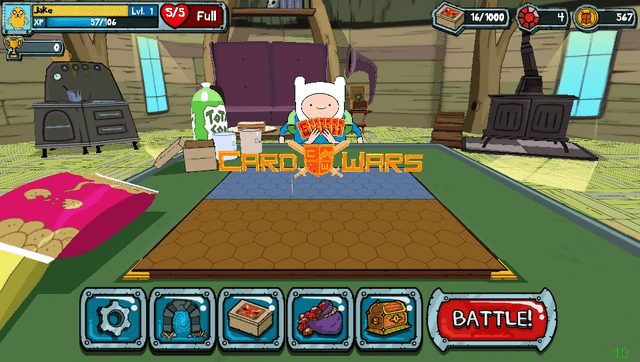
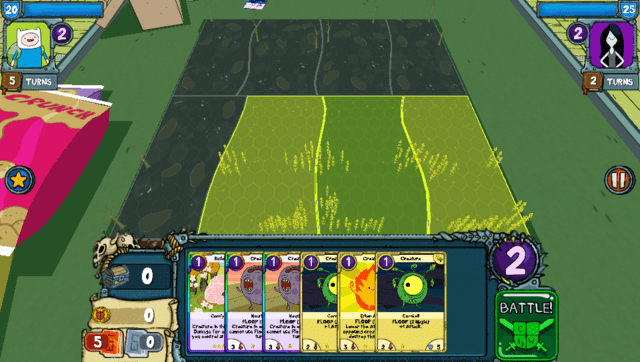
Changelog
v2
NEW VPK MUST BE INSTALLED, OLD VPK WILL NOT WORK WITH NEW DATA FILES
To Do
- Reduce stutters in menu and gameplay caused by UI
- Make a menu to toggle anti-aliasing and other future performance/graphical settings
Fixes
- Mitigated touch input loss during gameplay
- Fixed battle music not playing in Fionna & Cake quests (and a few other affected tracks)
- Removed invisible button in top right of quest map.
- Reclaimed 26MB of memory (headroom for more texture enhancements in the future)
- Upscaled more textures
- Turned up audio sampling rate (should sound better)
- Anti-aliasing enabled (MSAA 2x)
- Capped particles (reduced stuttering and mitigates chance of GPU crash)
- Minor performance improvements during gameplay
Known Issue Very rare GPU crash that occurs as a result of GPU driver not responding to a call made from the game, (most likely cause is the game's GUI?)
- Happens very randomly, usually after several hours of playing on and off. (actively trying to find the root of this, I will be working on fixing this as my main focus)
Saves are safe from updates! You don't need to worry about save data when installing this new patch and vpk.
v1.5
NEW VPK MUST BE INSTALLED, OLD VPK WILL NOT WORK WITH NEW DATA FILES
Fixes
- Optimized menus ( 30fps -> 60fps)
- Fixed heavy lag in deck manager
- Smoother scrolling in card lists
- Redid the pinch zoom gesture for quest map (much better)
- Slightly faster boot
- Removed "no connection" button in quest map (used to restart and crash app)
Issues
- Card box can drop frames while scrolling fast through a large collection. (Cost to rebuild large UIs)
- Card glimmer effect on premium cards removed (as of now, huge performance boost in deck manager)
v1.0
- First Release.