
TomoToolNX Switch
More actions
| TomoToolNX | |
|---|---|
 | |
| General | |
| Author | miiazertyy |
| Type | Save Managers and Editors |
| Version | 1.3.7 |
| License | GPL-3.0 |
| Last Updated | 2026/06/09 |
| Links | |
| Download | |
| Website | |
| Source | |
TomoToolNX is a Nintendo Switch homebrew tool for editing Tomodachi Life save data directly from the console. Both WebUI and on-Switch modes are supported.
The project is based on LivinTheDreamToolkit by the UGC editor contributors. Mii sharing is based on ShareMii by Star-F0rce. The save-file parser, generated data tables (wishes, habits, clothes, coordinates, treasures), Map.sav schema hashes, UGC kind table, housing-edit safety rules, and the Custom BC1/BC3 texture encoder are derived from alexislours/ltd-save-editor (AGPL-3.0-or-later). Early reference for save key hashes came from tlmodding/ltd-gamedata.
Features
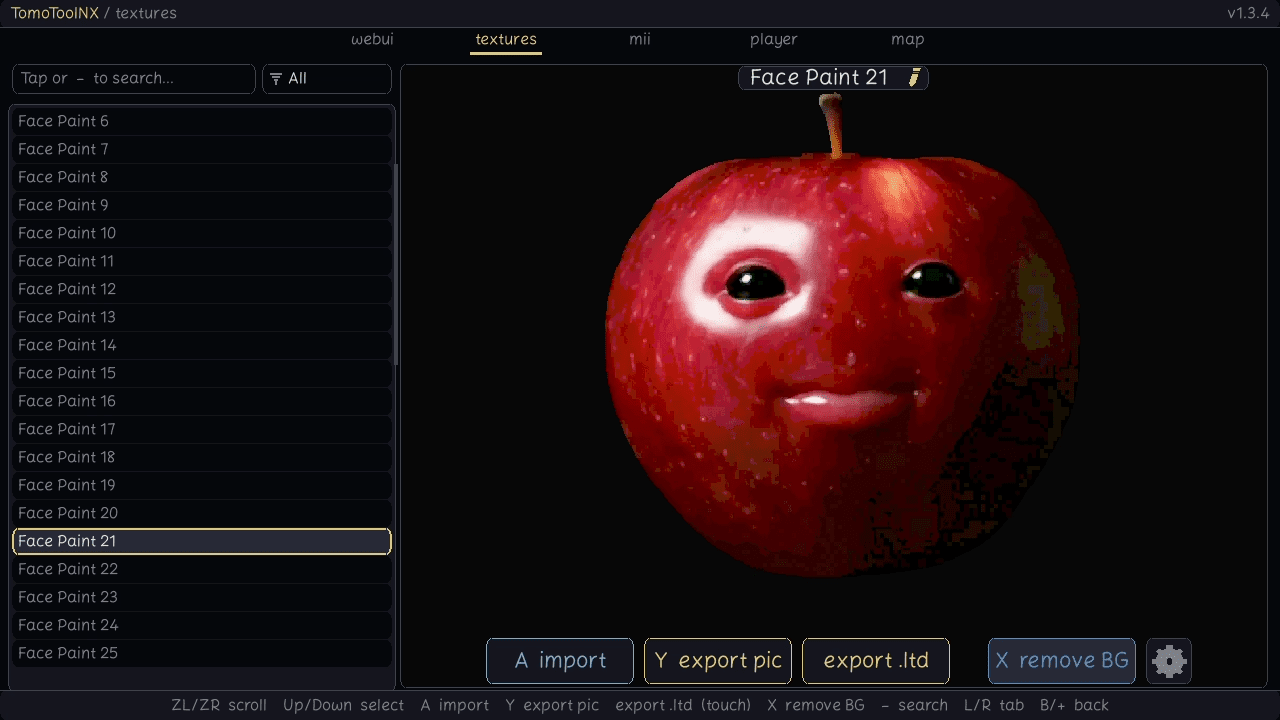
- Textures — swap any UGC texture (FacePaint, Food, Goods, Thumbs) by importing a PNG. Images are resized, alpha-cleaned, and re-encoded automatically.
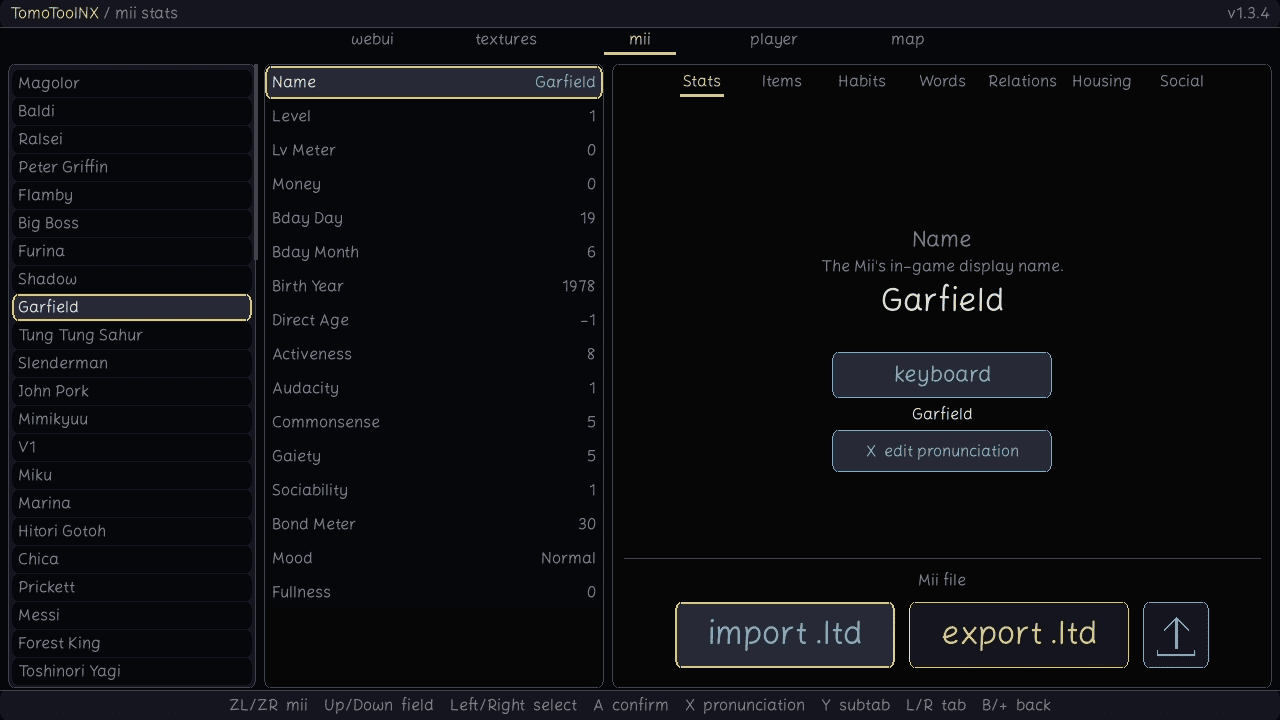
- Miis — edit just about everything visible: stats, words, habits, belongings, relationships, housing, and the social graph. Import / export individual Miis as
.ltdfiles. - TomodachiShare — browse the online catalogue, search and filter, preview, and download shared Miis directly into a save slot.
- Player save — adjust the global player fields: name, island, money, currency, birthday, region, languages, wishes, fountain, island size, and more.
- Map — view your island as a 120×80 tile grid, click any object to inspect and edit its position, rotation, linked map ID, or which Miis live in it; place new objects or remove existing ones. Works on both the WebUI and the on-Switch controller / touch UI.
- Backups — your save is copied to the SD card before any edit, and every texture import keeps a per-file backup. Restore from inside the app.
- MTP over USB — the SD card mounts as a USB drive while the WebUI is running (via libhaze).
- Translations — both the WebUI and the on-Switch UI can be translated by editing plain text files. Contributions welcome.
- Update check — on launch, lets you know when a newer release is up on GitHub.
Installation
Copy TomoToolNX.nro to /switch/TomoToolNX/ on your SD card and launch from the homebrew menu.
User guide
Launch the app, pick a user account, decide what to do with any existing save backup, then choose a mode:
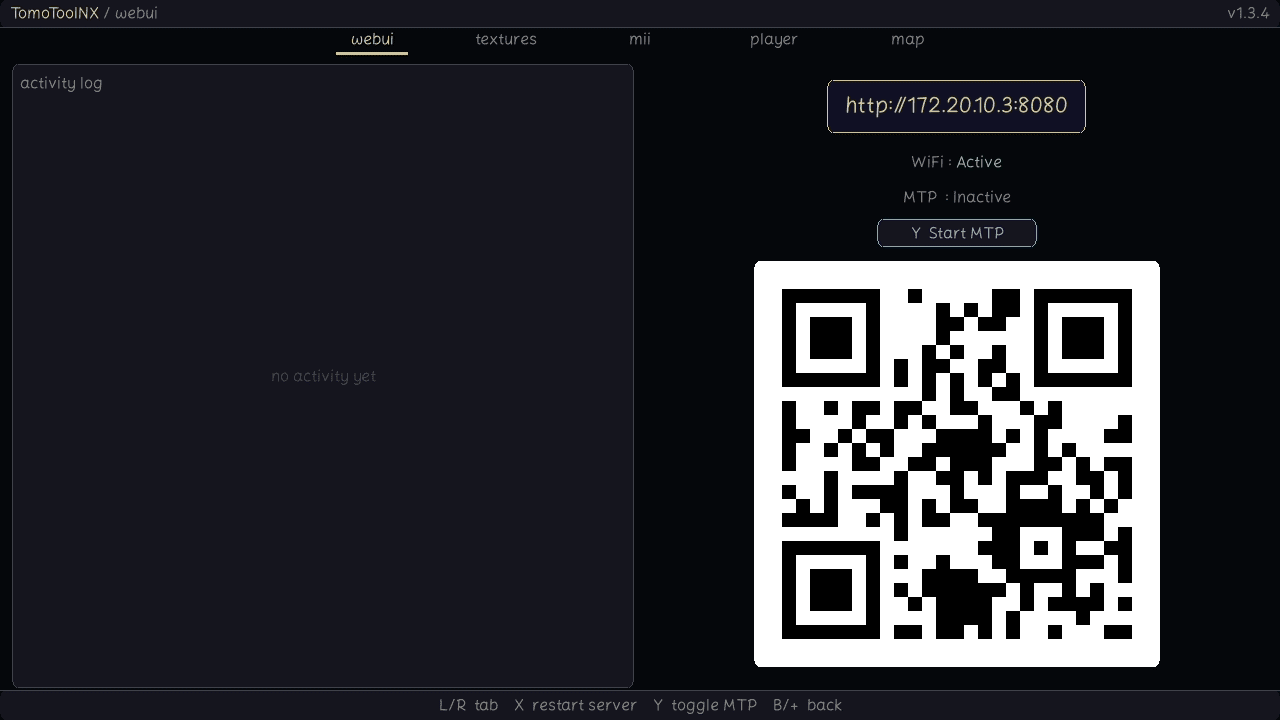
- WebUI — starts a local HTTP server. Open
http://<switch-ip>:8080on any device on the same network and edit from the browser. The SD card also mounts over USB while the server is running. - On-Switch — browse and edit directly with the controller. Tabs are switched with L / R (or ZL / ZR); each tab shows its own controls at the bottom of the screen.
Press B to back out at any point. The app prompts before discarding unsaved changes.
A few notes on textures: PNGs are auto-resized to the target format, a transparent background with clean edges gives the best result, and encoding is sRGB-aware to match the game's color reproduction. The default Custom encoder is a faithful port of ltd-save-editor's BC1/BC3 encoder; a faster PCA-only fallback is available in the settings.
Screenshots
|
|
Changelog
v1.3.7
- Added Japanese translation
- Libhazefix directly wired with make setup for easier building
- Customizable theme colors because why not
- UI enhancements
- Bug fixes
v1.3.6
- Added WebUI translations and sync from hb app language
- Added island stats (WebUI only) in the Player tab
- More editing features in the Map tab
- Bug fixes
v1.3.5
- QoL features and bug fixes
- Compressed the bundled save file (-4mo)
v1.3.4
- WIP island "generator", overwrite a user with a mostly well generated map 'seed system', you can also choose to use the 100% base save file
- Search and filter features in the texture tab
- Added mtp toggling to prevent crashes on emulator
- Parameter to change texture uploading resolution (for book and tv UGCs)
- Per user backup
- UI fixes, bug fixes and better emulator support
v1.3.3
- Fixed update checker
- Fixed .ltd* file support
- Better tomodachishare loading logic
- Updated for latest LTD update
- UI fixes
v1.3.2
- Better network loading spree
- AI-Translated new languages (send a pr if any translation is incorrect)
- New UI layout and sounds (revertable in the settings tab)
- Social tab rewritten
- Manual code optimization not ai
v1.3.1
- Removed the auto updater, it's a pain to maintain and because the app was added to the homebrew appstore it's more straight forward to update than before
- Added game assets icon for the item tab (only webui)
- New Credits button
- New Map tab
- New batch know relations buttons
- Bug fixes
v1.3.0
- Added multiple Language support, you can contribute with pull requests
- Added TomodachiShare Mii browser in the stats subtab (little export logo button)
- Added more bulk unlock features
- Added a straight forward Housing subtab to assign houses to Miis
- Items tab now straightforward on the app
- Bug fixes and qol features
v1.2.5
- Added MTP file sharing for people that don't want to enable Wifi
- Added color encoding settings
- Bug fixes
v1.2.4
- Importing now supports every ugc files
- Touch screen now works in the belonging and habits tab
- Updater fixed
- Bug fixes
v1.2.3
- Added U-2-Netp ai to remove background of ugcs easily
- Thumb is now written automatically
- Touch screen fixes
- New Habits tab
- QoL UI additions
v1.2.2
- Subtabs are now implemented in the WebUI
- Now shows a prompt when running applet mode because of the "Error - User not found" confusion
- Added ability to change encounter dates in the relation tab
- Backup now saves up to 8 saves by default so there's less chances of overwriting an incorrect backup
- Added a belongings tab
- New settings tab in the user menu
- ShareMii version v3.2.3 fixes implemented
- Better UI logic and bug fixes
v1.2.1
- UI and WebUI bug fixes, better logic and additions
- Added more editing features in mii stats and player tabs
v1.2.0
- Added save editing features for player file and miis
- QoL changes and bug fixes
v1.1.6
- Added touch screen support
- Added the ability to choose the export path
- Exporting now shows the path where it's importing
v1.1.5
- Added drag to import on webui
- Bug fixes from ShareMii v3.2.2
- Fixed crash when exiting app
- Now shows the actual name of the ugcs instead of the file name
- Fixed random hb menu crashing when closing the app
- Lots of UI logic enhancements
v1.1.4
- Fixed webui importing issue
- Added free file browsing
- Pictures now keep the current aspect ratio when importing
- UI enhancements
v1.1.3
- UI enhancements
- Fixed reddish color preview for the ugcs
v1.1.2
- Revamped the UI so On-Switch and WebUI aren't separated anymore
- Added a skip button while update's being checked
- QoL features
- Known issue: reddish color on preview but everything works ingame
v1.1.1
- Added an auto update feature, from github
- Added a QR code to the WebUI and the Wifi status
- Made the Mii tab phone compatible
- Miis load on computer correctly now
- Known issue: Reddish preview, still works perfectly ingame
v1.1.0
- Fixed semi transparent pixels and a weird outline appearing with certain pictures
- Added Mii Exporting and Importing as LTD thanks to the ShareMii project
- Added mikhak font locally
- Known issue: Reddish preview, still works perfectly ingame
v1.0.1
- Thumb files not listed anymore for ugcs
- Added a savefile backup feature and prompt
- Logs now go to "TomoToolNX" folder instead of "tomodachi-ugc"
- Made the UI cleaner
- Added ability to choose either webui or directly on switch
- QoL features
v1.0.0
- Initial Release
- Uses only WebUI atm
- Supports UGC importing
- Be careful and backup your files using jksv before using this, no backup feature yet
External links
- GitHub - https://github.com/miiazertyy/TomoToolNX
- Homebrew App Store - https://hb-app.store/switch/TomoToolNX