
Able Atelier 3DS
From GameBrew
More actions
| Able Atelier | |
|---|---|
 | |
| General | |
| Author | Ghaztly97 |
| Type | Other Apps |
| Version | 1.0.2 |
| License | N/A |
| Last Updated | 2026/03/23 |
| Links | |
| Download | |
| Website | |
| Source | |
A pattern editor for Animal Crossing: New Leaf that runs natively on 3DS.
Note: Works ONLY for the Welcome Amiibo update.
Features
- Freely Rotating, Scaling, and Panning the view of the pattern editor (Which ACNL doesn't have in it's editor).
- Pallet swapping patterns.
- Working RIGHT ON YOUR 3DS without having to go to an external website to edit your patterns.
Installation
Copy the .3dsx file to /3ds/ on your SD card. Launch from Homebrew Launcher.
Screenshots
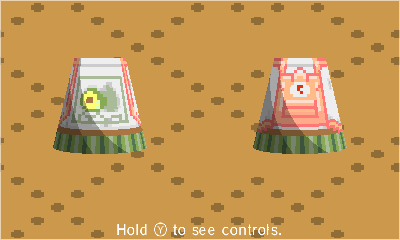
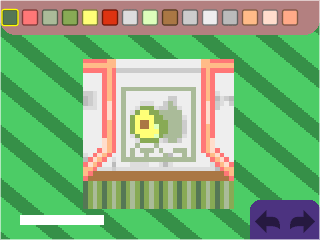
Changelog
v1.0.2
- Simple update.
- Can now change the name of the creator of a pattern and the name of the pattern while editing by clicking the purple gear.
v1.0.1
- Changed a few things, namely:
- New Settings Menu. Will populate with more things later.
- Double clicking transformation (Rotate, Scale, Pan) buttons on the D-Pad now resets the transformation
- Keep your SD card clean with automatic deletion of old backup files (only the 5 most recent will be saved from deletion if the setting is enabled)
v1.0.0
- First release of Able Atelier!
Credits
- Made using LÖVE2D with LÖVE Potion
- Uses the Hexatonic, hump camera, and HC 2D Collision Detection libraries.
- Uses rxi json.lua for json parsing.