
SCR2JPG 3DS
From GameBrew
More actions
| SCR2JPG | |
|---|---|
 | |
| General | |
| Author | Adrix12team |
| Type | Utilities |
| Version | 1.1 |
| License | LICENSE |
| Last Updated | 2026/05/31 |
| Links | |
| Download | |
| Website | |
| Source | |
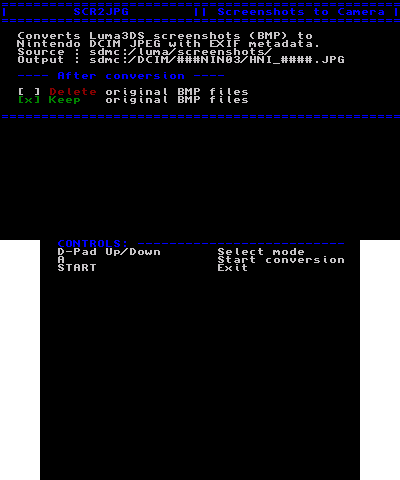
3DS homebrew application that converts screenshots made by Luma3DS (Rosalina Menu) into JPEGs that are viewable from the 3DS photos application.
If converted correctly, your screenshots should appear as if they were photos taken on the exact moment of the screenshotting, after updating the management file.
Controls
D-Pad Up/Down - Select mode
A - Start conversion
Start - Exit app
Screenshots
Changelog
v1.1
- .cia now supported
- Screenshots now don't longer appear under 2001.01.01, instead on date and time when screenshot taken (based on file name)
- Minor changes