
ReSharp3DS
More actions
| ReSharp3DS | |
|---|---|
 | |
| General | |
| Author | saysaa |
| Type | Other Apps |
| Version | 2.1.4-beta.11 |
| License | GPL-3.0 |
| Last Updated | 2026/06/22 |
| Links | |
| Download | |
| Website | |
| Source | |
ReSharp3DS is an project that runs C# code on the Nintendo 3DS using nanoCLR / nanoFramework.
The project uses a C++ 3DS homebrew application to load C# assemblies compiled as .pe files, then executes them through nanoCLR.
Installation
Recommended current structure:
- sdmc:/3ds/ReSharp3DS.3dsx
- sdmc:/ReSharp3DS/bin/mscorlib.pe
- sdmc:/ReSharp3DS/apps/TestApp/manifest.json
- sdmc:/ReSharp3DS/apps/TestApp/app.pe
- sdmc:/ReSharp3DS/apps/TestApp/assets/sprite.bmp
- sdmc:/ReSharp3DS/apps/TestApp/assets/sound.wav
The launcher starts in: sdmc:/ReSharp3DS/
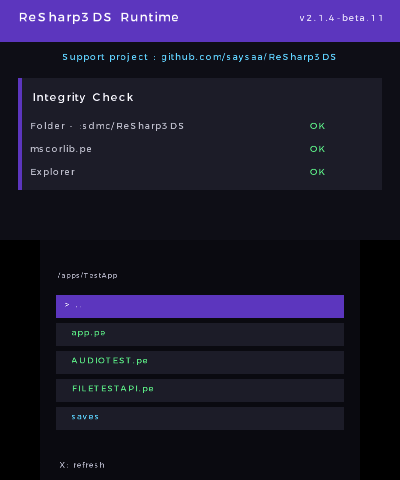
It can display folders and .pe applications. mscorlib.pe is ignored by the launcher.
You can open folders, go back to the parent directory, and launch .pe files from subfolders.
Folder structure example:
SD:/
├── 3ds/
│   └── ReSharp3DS.3dsx
└── ReSharp3DS/
    ├── bin/
    │   └── mscorlib.pe
    ├── app.pe
    ├── apps/
    │   └── TestApp/
    │       ├── manifest.json
    │       ├── app.pe
    │       └── assets/
    │           ├── sprite.bmp
    │           └── sound.wav
    └── logs/
        ├── crash.txt
        ├── clr-panic.txt
        └── <AppName>.log
Screenshots
Controls
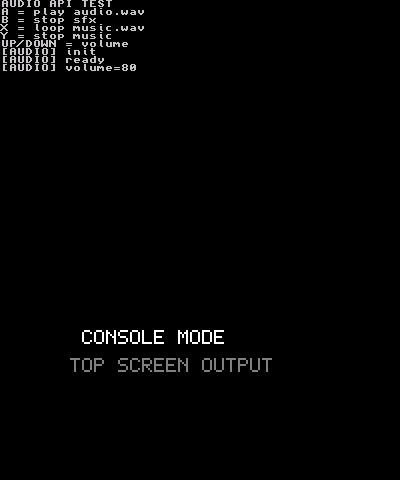
Current runtime versions include a file browser with folder, .pe, manifest, and touch support.
D-Pad Up/Down - Move selection
A - Open folder or launch selected .pe app
X - Refresh current folder
Start - Exit launcher
Touch row - Select/open folder or launch selected app
Touch right edge - Quick scroll
Media
demo of my C# runtime and SDK for Nintendo 3DS - ReSharp3DS v1.4.3-beta.3 (Saysaa)
Changelog
External links
- ReSharp3DS Runtime - https://github.com/saysaa/ReSharp3DS
- ReSharp3DS Documentation - https://github.com/saysaa/ReSharp3DS/tree/docs
- ReSharp3DS - SDK - https://github.com/saysaa/ReSharp3DS/tree/sdk
- ReSharp3DS Studio - https://github.com/saysaa/ReSharp3DS-Studio
- GBAtemp - https://gbatemp.net/threads/i-have-ported-nanoframework-for-3ds-c-on-3ds.682161/
- Universal-DB - https://db.universal-team.net/3ds/resharp3ds