
Chex Quest Vita
More actions
| Chex Quest Vita | |
|---|---|
 | |
| General | |
| Author | DraxTube |
| Type | Shooter |
| Version | 1.0 |
| License | N/A |
| Last Updated | 2026/02/24 |
| Links | |
| Download | |
| Website | |
| Source | |
Chex Quest Vita is a native port of Chex Quest (1996) to the PlayStation Vita, built on top of the doomgeneric source port of Doom.
It does not use SDL. All video, audio, and input are implemented directly against the Vita system libraries. Music is handled via OPL3 FM synthesis using Nuked-OPL3. The result is a standalone VPK that runs Chex Quest (or any compatible Doom IWAD) natively on the Vita.
A PSP version is also available: Chex Quest PSP.
Features
- Native Vita backend (no SDL), with video, audio, and input implemented directly against Vita system libraries.
- OPL3 FM music synthesis via Nuked-OPL3.
- Supports chex.wad, doom1.wad, and doom.wad as fallback IWADs.
- Quick save/load functionality.
- Dual analog stick controls.
Installation
- Download the VPK from the Releases page.
- Transfer it to the Vita and install it using VitaShell.
- Place your WAD file at:
ux0:/data/chexquest/chex.wad
- Launch the game from the LiveArea.
Save files and debug logs are written to the same directory.
Requirements
- PS Vita or PSTV running HENkaku/Enso (firmware 3.60-3.74).
- VitaShell.
chex.wad(the original Chex Quest WAD file).doom1.wadanddoom.wadare also supported as fallbacks.
Controls
| Action | Input |
|---|---|
| Move | Left Stick |
| Turn | Right Stick |
| Fire | Square or R Trigger |
| Use / Open | Cross (X) |
| Run | L Trigger |
| Automap | Triangle |
| Strafe Modifier | Circle |
| Menu | Start |
| Confirm | Select |
| Weapon Cycle | D-Pad Left / Right |
| Quick Save | D-Pad Up (slot 0) |
| Quick Load | D-Pad Down (slot 0) |
Quick Save and Quick Load have a 1-second cooldown. The in-game save/load menu does not work; use these button combos instead.
Media
Chex Quest (PC) - Angry Video Game Nerd (AVGN) ([https://www.youtube.com/watch?v=Vg0y9i5E7nY
Cinemassacre])
Screenshots
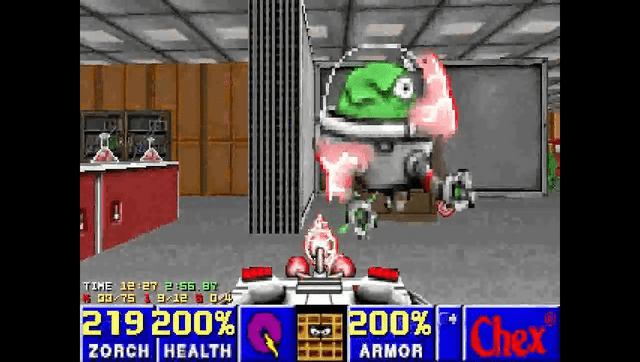
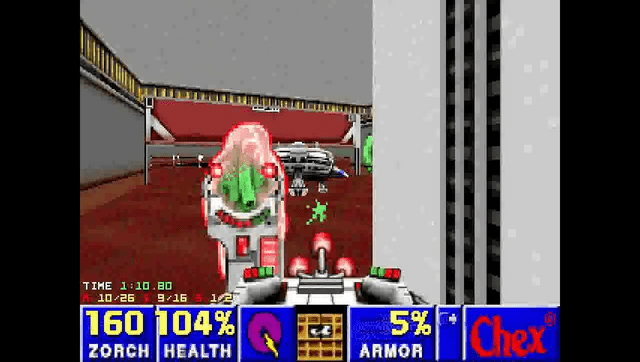
Known issues
- Music is simplified: only 9 OPL voices, single-voice instruments only. Two-voice GENMIDI patches are not rendered correctly. Music sounds noticeably different from the original PC version.
- Pitch bend is parsed but ignored. Notes play at fixed pitch regardless of MUS pitch bend events.
- No gamma control (
usegammais hardcoded to 0). - Nearest-neighbor scaling only. The 320x200 framebuffer is scaled to 960x544 without filtering.
- No external controller or mouse support.
- If no WAD file is found, the game logs an error and exits after 5 seconds with no on-screen message.
Changelog
v1.0
- First Release.
Credits
- id Software - Doom
- Digital Café - Chex Quest
- ozkl - doomgeneric
- LatinWizard99 - Completing the assets and testing
- DraxTube - Porting work