SwitchLibrarian Switch
From GameBrew
More actions
| SwitchLibrarian | |
|---|---|
 | |
| General | |
| Author | captainmorgan |
| Type | PC Utilities |
| Version | 2026 |
| License | N/A |
| Last Updated | 2026/01/02 |
| Links | |
| Download | |
| Website | |
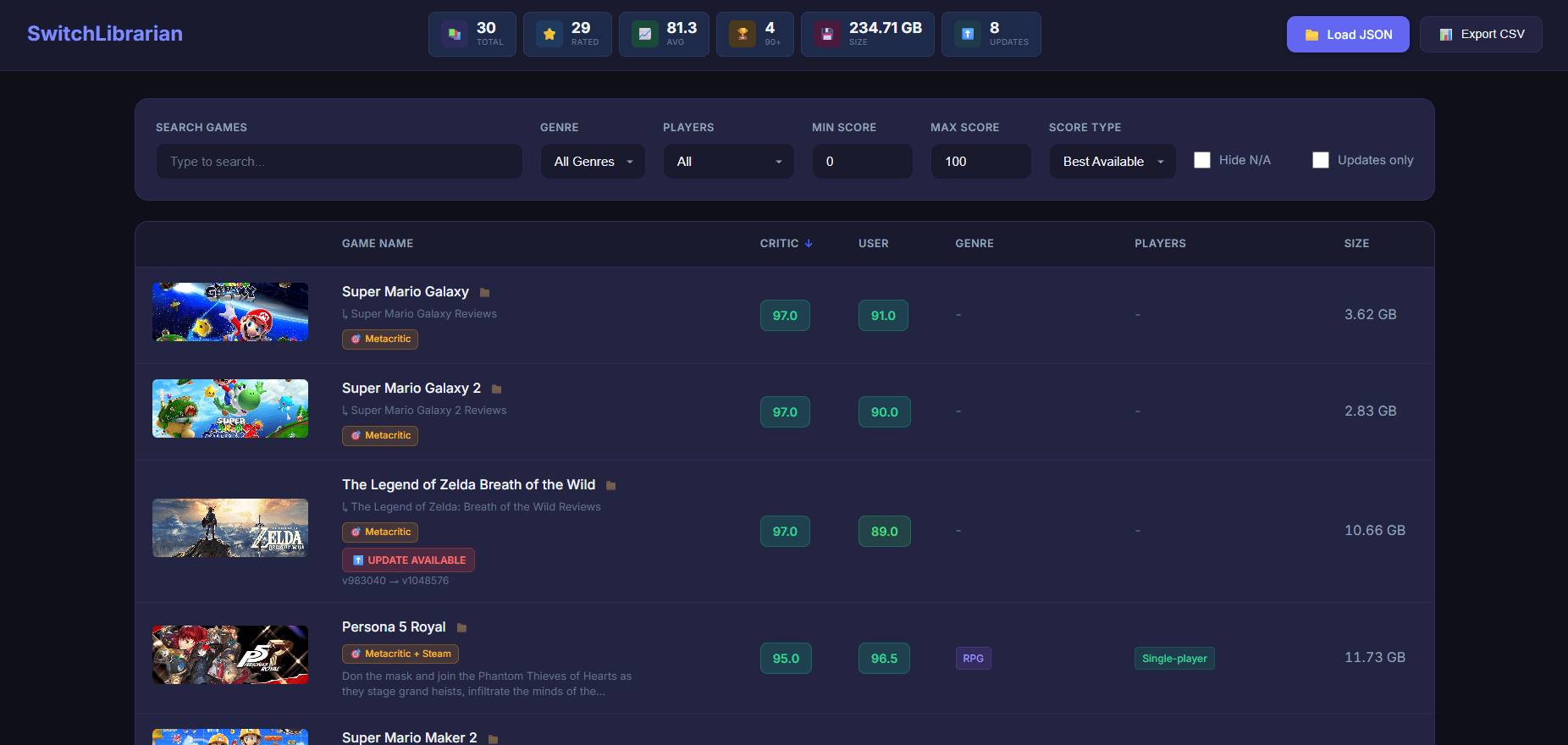
SwitchVault is a Nintendo Switch game library manager that scans user-defined folders for games and fetches metadata like ratings, images, descriptions, and update availability. It helps organize NSP/NSZ/XCI backups with ratings and update checks, ideal for homebrew users managing collections.
- ==Features==
- Multi-Source Ratings
- Metacritic (critic + user scores)
- Steam (user review scores)
- IGDB (fallback source)
- Critic and user scores displayed side by side
- Game Artwork
- Steam header images
- Nintendo eShop artwork (for exclusives)
- IGDB covers (fallback)
- Update Detection
- Compares detected game versions against titledb
- Displays available update version numbers
- Smart Folder Parsing
- Supports multi-game folders (e.g. Bayonetta 1+2, Portal Collection)
- Handles organizational subfolders (e.g. Multiplayer/Game [NSP])
- Automatically splits collections into individual entries
- Cleanup & Analysis Tools
- Detects duplicate update files (keeps highest version)
- Flags translation / language folders
- Score-based reports to identify low-rated titles
- HTML Viewer
- Offline, modern dark theme
- Filter by genre, player count, and score range
- Sort by any column
- Global search
- CSV export
- One-click folder path copy
Requirements
pip install requests beautifulsoup4
Optional (IGDB fallback only):
- Twitch / IGDB API credentials (free)
How to Use
Download:
- SwitchLibrarian.py
- SwitchLibrarian_viewer.html
Run the script:
Code:
python SwitchLibrarian.py
Enter your game folder path (example: G:\NintendoSwitch)
Choose option 1 → 1 to scrape all games
Open game_ratings_viewer.html and load the generated game_info.json
Screenshots
|
|