
ESPhaku Vita
From GameBrew
More actions
| ESPhaku | |
|---|---|
 | |
| General | |
| Author | Yoti |
| Type | Exploits |
| Version | 3.0 |
| License | GPL-3.0 |
| Last Updated | 2025/11/22 |
| Links | |
| Download | |
| Website | |
| Source | |
ESPhaku is a HENkaku delivery setup that runs on NodeMCU (ESP8266) and serves the exploit to PS Vita or PS TV consoles over Wi-Fi on supported firmware ranges. It is designed as an offline, self-hosted alternative to remote HENkaku entry points, useful when public exploit sites are unavailable or unstable.
Building (Windows)
- Download and install or unpack Arduino IDE (v1.8.19 is recommended)
- Configure IDE to use ESP8266 based board (v3.1.2 is the tested one)
- Clone project repo as "esphaku" and open "esphaku.ino" in the IDE
- Select the "NodeMCU v1.0 (ESP-12E Module)" as target board
- Select the "4MB (FS:3MB OTA:~512KB)" as flash size
- Export firmware as binary file by pressing "Ctrl+Alt+S"
- Run the "0getffs.bat" file and wait for it to complete
- Requirement: wget.exe
- Connect the ESP8266 based board to your PC now
- Run the "1spiffs.bat" file and wait for it to complete
- Requirement: mkspiffs.exe
- Requirement: python3.exe
- Run the "2flash.bat" file and wait for it to complete
- Requirement: esptool.exe
Usage (PS Vita/TV)
- Connect your PS Vita/TV to the "ESPhaku" access point
- Select the Browser application from the home screen
- Press Help button (the "B" one) OR
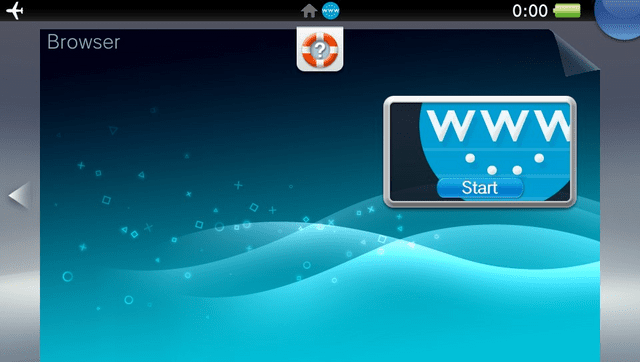
- Press PS banner (the "D" one) OR
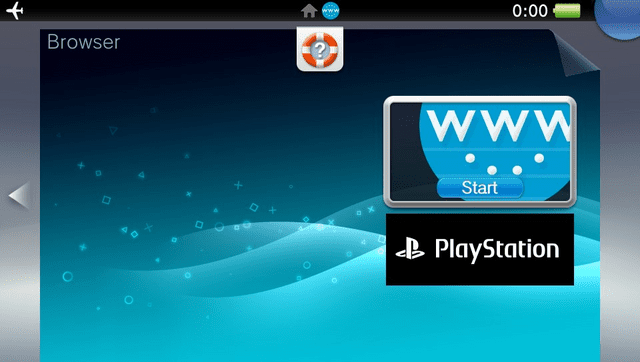
- Start Browser (the "C" one) and select official PS website bookmark OR
- Start Browser (the "C" one) and enter something like "/" to the address bar (the "C" one, again)
- Read the text on the screen
Tested boards
- NodeMCU v3 "Lolin" by Wemos (at AliExpress)
Changelog
v3.0
- Details:
- 3.55-3.57 HENkaku (HEN only)
- 3.60 HENkaku + VitaShell 2.05
- 3.63-3.74 HENlo + VitaShell 2.05
- Flashing:
- BIN 1MB at 0x000000
- FFS 3MB at 0x100000
- or just flash "full" one
v2.1
- Details:
- 3.55-3.57 HENkaku (HEN only)
- 3.60 HENkaku + VitaShell 2.05
- 3.63-3.74 HENlo + VitaShell 2.05
- Flashing:
- BIN 1MB at 0x000000
- FFS 3MB at 0x100000
- or just flash "full" one
v2.0
- Details:
- 3.60 HENkaku
- 3.65-3.74 HENlo
- VitaShell 2.05
- Flashing:
- BIN 1MB at 0x000000
- FFS 3MB at 0x100000
- or just flash "full" one
v1.0
- First Release.
External links
- Github - https://github.com/Yoti/psv_esphaku