
Nx-laserplayer Switch
From GameBrew
More actions
| nx-laserplayer | |
|---|---|
 | |
| General | |
| Author | proconsule |
| Type | Media Players |
| Version | 0.0.1 |
| License | N/A |
| Last Updated | 2025/09/10 |
| Links | |
| Download | |
| Website | |
| Source | |
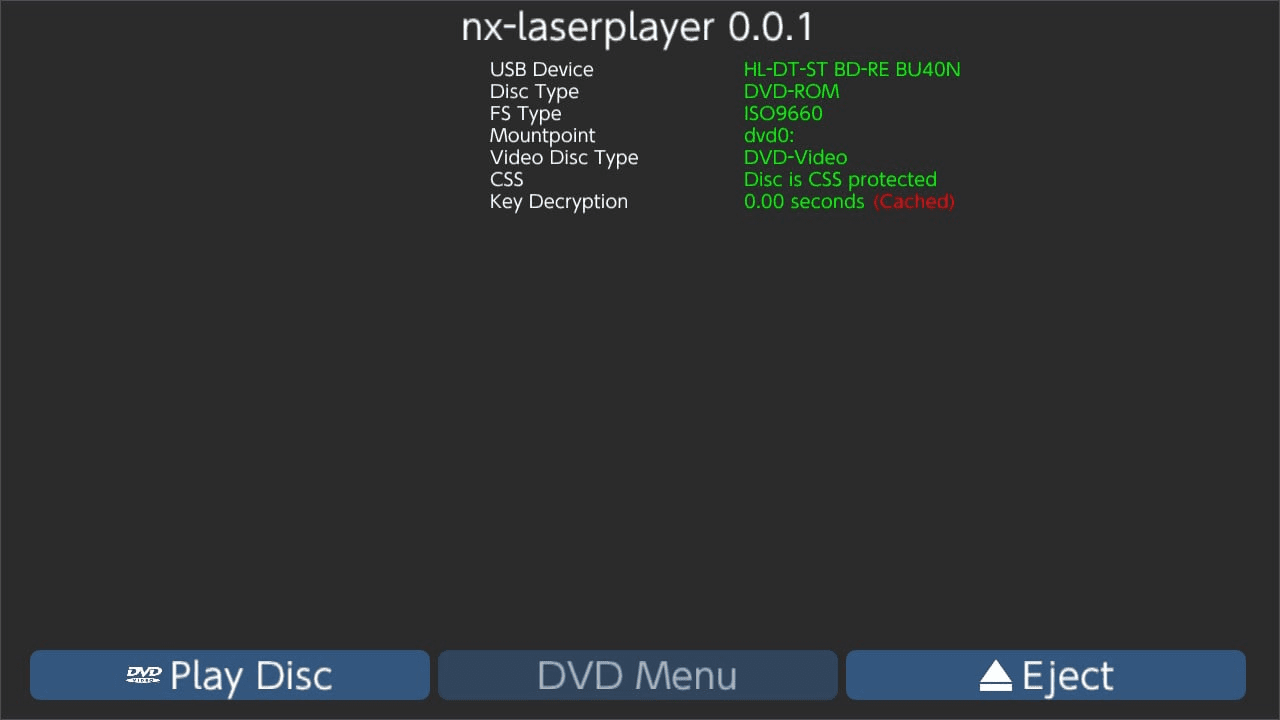
NX LaserPlayer is a homebrew video player for Nintendo Switch specifically designed to play media directly from optical discs such as CD, DVD, and Blu-ray. The project builds upon the libusbdvd library, which enables the Switch to interface with external USB-based optical drives under HorizonOS.
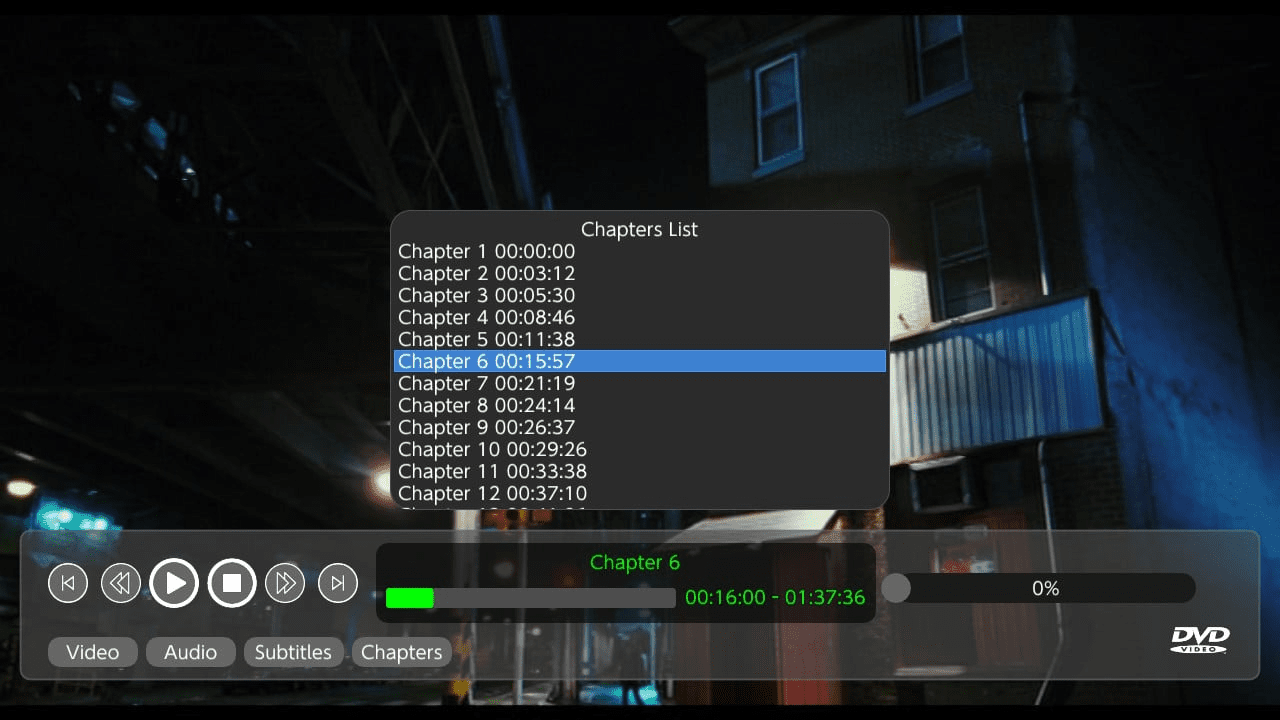
LaserPlayer offers native playback for DVD Video discs and aims to extend compatibility to other standard optical formats, effectively allowing physical disc playback on the console through a USB connection.
Features
- Playback support for DVD Video discs via USB optical drives.
- Compatible with various USB-DVD and USB Blu-ray devices.
- Built on libusbdvd, providing HorizonOS library integration for mass storage subclass drives.
- User-friendly interface for loading and controlling disc playback.
Requirements
- A Nintendo Switch with custom firmware (Atmosphère or equivalent).
- An external USB DVD or Blu-ray drive.
- libusbdvd installed and functional on the system.
Notes
- Due to hardware limitations and media encoding, playback quality and compatibility may vary depending on the disc type and drive model.
- CD audio may not be fully supported in current builds.
- USB drives using standard Mass Storage subclass are recommended for best performance.
Screenshots
Changelog
v0.0.1
- First Release.
Credits
Created by proconsule54, with special thanks to contributors of libusbdvd and the HorizonOS homebrew development community for their documentation and support.