
LeonaNX Switch
From GameBrew
More actions
| LeonaNX | |
|---|---|
 | |
| General | |
| Author | Sorakana-hacker |
| Type | PC Utilities |
| Version | 1.0.2 |
| License | GPL-3.0 |
| Last Updated | 2023/12/16 |
| Links | |
| Download | |
| Website | |
| Source | |
LeonaNX is a user-friendly tool for creating and converting cheat codes for Nintendo Switch homebrew applications like EdiZon Switch.
Features
- Easy-to-understand GUI application
- Convert pchtxt to SX Cheats (Edizon) codes
- Generate cheat codes from search values
- Port SX Cheats (Edizon) codes
- Generate OffCode (RealTime on-off functionality)
Why Use LeonaNX?
LeonaNX makes modding easier and more accessible with:
- Simple, intuitive interface
- Time-saving conversion tools
- Comprehensive code generation
- Enhanced modding capabilities
Basic Usage
1. Launch LeonaNX 2. Select the desired function from the main menu
Converter
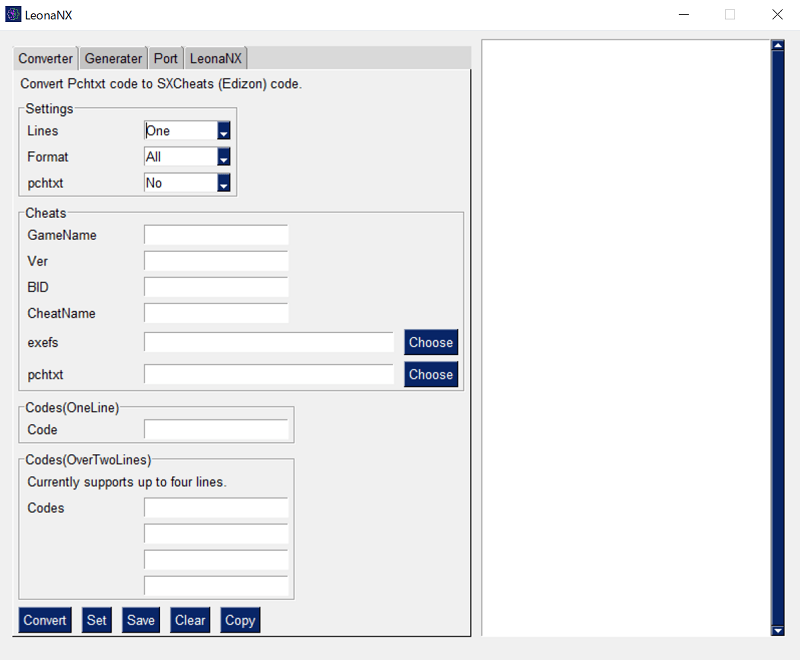
Converts pchtxt files for use with Edizon:
- Select "Converter"
- Set either Code or Pchtxt mode
- Enter all required items
- Click "Convert!"
CodeBuilder
Generates cheat codes from search values:
- Select "CodeBuilder"
- Set Address and Values
- Enter all required items
- Click "Generate!"
Screenshots
Changelog
v1.0.2
- Add ParamHashGUI
- Add pchtxt to ips converter
- Change language
v1.0
- First Release.
Credits
- LeonaNX created by Sorakana
- Offcode functionality by Takaharu
- Special Thanks: Takaharu, Yajii2