
WiiFlow Mod6 Wii
From GameBrew
More actions
| WiiFlow Mod6 | |
|---|---|
 | |
| General | |
| Author | iamerror80 |
| Type | Title Launchers |
| Version | 1.3.0 |
| License | N/A |
| Last Updated | 2024/04/21 |
| Links | |
| Download | |
| Website | |
| Source | |
WiiFlow Mod6 is a lightweight, open-source USB loader for the Nintendo Wii. Based on the original WiiFlow Lite project, this custom fork continues development to improve compatibility, performance, and user customization.
This version is maintained by iamerror80 and introduces updated plugin support, new themes, bug fixes, and additional configuration options compared to older builds.
What's Changed from the Original WiiFlow Lite
- Added ability to jump to a specific game using a virtual keyboard on screen.
- Install game feature is back, with the help of USB Loader GX source code.
- Added ability to install wad folders (batch mode).
- FTP server is back.
- Icons and menus have been completely rewritten and redrawn to have a more consistent look, settings are now categorized and themes are easier to write and maintain.
- Almost all settings can now be tweaked within WiiFlow menus, no need to edit ini files anymore.
- Neek2o mode is back: WiiFlow can be relaunched under neek2o for channel coverflow only.
- Added many checks and error messages when it comes to use neek2o features, with the help of USB Loader GX source code.
- Game categories can now be automatically retrieved from GameTDB and Wiimpathy's databases.
- If no categories ini file is found, a set of 20 basic categories (Action, platformer, racing...) is created.
- Added ability to create new custom categories within WiiFlow interface.
- Added ability to translate categories in language ini file.
- Added a plugin editor menu
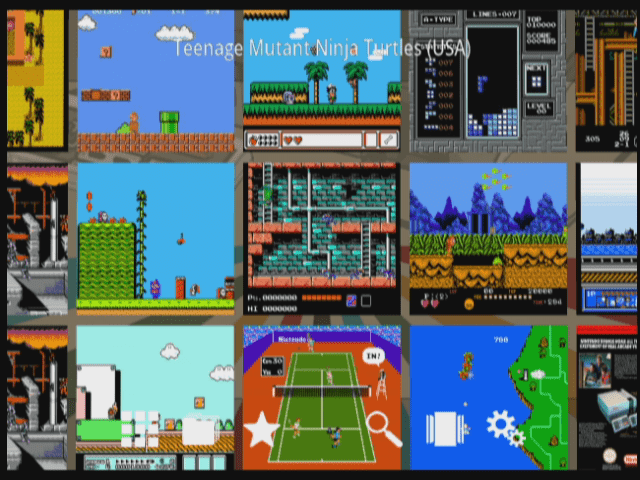
- Added a new snapshot view to coverflow to use along with Wiimpathy's plugin snapshot databases.
- Added ability to launch an explorer view within source menu and coverflow config menu (text list view of games without coverflow), all games including plugins can be launched from there.
- The game folder browsed can be different from the one used by coverflow, and you can "import" games from this other folder to the coverflow, including CD based games (folder with BIN/CUE files).
- CD based games (folder with BIN/CUE files) can now be deleted.
- Added other features to source menu (listed in source_menu_readme.txt).
- Improved the process of caching covers to simplify the use of boxcover packs for plugin games (the image file simply called "Another World.png" will be automatically applied to the game "Another World (1991)(Delphine)(Disk 1 of 2)[cr Elite].st" if found).
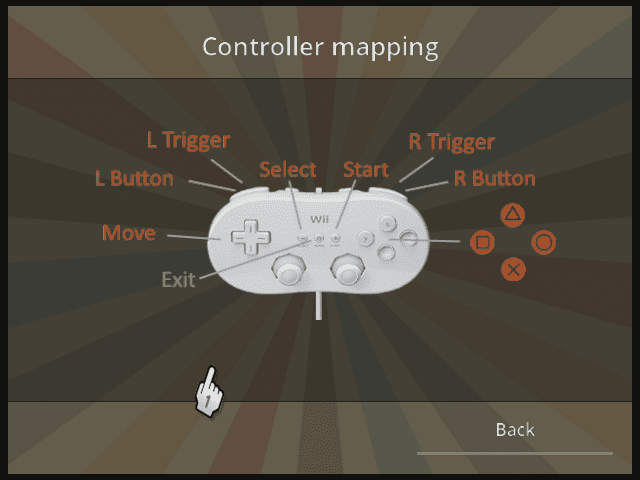
- Added ability to display a game input guide for plugins in game menu.
- Added other features to plugins (listed in plugins_readme.txt).
- Added ability to create multiple emunand folders within WiiFlow interface.
- You can quickly switch to a specific emunand using a controller shortcut.
- Emunand folder can also be declared in source_menu.ini file for emunand source.
- Inputs have been rewritten so that Wiimote can be used either in vertical mode or sideways (A is 2, B is 1).
- All default images and useful binary files are now embedded in boot.dol, no more bins and images folder.
- Added ability to backup / delete / restore a game save on emunand or a GC virtual MemCard.
- Added 1019 blocks Nintendont virtual MemCard option.
- Video trailers can be zoomed and unzoomed just like game banners.
- Rewrite the way IOS settings can be forced using meta.xml arguments, so that it actually bypasses wiiflow nand save settings.
- IOS 58 is now default, change it to 250 (or whatever slot you use for cIOS) if you mainly launch Wii games and your hard drive supports it well.
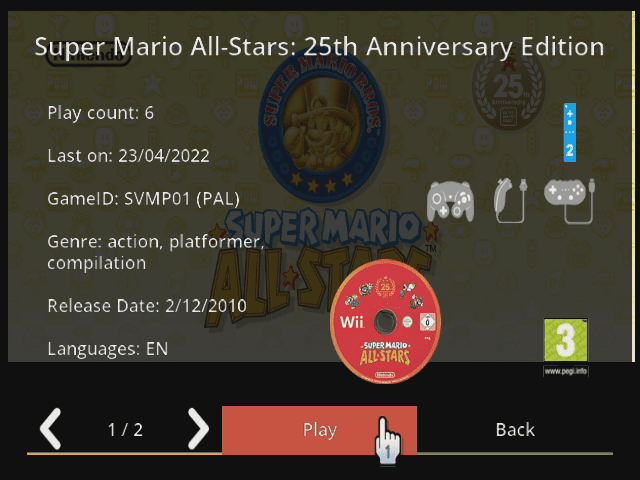
- Game info displays playcount and last played info.
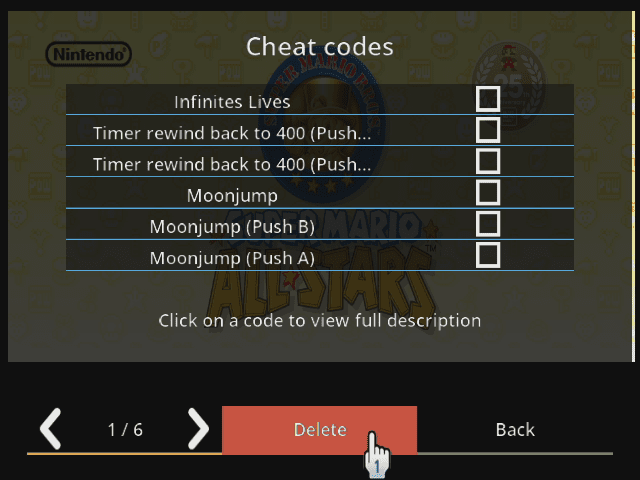
- Game menu warns you with specific icons if cheats or actual GC MemCard are activated.
- Improved dump game list feature, so that the file created can easily be used as a custom title file.
- Fixed an issue that prevented games with no banner title to be listed in coverflow.
- Simplified the cover download from GameTDB feature (with an option to force US region even for PAL games).
- Added option to retrieve disc label images from GameTDB (shown in game info).
- Rumble is attenuated.
- Removed white progress bar when launching games.
- Created a new theme called melodii, and adapted rhapsodii, carbonik and whitewii themes to make them work with this fork.
- Added ability to force source menu attributes (sourceflow, smallbox, boxmode) in theme ini files.
- Heavily modified wording of GUI, currently only english and french languages are available.
- Modified handling of fanart, animation is delayed and acts as a screen saver.
- Menus and settings are adapting to context (Wii, vWii, WiiU VC, neek...).
- Fixed many minor bugs and made hundreds of other minor changes that would be too long to list.
- Removed Devolution support.
Installation Instructions
- Download the latest release from GitHub Releases.
- Extract the contents to the root of your SD card or USB drive.
- Launch WiiFlow Mod6 using a WiiFlow forwarder channel or through the Homebrew Channel.
File Contents:
- Wiiflow_Mod6_1.3.0.zip – Main app in English and French, including user guides
- Wiiflow_Mod6_forwarders.zip – WiiFlow forwarder channels by FIX94 and NFX28 for Wii and vWii
- Wiiflow_Mod6_source_menu_1.3.0.zip – Source menu assets including icons, backgrounds, and '.ini' files for 45 gaming systems
- Wiiflow_Mod6_themes_1.3.0.zip – Includes the Melodii theme, plus adaptations of Rhapsodii, Carbonik, and WhiteWii (Duskii) themes
Screenshots
Changelog
v1.3.0 2024/04/21
- New features:
- Added a plugin editor menu (Plugin game partition, folder path, explorer path, display name, cover folder name, cover color, box mode and the "force file names as titles" settings are now configurable in a new menu under Plugin settings)
- Added a new snapshot view to coverflow: if plugin database exists, it is now possible to have a "snapshots" coverflow filled with thumbnails of games
- Improvements:
- platform.ini updated to match RunningSnakes Plugins Pack 2023 revision
- New View options menu accessible from main coverflow view, options are "view style" (covers/snapshots) for plugins, "coverflow layout", "sort mode" and "explorer mode"
- Snapshots view style can be forced in source_menu.ini by adding "snapshots=yes" to the plugin source button
- "Random game" icon replaced with "Coverflow options" icon, random feature now accessible using B+Minus (select) and B+Plus (launch)
- "Sort" icon replaced with "Go to" icon (no more shortcut to sort mode)
- Shortcut to emunand change is now B+Up and B+Down (no more shortcut to coverflow layout)
- Music track change is now B+Left and B+Right
- Refresh list and install game features moved to first page of system settings, shortcut to FTP server if source is plugin to add rom files over FTP
- Plugin names are now shortened to 30 char on screen
- Cache folder is no more entirely deleted if "Use plugin database titles" is checked or unchecked
- Full file name now displayed in game info
- Coverflow darkened but still displayed in categories, cheats, game settings, game controller guide, game info and find title screens
- Coverflow fading out in system settings and wiiflow settings
- Source menu settings now have a dedicated "Options" button on source menu and sourceflow screens
- blank_covers folder modified: PCENGINE now using vertical TURBOGRAFX layout renamed to PCENGINE (the vertical set now contains all games unlike the CD jewel case set), former PCENGINE and TURBODUO layouts have been moved to "alts" folder (TURBOGRAFX and TURBODUO systems have been removed from platform.ini in latest revision)
- Bug fixes:
- Fixed assigning categories from databases the first time coverflow is launched and not yet cached
- Fixed Nintendont Slippi dol path
- Fixed source menu and main view infinitely looping when combining source on start and sourceflow (stupid error introduced in build 672)
- Removed:
- Removed WiiFlow splash screen
- Removed wheel view in Rhapsodii sourceflow and the ability to have a specific background for sourceflow
v1.2.0 2023/05/09
- New features:
- Skip WiiU USB storage drives, ported from official WiiFlow (code from kcpants + wiidev/blackb0x)
- New sorting by released year when using [B + sort icon] if using game databases, from official WiiFlow
- Improvements:
- Retrieve ScummVM game titles from GameTDB (code from Eku)
- Added ability to force filenamesastitles=yes in plugin ini file for ScummVM games (bypass GameTDB title for ScummVM only, just like other plugins, but for ScummVM the "file name" is actually the "description")
- Added ability to set custom titles for ScummVM games just like other plugins (gameID=custom title in custom_titles.ini under [5343564D] domain)
- ScummVM game titles taken from scummvm.ini ("description" field) aren't trimmed anymore if "Use plugin database titles" is unchecked
- Added a proper controller guide image for ScummVM
- Kirby now playable with modified settings, from official WiiFlow (code from wiidev-blackb0x)
- SD only setting now saved and retrieved from WiiFlow nand save instead of ini config file (first boot with this version will last longer if no USB drive is connected), from official WiiFlow
- Default homebrew partition set to wiiflow partition on first boot
- Path to gameTDB database wiitdb.xml can be modified in wiiflow_lite.ini
- Updated platform.ini with RunningSnakes plugin pack v15 changes
- Bug fixes:
- Date patch for Wiituka plugin, from official WiiFlow
- GUI sound fix, from official WiiFlow
- Fixed potential crash with _playGameSound()
- Removed:
- Several basic WiiFlow folders (backgrounds, cache, lists, help, languages, plugins, screenshots, settings, source_menu, themes_lite and coverflows) are not configurable anymore
v1.1.0 2022/06/29
- New features:
- Added a Category options menu in Game categories menu that allows to:
- Added a Category options menu in Game categories menu that allows to:
- -- Erase categories for the current game
- -- Assign categories from GameTDB to the current game (new)
- -- Assign categories from GameTDB to all games
- -- Add a new category (new)
- -- Rename a category (new)
- Subfolders to skip when generating plugin coverflow lists can be defined in plugin ini file using folderstoskip=folders separated by pipes
- Display current video mode resolution in help guide menu
- Added ability to choose a plugin from the list and modify its explorer path in "Plugins settings > Manage Plugin game list" menu, and if only one plugin is selected, "Custom explorer path" will show up in "Plugins settings" main page
- FTP password and Wifi gecko IP can be set in Network settings
- Use vwiinands option can be set in Misc settings
- In case of multiple plugin selection for the same platform, background will be displayed accordingly
- Improvements:
- Updated all themes and coverflow layouts to have more consistency
- Updated source menu files with all plugin magic numbers corresponding to each source
- Replaced "WhiteWii" theme with its black variant "Duskii"
- Added hardcoded full list of 2-disc GC games to improve GC game installation compatibility
- Improved fetching PAL game and homebrew artwork from gameTDB, and the way you can replace them with other countries versions
- Game artworks replaced with ones from another country are now flagged in gameconfig2.ini to count them as "missing" and allow future redownloads
- Custom banner downloader is not limited to GC banners anymore
- Added option to download/delete disc label image in game settings
- Added confirmation dialog to several menu items
- Modified behavior of Child lock menu
- Rollback wait message animation behavior (loop on or off) for custom images
- Added Number of players and GC controls to Game info and modified error handling
- Selecting a game turns wii light on
- Plugin explorer now prevents wrong files from launching
- Activity LED (on real Wii) now depends on cheats, and can be disabled in Cheat settings
- Added a new main screen title label
- Updated platform.ini with Tetsuo Shima plugin pack v10 changes
- Bug fixes:
- Fixed covers randomly not loading when using Random game feature
- Fixed truncated screenshots on Wii with pal 576i resolution
- Fixed an issue with Return to WiiFlow channel checkbox in neek2o mode if lots of channels are installed
- Fixed db cache list not saving when loading custom homebrew plugins if using subfolders for romdir
- Fixed possible incorrect assignment of categories in case of multiple plugin selection
- Fixed number of players or wifi players label sometimes displaying a question mark
- Fixed "255" players or wifi players issue
- Fixed an issue with Import rom feature (not canceling if Back was clicked)
- Fixed button display issue in Wii channel settings if partition changed in coverflow plugin
- Fixed a mistake that could prevent emunand saves to be deleted
- Fixed block counter in game save extractor
- Fixed naming of GC disc 2 when installing game
- Fixed progress bar not working when installing 2-disc games
- Fixed an issue with Plugin Explorer sometimes not returning on the correct page after launching a game
- Fixed an issue with Plugin Explorer sometimes not setting the correct current magic
- Removed:
- Clear sourceflow cache feature (changing theme clears it anyway)
- Music fade rating setting option
v1.0
- First Release.