
Seta GX Wii
More actions
| Seta GX | |
|---|---|
 | |
| General | |
| Author | fadedled |
| Type | Console |
| Version | 0.3.2 |
| License | GPL-2.0 |
| Last Updated | 2025/04/18 |
| Links | |
| Download | |
| Website | |
| Source | |
Seta GX is an experimental Sega Saturn emulator by fadedled (also known as Evoca) based on Yabause Wii, but includes improvements taken from devmiyax's Yaba Sanshiro, such as CHD support and SCU emulation.
Features
- Supports CUE and CHD formats (the latter with a slight performance penalty, about 5% slower). It also supports bin+cue and bin+img combinations (especially for beta or prototype games).
- Supports GameCube Controller, Wiimote and Classic Controller.
- Support for SD and USB devices with FAT32 filesystem.
- Significant improvements over Yabause Wii, thanks to hardware acceleration via Hollywood GPU tricks.
- Some games hit 60-99% of native speed (e.g. Clockwork Knight 1 and 2, Powerslave with 70-90% FPS), while others, such as prototypes, can drop to 20-50 FPS with missing textures or graphical glitches.
Installation
Download the latest version.
Extract the archive and copy the apps/SetaGX folder into the apps folder to your USB/SD card root.
Create folders vgames/Saturn for games and saves/Saturn for saves.
You must also provide your own copy a Sega Saturn BIOS file (bios.bin) and place it in apps/SetaGX/.
User guide
Using a Homebrew Channel on a modded Wii to launch Silk GX. Navigate the menu with a GameCube Controller (or Wiimote/Classic Controller from v0.3.1).
To return to the menu press Start + Z on GameCube Controller and Home on Wii controllers, this will close the game so save before doing this.
In the menu you can select a game and press A/2 to start it (if you start a game while holding R a FPS counter will show), pressing B/1 will return to the Homebrew Channel.
Controls
| Sega Saturn | GameCube | WiiMote | Classic |
|---|---|---|---|
| D-Pad | D-Pad | D-Pad | D-Pad |
| A | B | A | Y |
| B | A | 1 | B |
| C | X | 2 | A |
| X | Cstick-UP | - | X |
| Y | Y | B | ZL |
| Z | Z | ZR | |
| R | R | R | |
| L | L | L | |
| Start | Start | + | + |
Screenshots
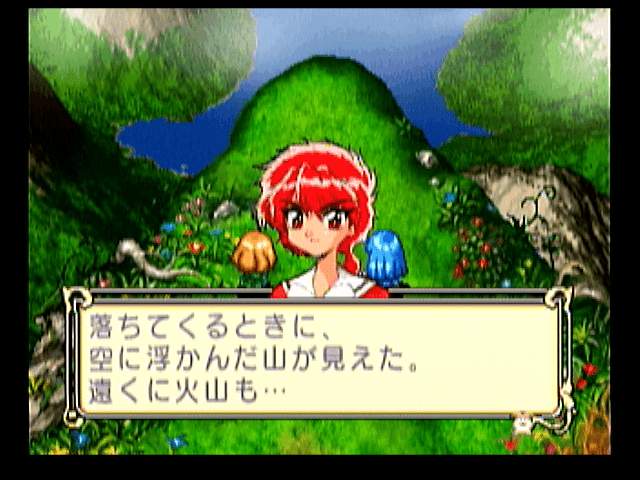
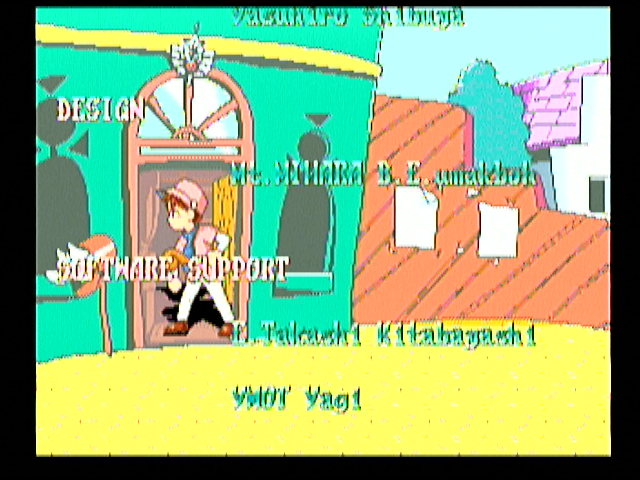
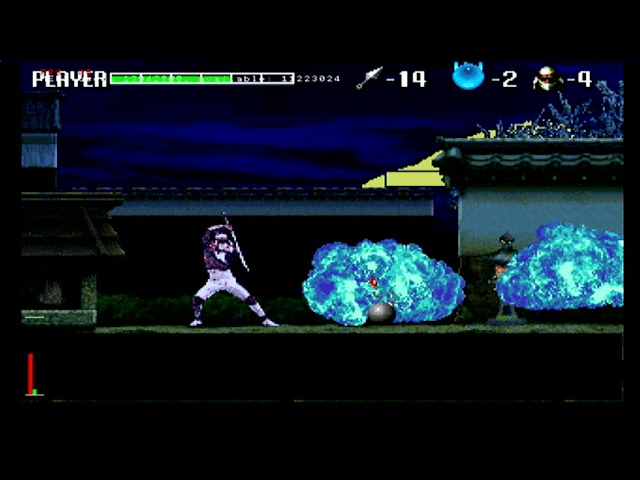
Media
SETA GX LAST UPDATE: WIIREMOTE, CLASSIC, PRO & GAMECUBE CONTROLLER. (BadBlock Wii)
Seta-gx v 0.3.1 Sega Rally by night vWii Wii U (Wii) Sega Saturn (Jilou C.)
Changelog
v0.3.2
- FPS counter (hold R when starting a game).
- Fixed VDP1 mesh effect (no more checkered screen in some games).
- VDP1 double buffer (eliminated erratically moving objects).
- VDP1 User Clipping (Fixed masking issues in some games).
v0.3.1
- Support for Wii and Classic Controller.
- Mesh effect of VDP1.
v0.3.0
- New menu.
- Correct color offset emulation.
- New VDP1 renderer much more accurate (almost complete).
- New VDP2 renderer, slightly more precise (transparencies don't work yet though).
- New key mapping for the GameCube.
- General code cleanup.
v0.2.0
- Project name change.
- Optimized opcode decoding for SH2.
- Added new Musashi m68k plugin.
- Fixed some serious memory leaks.
- Removed audio plugin code.
- Simplified device loading.
v0.1.0
- First Release.
Credits/Special Thanks
- Yabause Team: Original soure code
- Devmiyax: Updates to Yabause trough Yaba Sanshiro
- Extrems: Help on GX issues
- emu_kidid & Pcercuei: Their continued work on WiiSX helped inspire this endeavor
- tueidj: Virtual memory code