
Alumulemu Switch
More actions
| Alumulemu | |
|---|---|
 | |
| General | |
| Author | RyouVC |
| Type | Game Installer Companion |
| Version | 0.2.0 |
| License | AGPL-3.0 |
| Last Updated | 2025/03/30 |
| Links | |
| Download | |
| Website | |
| Source | |
| Support Author | |
Alumulemu is a package repository manager specifically designed for the Nintendo Switch's Horizon operating system. Its primary function is to facilitate the hosting of Tinfoil repositories, enabling users to manage and distribute software packages seamlessly. The project emphasizes simplicity in setup, usage, and maintenance, making it accessible for users seeking to establish their own repositories.
Features
- SurrealDB-based backend: Alumulemu uses SurrealDB for efficient data storage and retrieval, allowing for the database to be easily scaled, managed, and queried. You may run the repository from an embedded instance or link it to an external SurrealDB instance.
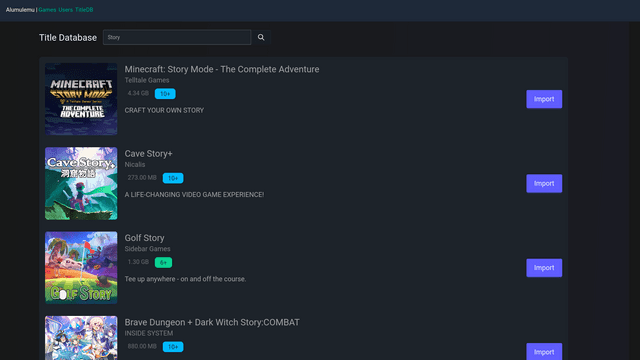
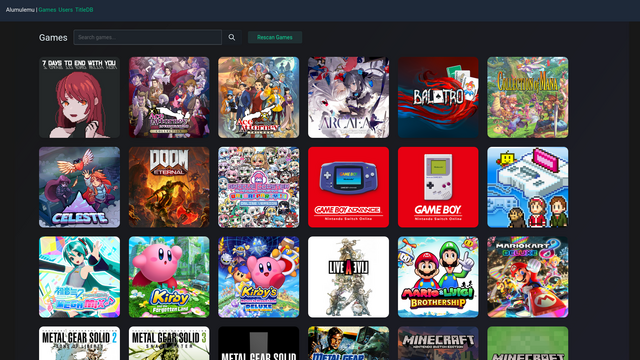
- Web interface: Alumulemu provides a web interface for managing the server and viewing package metadata. The web interface is built using Vue.js and Tailwind CSS.
- REST API: Alumulemu provides a REST API for managing the repository and querying package metadata. Documentation for the API will be available in the future.
Usage
You will require:
- A Nintendo Switch or Switch 2 console (optional, jailbroken)
- A server to host Alumulemu
- SurrealDB instance (optional, recommended for better performance)
- Console-specific cryptographic keys (required, obtain from your own device or take someone else's)
- A stable network connection (optional)
- Your own game dumps (optional)
Setup
- Dump the keys from your console using Lockpick_RCM.
- (Optional) Set up a SurrealDB instance. You can use the official SurrealDB Docker image somewhere or use the RocksDB backend included with Alumulemu.
- Pull the OCI image from the GitHub Container Registry.
- Run the container with the required environment variables and volumes.
Configuration
Alumulemu is configured using environment variables. The following environment variables are required:
ALU_DATABASE_URL: The URL of the SurrealDB instance to use. If not set, Alumulemu will use the RocksDB backend mounted at/datain the container, or thedatabasedirectory in the working directory if running from source. (surrealkv:///dataorsurrealkv://databaserespectively)ALU_DATABASE_AUTH_METHOD: The authentication method for the SurrealDB instance (optional). By default it will assume no authentication is required, used for embedded instances. Available options arenone,root(todo: implement namespace auth).ALU_SURREAL_ROOT_USERNAME: The username to use for the root user (optional). Required ifALU_DATABASE_AUTH_METHODis set toroot.ALU_SURREAL_ROOT_PASSWORD: The password to use for the root user (optional). Required ifALU_DATABASE_AUTH_METHODis set toroot.
ALU_SURREAL_NAMESPACE: The namespace to use for the database (optional). If not set, Alumulemu will use the default namespace. (alumulemu)ALU_SURREAL_DATABASE: The database to use for the namespace (optional). If not set, Alumulemu will use the default database. (alumulemu)
ALU_PRIMARY_REGION(optional): Primary eShop metadata region to use. Defaults toUS.
ALU_PRIMARY_LANGUAGE(optional): Primary eShop metadata language to use. Defaults toen.
The region and language code is combined to form the locale code used to query the eShop title database. You may find the list of supported locales here.
ALU_SECONDARY_LOCALES(optional): Secondary eShop metadata locales to pull from. Defaults to blank (no secondary locales). Values are comma-separated locale codes, delimited by an underscore. For example,JP_ja,US_eswill pull Japanese titles from the Japanese eShop and Spanish titles from the US eShop.
ALU_PROD_KEYS: The path to the Switch production keys file. This is required to decrypt data from your ROMs.
ALU_TITLE_KEYS: The path to the Switch title keys file. This is required to decrypt some titles and DLCs.
ALU_HOST: The host to bind the server to. Defaults to0.0.0.0:3000.
ALU_CACHE_DIR: The directory to cache title database files in. Defaults to.(current working directory) or/var/cache/alumulemuif running in a container.
ALU_PUBLIC: Whether to run the server in public mode. Defaults tofalse. If set totrue, the server will not require authentication to access the API. However administrative endpoints will still require authentication if there are users in the database.
Optimizing database performance
You may switch to a different SurrealDB backend for better performance. The following backends are available for SurrealDB:
surrealkv: The default backend, using SurrealKV for key-value storage. This is the fastest local backend, but may be less reliable. It's set as default due to its speed.rocksdb: The RocksDB backend, using RocksDB for key-value storage. This is the most reliable backend, but may be slower than SurrealKV. It's recommended to use this backend for production environments.tikv: The TiKV backend, using TiKV for distributed key-value storage. This is the most scalable backend, but may be slower depending on your network configuration. It's recommended to use this backend for large-scale deployments, such as multi-node clusters.
You may also connect to an external SurrealDB instance using WebSockets.
To set the database path, set the ALU_DATABASE_URL environment variable to the appropriate URL. For example, to use the RocksDB backend, set ALU_DATABASE_URL to rocksdb:///data, surrealkv:///data for SurrealKV, or ws://localhost:8000 for an external instance.
Access titles
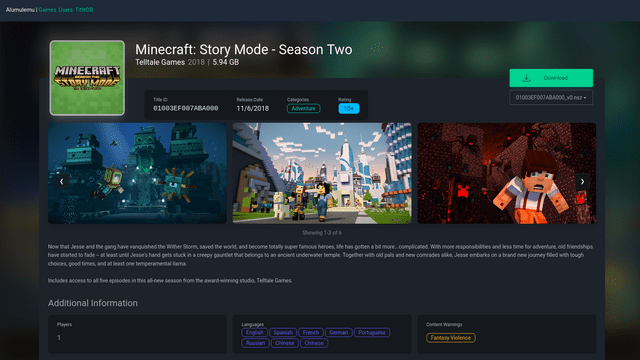
Alumulemu provides a web interface for viewing title metadata. You can simply go to the URL of your server in a web browser to access the interface.
Using Tinfoil
Alumulemu also provides a Tinfoil-compatible JSON index for use with Tinfoil. You can add the following URL to Tinfoil to access the repository:
http://<your-server-ip>:3000/api/tinfoil
Running
You can run a Docker/Podman container with the provided example docker-compose.yml file.
You may also build this project from source.
Note
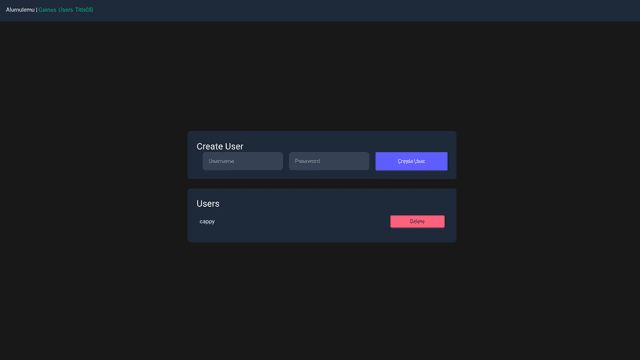
Once the server is running, authentication is disabled by default when there are no users in the database. You should create a user by going to /admin/users and creating a user. It will then automatically lock down the server to require authentication.
It is strongly recommended to set up authentication before running the server in a public environment.
Screenshots
Changelog
v0.2.0
- Implement RBAC authentication by @korewaChino in #3
- New users will now be assigned Viewer permissions by default
- First user created will be given Admin permissions for ease of setup
- Viewers only have read-only access, Editors may import, rescan or edit game data, and Admins may create or remove users
- Replaced importer plugin API with a simplified JSON-based standard (#4)
- Tinfoil clients accessing the root path (
/) will now be automatically redirected to/api/tinfoil - New
Downloadstab that keeps track of downloads - Attempt to handle invalid queries gracefully, avoiding panics
- General UI fixes
- Title list grid should now be aligned to the center
- Fixed padding, removing the black bars in the title list before the background
- Title list and its pages should now be more mobile-friendly
v0.1.2
- Redirect trailing slashes, fixing Tinfoil clients.
v0.1.1
- Properly implement static file router.
v0.1.0
- First Release.