
GOMOKU Portable PSP
From GameBrew
More actions
| GOMOKU Portable | |
|---|---|
 | |
| General | |
| Author | Dadrfy |
| Type | Board |
| Version | 1.2 |
| License | Mixed |
| Last Updated | 2011/12/23 |
| Links | |
| Download | |
| Website | |
| Source | |
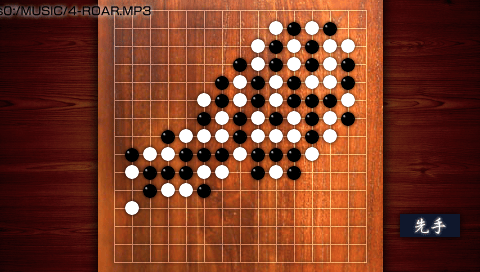
GOMOKU Portable (五目並べ Portable) is a Five-in-a-Row game that can be played by 1 or 2 players.
User guide
There may be times when the first player (black) cannot place a piece. This is because it is a forbidden move, not a bug.
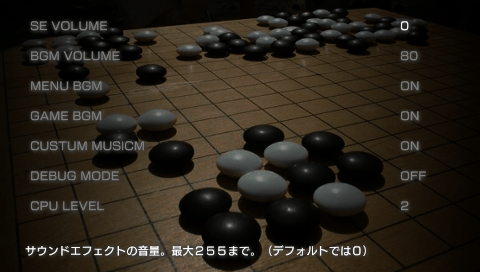
Settings:
- SE VOLUME - Sound effects volume.
- BGM VOLUME - Background music volume.
- MENU BGM - Toggle background music on/off for the menu screen.
- GAME BGM - Toggle background music on/off during gameplay.
- CUSTOM MUSIC - If enabled, the game will play MP3s from the MUSIC folder instead of the default game music.
- DEBUG MODE - If enabled, the CPU will play automatically (CPU vs CPU). Press Circle to proceed, and Triangle to fast-forward through the game.
- CPU LEVEL - Adjusts the difficulty of the CPU opponent. Setting it to 0 may make it overly easy (or dumb).
Controls
D-Pad - Move the cursor, Navigate
Circle - Place a piece on the board, Confirm
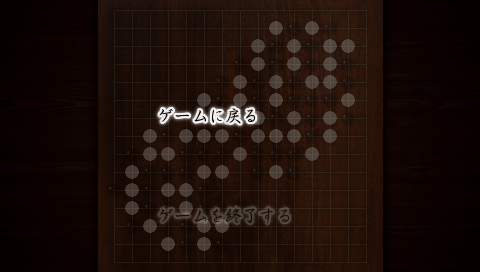
Start - Pause the game
R - Change the music (only available in CUSTOM MUSIC mode)
Result screen:
Cross - Return to the menu
R - View the moves made in the game
Screenshots
Known issues
Screen flickers (limitation of DXP).
Changelog
Ver 1.2
- Updated the DXLibP version.
- Fixed a bug where intraFont wasn't displaying on FW 6.XX.
- Added the CPU LEVEL setting to adjust the strength of the CPU opponent.
Ver 1.1
- Improved AI for the opponent, making it smarter, more aggressive, and more flexible.
- Added an option to change the background music using MP3s from the MUSIC folder.
- Added the CPU vs CPU mode for automatic gameplay.
Ver 1.0
- Initial release.
External links
- Author's website - http://addpadding.seesaa.net