
RAI Loader 3DS
From GameBrew
More actions
| RAI Loader | |
|---|---|
 | |
| General | |
| Author | Extintor Incendiandose |
| Type | Other Apps |
| Version | 2025 |
| License | Mixed |
| Last Updated | 2025/01/18 |
| Links | |
| Download | |
| Website | |
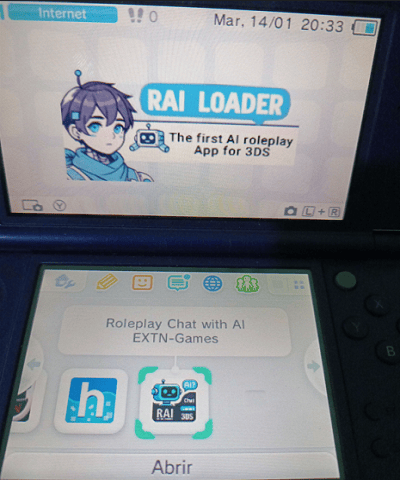
RAI Loader is an experimental AI roleplay chat app developed for the Nintendo 3DS. It doesn’t really outdo any similar Android apps—it’s more of a fun project built with C++ using devkitPro libraries and a special REST API.
How Does It Work?
Unlike many AI chat apps, RAI Loader doesn’t rely on big servers. It just communicates with an external REST API, and everything else happens locally on your console using specific JSON files.
- Creating Characters:
- Each character needs a JSON file with certain rules.
- You also need a matching .t3x file (128×128 pixels) that acts as the character’s icon.
- Memory Limitations:
- Currently, chats aren’t fully saved. If you switch characters or JSON files, the AI forgets the conversation up to that point.
- Default Personality:
- If you don’t load any JSON file, you’ll get a friendly robot by default. It can answer questions and chat casually.
System Requirements
- A folder named “ChaiCharaFolder” inside the 3ds folder on your SD card.
- JSON and .t3x files for the characters you want to use go inside ChaiCharaFolder.
- Internet access on your Nintendo 3DS to reach the REST API.
To chat, just press A after loading a character, and use the 3DS’s virtual keyboard to type.
Character Packs
At launch, there are two packs (English and Spanish) that include six popular characters:
- Tony Stark (Iron Man)
- Lucy (Cyberpunk Edgerunners)
- Shanks (One Piece)
- Megumin (KonoSuba)
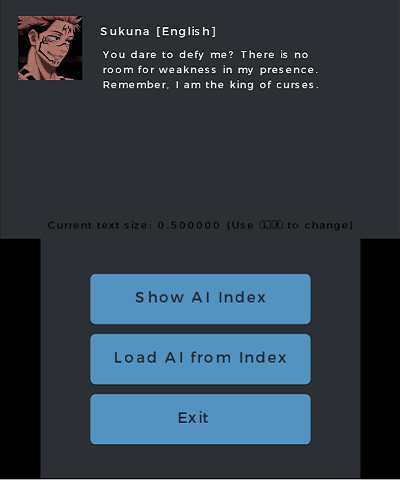
- Sukuna (Jujutsu Kaisen)
- Rias Gremory (High School DxD)
How to Load a Character
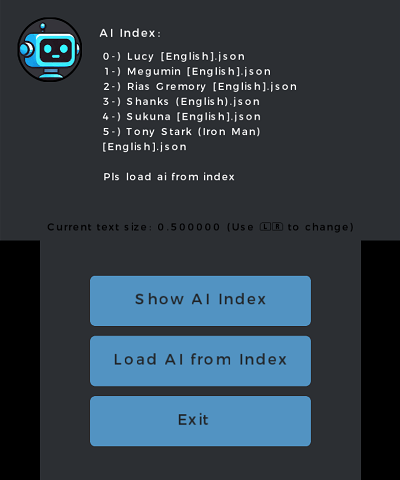
- Tap “Show Ai Index” to see a list of available characters in ChaiCharaFolder.
- Tap “Load Ai from Index” and enter the index number for the character you want.
That’s it—now you can start chatting with your chosen AI character! Have fun exploring different personalities and conversations.
Screenshots
Changelog
v2025
- First Release.
External links
- Itch.io - https://jalm24.itch.io/rai-loader