
SuDokuL PSP
From GameBrew
More actions
| SuDokuL PSP | |
|---|---|
 | |
| General | |
| Author | Mips96 |
| Type | Puzzle |
| Version | 1.2 |
| License | MIT License |
| Last Updated | 2022/04/12 |
| Links | |
| Download | |
| Website | |
| Source | |
This is a Sudoku game made in C++ and SDL2. It's currently available for PC, Android, Switch, Wii U, Vita, and PSP.
Features
- Play Sudoku puzzles of Easy, Normal, Hard, or Very Hard difficulty.
- Puzzles are generated on-demand using a built-in algorithm; however, to eliminate computation time on weaker devices, Hard and Very Hard puzzles have been pre-generated.
- Mouse, keyboard, controller, and touch screen support.
- Supports many resolution options ranging from 320x240 to 5120x2160.
- Scrolling background with customizable settings (size, scroll speed, angle).
- Calm and envigorating MOD music to suit your mood.
- Shaded text for a nice, 3D look.
- Runs on a potato.
- Optional auto-fill cheat, in case you get stuck.
Controls
D-Pad - Navigate
Cross - Confirm
Circle - Back
L/R - Next/Previous song
Start - Pause
Select - Quit to menu (while pause)
Square/Triangle - Toggle mini-grid
Screenshots
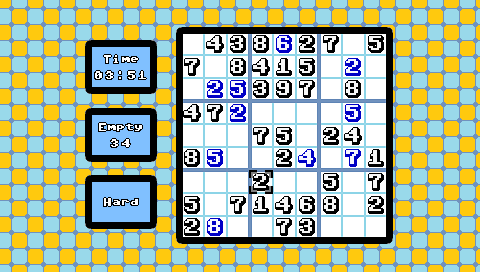
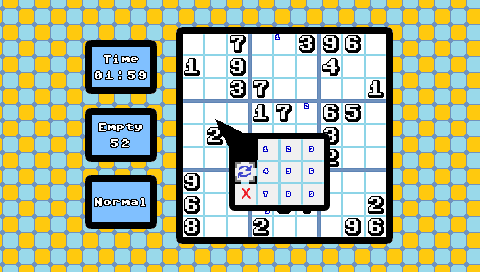
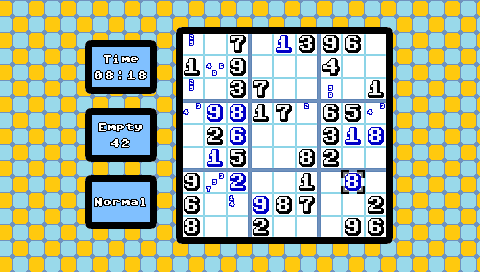
Compatibility
It runs in PPSSPP set to PSP-1000 mode and should work on PSP-1000 and above.
Changelog
v1.2
- Ported to PSP. Not sure if this works on a real PSP-1000 (the model with less RAM). It should work - it runs in PPSSPP set to PSP-1000 mode - but I haven't tested it myself on a real 1000 model.
- Added integer scaling option (enabled by default) for resolutions that are smaller than the actual screen resolution.
- This replaces the old Fullscreen menu option (PC users can still toggle fullscreen by pressing F).
- This does nothing on Android since the Android version always runs at native resolution; instead, Android gets a toggle for showing/hiding the top status bar.
- When using a resolution that's smaller than the screen's resolution, the window is now rendered to the center of the screen, meaning consoles can now make better use of smaller resolutions.
- This does not work on PSP since its version of SDL_RenderSetViewport() doesn't work properly.
- (Suggestion for handheld Switch and Wii U gamepad users - try setting the resolution to 720p/480p resolution respectively with integer scaling turned off for (very close to) native resolution on handheld. Widescreen 240p also looks great on these systems).
- Added a loading screen upon booting the game instead of staying on a blank screen until everything is loaded.
- Added 240p, 272p, and 544p logos so the logo now looks clearer on those displays (like the Vita).
- Added a few more resolution options.
- Adjusted grid number positions on Vita so they don't bleed into the grid.
- Fixed a bug involving mouse/touch controls when used alongside button controls.
- Fixed the background randomly jumping around upon loading a puzzle.
- Pressing L/R to change songs now saves the current song setting.
- The controls screen now properly reflects swapped Confirm/Back buttons.
- Reduced number of button presses required for the cheat from 10 to 8.
- A lot of other polish/minor bug fixes.
Credits
Everything in this game is by Mips96 except for the following assets.
Music:
- Nuke of Anarchy - "Wonder Flow" (alternate version can be found here).
- Okeanos - "Sudoku Padawan".
- Nuke of Anarchy - "Electroquest".
- Soundscape - "Main Menu".
- Okeanos - "Insomnia".
- Solon - "Ontario".
- Noiseless - "Addiction".
Font:
- Commodore Pixelized v1.2 by by Devin Cook.
Sound Effects:
Libraries / Tools:
- PC - SDL2 2.0.16, SDL2_image 2.0.5, SDL2_ttf 2.0.15, SDL2_mixer 2.0.4, Visual Studio 2019.
- Android - Android Studio.
- Switch - devkitpro, SDL2 for Switch, Make.
- Wii U - devkitPro, Wii U Toolkit, SDL2 for Wii U, CMake.
- Vita - VitaSDK, CMake.
- PSP - psptoolchain, Make.
External links
- GitHub - https://github.com/Mips96/SuDokuL