
Event Raid Injector Switch
More actions
| Event Raid Injector | |
|---|---|
 | |
| General | |
| Author | Insektaure |
| Type | Save Editors and Converters |
| Version | 1.1.0 |
| License | GPL-2.0 |
| Last Updated | 2026/05/02 |
| Links | |
| Download | |
| Website | |
| Source | |
Inject Tera Raid and Mass Outbreak event data into Pokemon Scarlet & Violet save files directly on Nintendo Switch.
For Pokemon Scarlet / Violet version 4.0.0 only.
Note: Use at your own risk. The author is not responsible for any data loss or damage to your save data. If you need to restore a backup, use a save manager such as Checkpoint or JKSV to import the backup files back onto your Switch.
Features
- Profile & Game Selection - Pick any Switch user profile and choose between Scarlet or Violet.
- Raid Event Injection - Inject Tera Raid event data from prepared event folders into the save file.
- Mass Outbreak Injection - Inject Mass Outbreak event data (Paldea / Kitakami / Blueberry zones).
- Combined Inject - Stage a raid and an outbreak together; one Inject press commits both.
- Event Clearing - Remove active raid or outbreak event data independently.
- Automatic Backups - Save data is backed up to SD card before any modification.
- Round-Trip Verification - Encryption integrity is verified after decryption to ensure data safety.
- Theme Support - Switch between Default (dark) and HOME (light pastel) themes.
- Validity Cache - Event folder validation results are cached to disk for instant browsing.
- Joystick & D-Pad Navigation - Full analog stick support with repeat on all screens.
Installation
Requirements
- Nintendo Switch with CFW.
- Title override mode required - Launch via a game title, not the album (applet mode is not supported).
- Pokemon Scarlet and/or Violet save data on the console.
- SD card with sufficient free space for backups.
Instructions
- Copy
EventRaidInjector.nrotosdmc:/switch/EventRaidInjector/on the SD card. - Place raid event folders in
sdmc:/switch/EventRaidInjector/events/. - Place mass outbreak event folders in
sdmc:/switch/EventRaidInjector/outbreakevents/. - Launch via title override (hold R while opening a game).
Raid Event Folder Structure
Each event folder placed in events/ must contain:
MyRaidEvent/
  Identifier.txt              # Event name/description (first line is displayed)
  Files/
    event_raid_identifier      # 4 bytes
    raid_enemy_array           # 30,000 bytes
    fixed_reward_item_array    # 27,456 bytes
    lottery_reward_item_array  # 53,464 bytes
    raid_priority_array        # 88 bytes
Binary files support version suffixes (checked in order): _3_0_0, _2_0_0, _1_3_0, or no suffix.
Outbreak Event Folder Structure
Each event folder placed in outbreakevents/ must contain:
MyOutbreakEvent/
  Identifier.txt              # Event name/description (first line is displayed)
  Files/
    pokedata_array_*           # 3,608 bytes - Pokémon list (required)
    zone_main_array_*          # 768 bytes  - Paldea zones (required)
    zone_su1_array_*           # 768 bytes  - Kitakami zones (required)
    zone_su2_array_3_0_0       # 768 bytes  - Blueberry zones (optional, 3.0.0+ only)
The * in filenames is a version suffix: _3_0_0 for 3.0.0-era events, _2_0_0 for 2.0.0-era events. The injector picks the newest available.
The Blueberry zone file is optional. Outbreak BCAT shipped in update 2.0.0 (Teal Mask), so 2.0.0-era events do not include zone_su2_array. If the save doesn't have the Indigo Disk DLC, the Blueberry block is skipped automatically.
Both formats are compatible with Tera-Finder.
User guide
Options:
- Select Profile - Choose the Switch user profile with save data.
- Select Game - Pick Scarlet or Violet (a backup is created automatically).
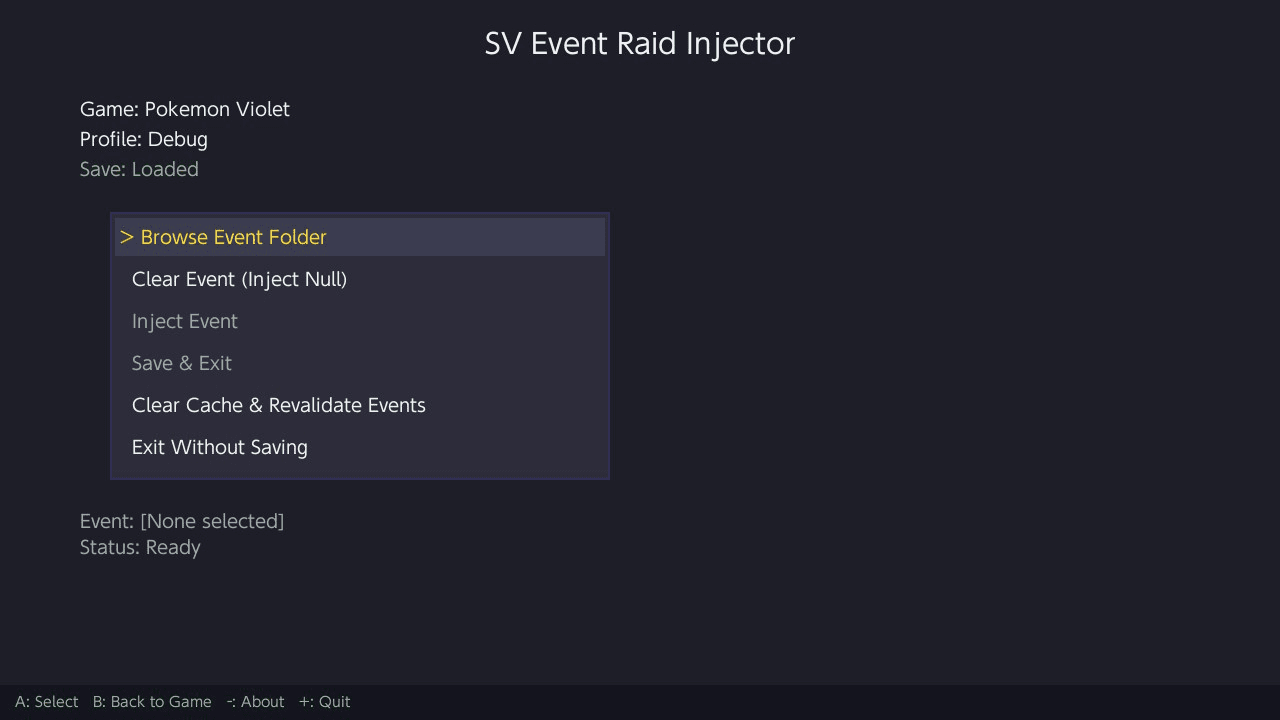
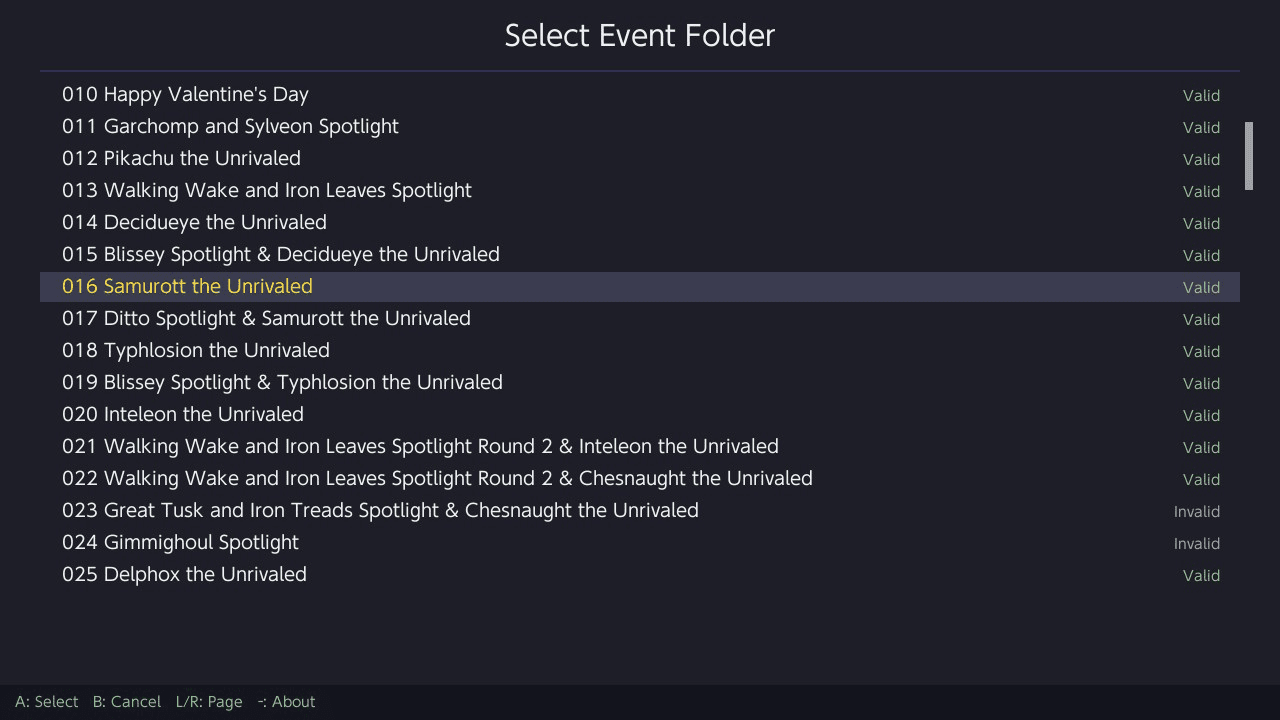
- Browse Event Folder and/or Browse Outbreak Folder - Select an event from each list (validity is shown for each folder).
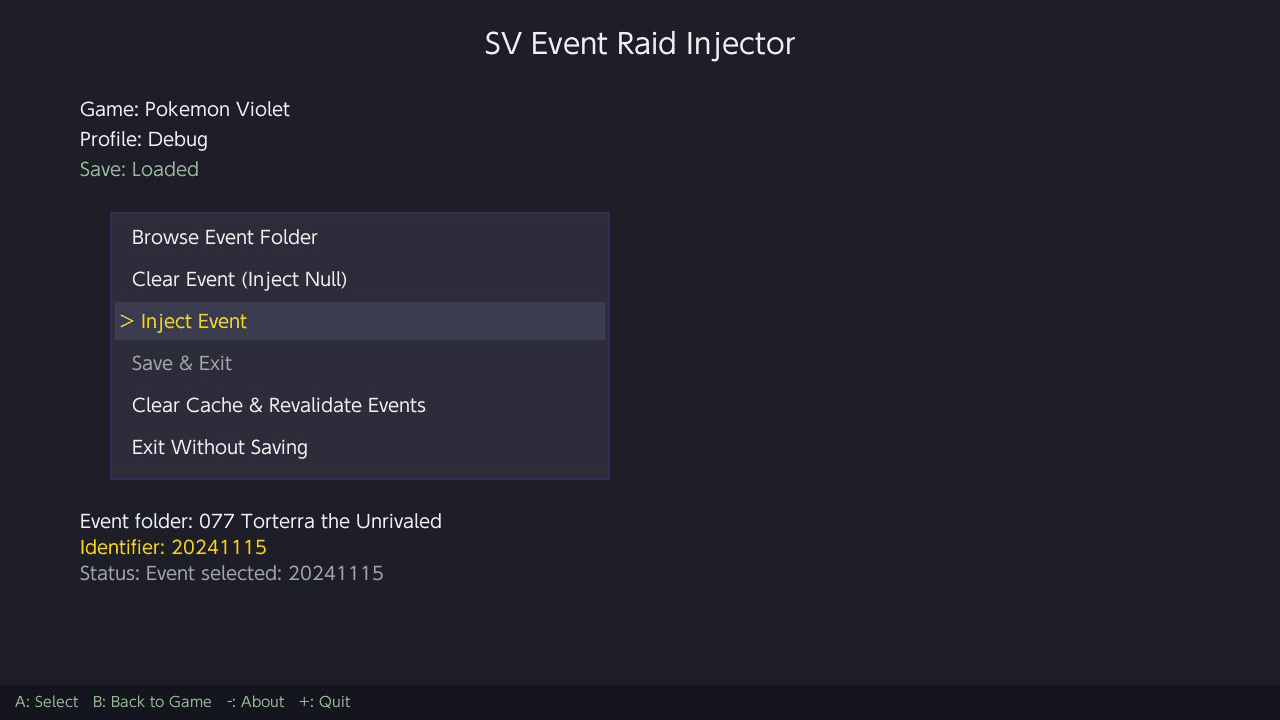
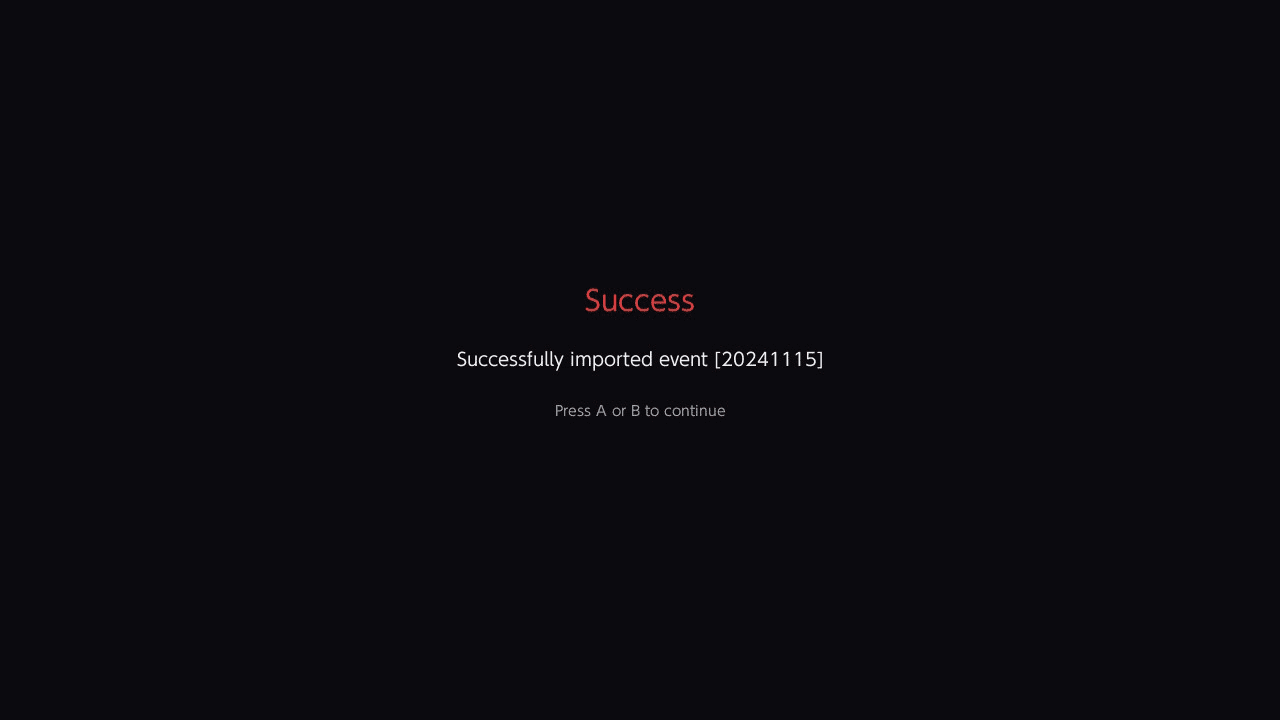
- Inject Event - Commits every staged selection (raid and/or outbreak) into the in-memory save.
- Save & Exit - Persist changes to disk and close the app.
The right-side panel shows the staged state for each kind: [Pending - press Inject], [Injected], [Cleared], or [None selected].
Combining raid and outbreak
Both kinds can be staged before injecting:
- Browse Event Folder > pick a raid > it appears in the panel as
[Pending]. - Browse Outbreak Folder > pick an outbreak > it appears in the panel as
[Pending]. - Press "Inject Event" once > both are written, both flip to
[Injected]. - "Save & Exit".
If only one slot is pending, only that one is injected; the other slot is left as-is.
Clearing
- "Clear Event (Inject Null)" - Zeros all raid event blocks. Used to remove an active raid event.
- "Clear Outbreak Event (Inject Null)" - Zeros all outbreak event blocks while keeping the BCAT outbreak system enabled (matching Tera-Finder's null-event behavior).
Clearing is immediate (it writes directly to the in-memory save and marks it dirty); the user does not need to press Inject after a Clear.
After injecting a raid event, the system date may need to be advanced by 1 day in-game to refresh the active raids. The same applies to outbreak rotations.
"Clear Cache & Revalidate Events" can be used if event folders have been added or modified and validation results need to be refreshed. This clears the cache for both events/ and outbreakevents/.
Backups
Backups are created automatically in:
sdmc:/switch/EventRaidInjector/backups/{ProfileName}/{Game}/{ProfileName}_{Timestamp}/
If there isn't enough free space (2x save size), the user is prompted to continue without a backup.
Themes
- Default - Dark theme with gold and cyan accents.
- HOME - Light pastel theme inspired by Pokemon HOME.
Theme preference is saved to theme.cfg and persists across sessions.
Controls
Profile Selector:
D-Pad Left/Right, Stick - Navigate
A - Select
Y - Theme
Minus - About
Plus - Quit
Game Selector:
D-Pad Left/Right, Stick - Navigate
A - Select
B - Back
Y - Theme
Minus - About
Plus - Quit
Main Menu:
D-Pad Left/Right, Stick - Navigate
A - Select
B - Back
Y - Theme
Minus - About
Plus - Quit
Folder Browser:
D-Pad Up/Down, Stick - Navigate
A - Select
B - Cancel
L/R - Page Up/Down
Minus - About
Theme Selector:
D-Pad Up/Down, Stick - Navigate
A - Confirm
B - Cancel
Screenshots
|
|
Changelog
1.1.0 (02 May)
- New: Mass Outbreak Injection
- Inject Mass Outbreak event data alongside Tera Raid events. Supports Paldea, Kitakami, and Blueberry zones.
- Add Outbreak events 001 to 034.
- Improvements
- Combined Inject Flow: stage a raid and an outbreak together.
- Right-side Info Panel: selected events are now shown beside the menu instead of below it to accommodate for new Outbreaks support.
- "Inject Event" now commits every pending selection. The right-side panel shows the staged state for each.
- Updates
- Add Raid events 129 to 131.
1.0.1 (08 Apr)
- Add Scarlet / Violet Raid Events 120 to 128.
1.0.0 (21 Feb)
- Initial Release
- Comes with Scarlet / Violet Raid Events 001 to 119.
Credits
- Tera-Finder by Manu098vm - Raid & outbreak injection logic and block definitions.
- ProjectPokemon Events Gallery by ProjectPokemon - Event data source.
- PKHeX by kwsch - SCBlock format & encryption.
- JKSV by J-D-K - Save backup and write logic reference.
- pkHouse by Insektaure - UI framework & Themes.
- Built with libnx and SDL2.
External links
- GitHub - https://github.com/Insektaure/Event-Raid-Injector
- Homebrew App store - https://hb-app.store/switch/EventRaidInjector