
Leo's Fortune Vita
More actions
| Leo's Fortune Vita | |
|---|---|
 | |
| General | |
| Author | stoicpingu |
| Type | Platform |
| Version | 1.0 |
| License | MIT License |
| Last Updated | 2026/05/06 |
| Links | |
| Download | |
| Website | |
| Source | |
Leo's Fortune is a PS Vita port of the Android release of the award-winning platform adventure game Leo's Fortune. It is a loader based on the Android SO Loader by TheFloW and the soloader-boilerplate by Volodymyr Atamanenko. The loader provides a tailored, minimalistic Android-like environment to run the official ARMv7 game executable on the PS Vita.
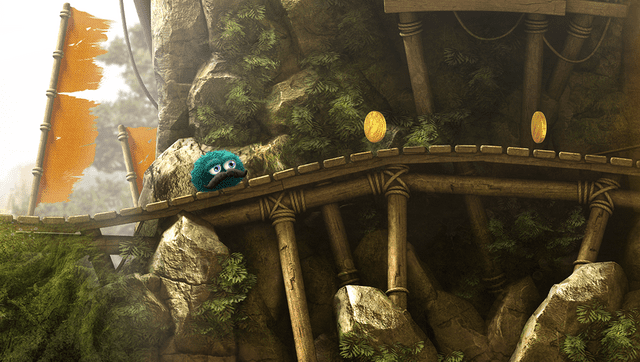
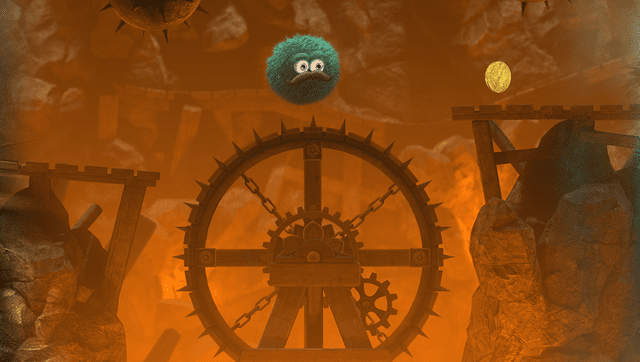
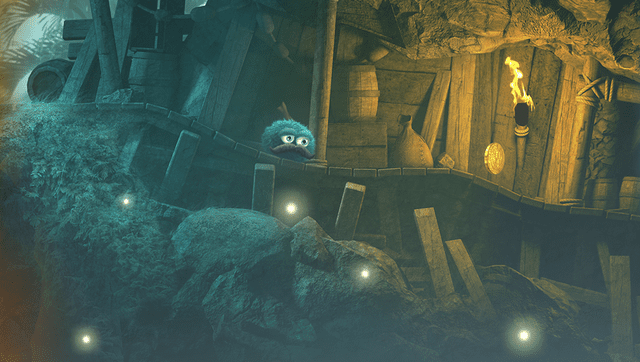
Leo's Fortune is described as a platform adventure game where you hunt down the cunning thief who stole Leo's gold, with beautifully hand-crafted levels bringing the story of Leo to life across a journey full of challenges.
Installation
Requirements
Before installing the game, the following must be in place:
- Install Kubridge and FdFix by copying
kubridge.skprxandfd_fix.skprxto your taiHEN plugins folder (usuallyur0:tai) and adding two entries to yourconfig.txtunder*KERNEL:
*KERNEL
ur0:tai/kubridge.skprx
ur0:tai/fd_fix.skprx
- Note: Do not install
fd_fix.skprxif you are using the rePatch plugin.
- Make sure you have
libshacccg.suprxin theur0:/data/folder on your console. If you don't, follow this guide to extract it.
Game Files
- Legally obtain your copy of Leo's Fortune for Android. You will need both the
.apkand the matching expansion file (main.<ver>.<package>.obb). The loader is built against version 1.0.5 - that is the last release that ships an ARMv7 binary. Newer versions on the Play Store are 64-bit only and will not work. - Open the
.apkwith any zip explorer (such as 7-Zip) and copy the following files intoux0:data/leosfortune/:lib/armeabi-v7a/libLeos_fortune.so→ux0:data/leosfortune/libLeos_fortune.soassets/pak0.pak.jet→ux0:data/leosfortune/pak0.pak.jet
- Copy the OBB expansion file and rename it to
main.obb:main.<version>.<package>.obb→ux0:data/leosfortune/main.obb
- Install
leosfortune.vpkfrom the Releases page.
The final layout under ux0:data/leosfortune/ should look like this:
ux0:data/leosfortune/
├── libLeos_fortune.so
├── pak0.pak.jet
└── main.obb
Getting the ARMv7 Build (v1.0.5)
The Play Store will normally serve the 64-bit-only build, which the Vita loader cannot run. Aurora Store's device-spoofing feature can be used to force-download the older ARMv7 build.
You will need:
- An Android device (phone, tablet, or emulator).
- The Aurora Store APK, or the F-Droid client which can install Aurora Store.
Steps:
- Purchase Leo's Fortune on the Google Play Store using your normal Google account.
- Install Aurora Store onto your Android device.
- Launch Aurora Store, accept the recommended settings, and log in using the same Google Account used to buy the game.
- Open the side menu in Aurora Store and select Spoof Manager. Pick an ARMv7 device from the list (the Realme 5 Pro profile works well).
- Log out of your Google Account in Aurora Store, then log back in so the spoof takes effect.
- Search for Leo's Fortune in Aurora Store and install it. Because an ARMv7 device was spoofed, Google will serve version 1.0.5 with the 32-bit
libLeos_fortune.so. - Install an APK extractor to pull both the
.apkand the matching OBB from your device. - Rename the
.apkextension to.zip, open it, and extractlib/armeabi-v7a/libLeos_fortune.soandassets/pak0.pak.jet. - Copy those two files plus the OBB (renamed to
main.obb) to your Vita as described above.
Controls
| Button | Action |
|---|---|
| Left Joystick / D-Pad Left/Right / D-Pad Up/Down | Move Leo |
| Cross | Jump / Confirm |
| Square | Dive |
| Start | Pause |
| Select | Pause |
| Circle | Unused in-game (rebindable) |
| Triangle | Unused in-game (rebindable) |
| L / R | Unused in-game (rebindable) |
Touch input is fully forwarded to the engine - the entire game (gameplay and menus) can be played with the Vita's front touch panel, exactly as on the original Android release.
Optional: Customize Language
Leo's Fortune normally follows the Vita's system language. To force a specific locale, place a one-line text file at ux0:data/leosfortune/language.txt containing one of:
en_US ja_JP de_DE es_ES fr_FR it_IT ko_KR pt_BR ru_RU zh_CN zh_TW
The short form (e.g. fr, de, ja) also works. Delete the file to fall back to the system language.
Optional: Customize Controls
You can rebind any Vita button by placing a controls.txt file at ux0:data/leosfortune/controls.txt. The file is read once at startup; if it is missing or malformed, the defaults apply.
Media
Leo's Fortune - Launch Trailer (Leo's Fortune)
Screenshots

Known Issues
- Frame drops in some areas. The framerate dips from 60 to ~40 fps in a few "tunnel" sections.
- Do not tap "Login with Google" on the title screen - it will freeze the game. Online accounts and cloud saves are not wired up on the Vita port.
- Slow boot. Initial startup can take up to ~2 minutes.
- Original achievements not implemented.
Changelog
v1.0
- First Release.
Credits
- Andy "The FloW" Nguyen - original .so loader
- Rinnegatamante - VitaGL and reference ports
- Volodymyr Atamanenko - soloader-boilerplate
- GrapheneCt - PVR_PSP2, sfp2hfp, and pthread wrapper functions
- Rocroverss - vitasoguide
- codefl0w - play testing
- CatoTheYounger97 - Aurora Store ARMv7 download guide