
Lime-NX Switch
More actions
| Lime-NX | |
|---|---|
 | |
| General | |
| Author | Slushi |
| Type | Developments |
| Version | 13ba81a |
| License | MIT License |
| Last Updated | 2026/01/17 |
| Links | |
| Download | |
| Website | |
| Source | |
Lime-NX is an experimental fork of Lime for the Nintendo Switch. Lime is a flexible, lightweight layer for Haxe cross-platform developers. This fork adds Nintendo Switch as a supported target, enabling developers to compile and run OpenFL and HaxeFlixel projects on the console.
This fork is based on commit 68107ee of the original Lime repository, dated September 18, 2025.
Features
- Adds Nintendo Switch as a build and run target for Lime-based projects.
- Supports building OpenFL projects for the Nintendo Switch.
- Supports HaxeFlixel projects on the Nintendo Switch (demonstrated with HaxeFlixel 6.1.2 running the Mode demo).
- Integrates with DevKitPro and DevKitA64 toolchains.
- Supports sending built projects wirelessly to the Switch via
nxlink, with optional automatic console discovery or manual IP configuration. - Supports additional DevKitPro libraries via the
project.xmlconfiguration. - Compatible with the Lime VSCode extension with Switch-specific target configurations.
Installation
Prerequisites
You must have the following installed before proceeding:
DevKitPro Switch Libraries
Install the required Switch libraries via pacman. On Linux/macOS, use sudo dkp-pacman instead of pacman:
pacman -S --needed \
switch-bzip2 \
switch-cmake \
switch-curl \
switch-flac \
switch-freetype \
switch-glad \
switch-glm \
switch-harfbuzz \
switch-libdrm_nouveau \
switch-libjpeg-turbo \
switch-libmodplug \
switch-libogg \
switch-libopus \
switch-libpng \
switch-libvorbis \
switch-libvorbisidec \
switch-libwebp \
switch-mesa \
switch-mpg123 \
switch-openal-soft \
switch-opusfile \
switch-pkg-config \
switch-sdl2 \
switch-sdl2_gfx \
switch-sdl2_image \
switch-sdl2_mixer \
switch-sdl2_net \
switch-sdl2_ttf \
switch-tools \
switch-zlib
Installing Lime-NX
Install this fork via haxelib:
haxelib git lime https://github.com/Slushi-Github/lime-nx.git
Install Lime's dependencies:
haxelib install format
haxelib install hxp
Install the companion fork of hxcpp:
haxelib git hxcpp https://github.com/Slushi-Github/hxcpp-nx.git
Generate the Lime library for Switch:
haxelib run lime rebuild switch
Project Configuration
Add the following required defines to your project.xml to prevent crashes on launch:
<haxedef name="lime-opengl" if="switch" />
<haxedef name="lime-cairo" value="false" if="switch" />
<set name="LIME_CAIRO" value="0" if="switch" />
<set name="LIME_OPENGL" value="1" if="switch" />
It is also advisable to add the following window configuration:
<!--Switch-specific-->
<window if="switch" orientation="landscape" fullscreen="true" width="0" height="0" resizable="false" hardware="true" />
Building
Compile your project for the Switch:
haxelib run lime build switch
Running on the Switch
To use the run command, add your Switch's IP address to project.xml:
<config:switch ip="192.168.x.x" if="switch"/>
Or pass it directly on the command line:
haxelib run lime run switch --ip=192.168.x.x
If no IP is set, nxlink will attempt to find the Switch automatically if it is waiting for a connection. Setting the IP explicitly is recommended.
Adding Extra Libraries
To link additional DevKitPro libraries in the generated Makefile, add the following to project.xml:
<config:switch libs="yourLib1, yourLib2" if="switch"/>
VSCode Extension Setup
To use Lime-NX with the Lime VSCode extension, add the following to your VSCode settings.json:
"lime.targets": [
    {
        "name": "switch",
        "label": "Switch",
        "enabled": true
    }
],

"lime.targetConfigurations": [
    {
        "label": "Switch",
        "target": "switch",
        "args": ["-DHX_NX"],
        "enabled": true
    },
    {
        "label": "Switch / Release",
        "target": "switch",
        "args": ["-DHX_NX"],
        "enabled": true
    },
    {
        "label": "Switch / Debug",
        "target": "switch",
        "args": ["-debug", "-DHX_NX"],
        "enabled": true
    },
    {
        "label": "Switch / Final",
        "target": "switch",
        "args": ["-final", "-DHX_NX"],
        "enabled": true
    }
]
This enables the Switch target defines (HX_NX, switch) in your project.
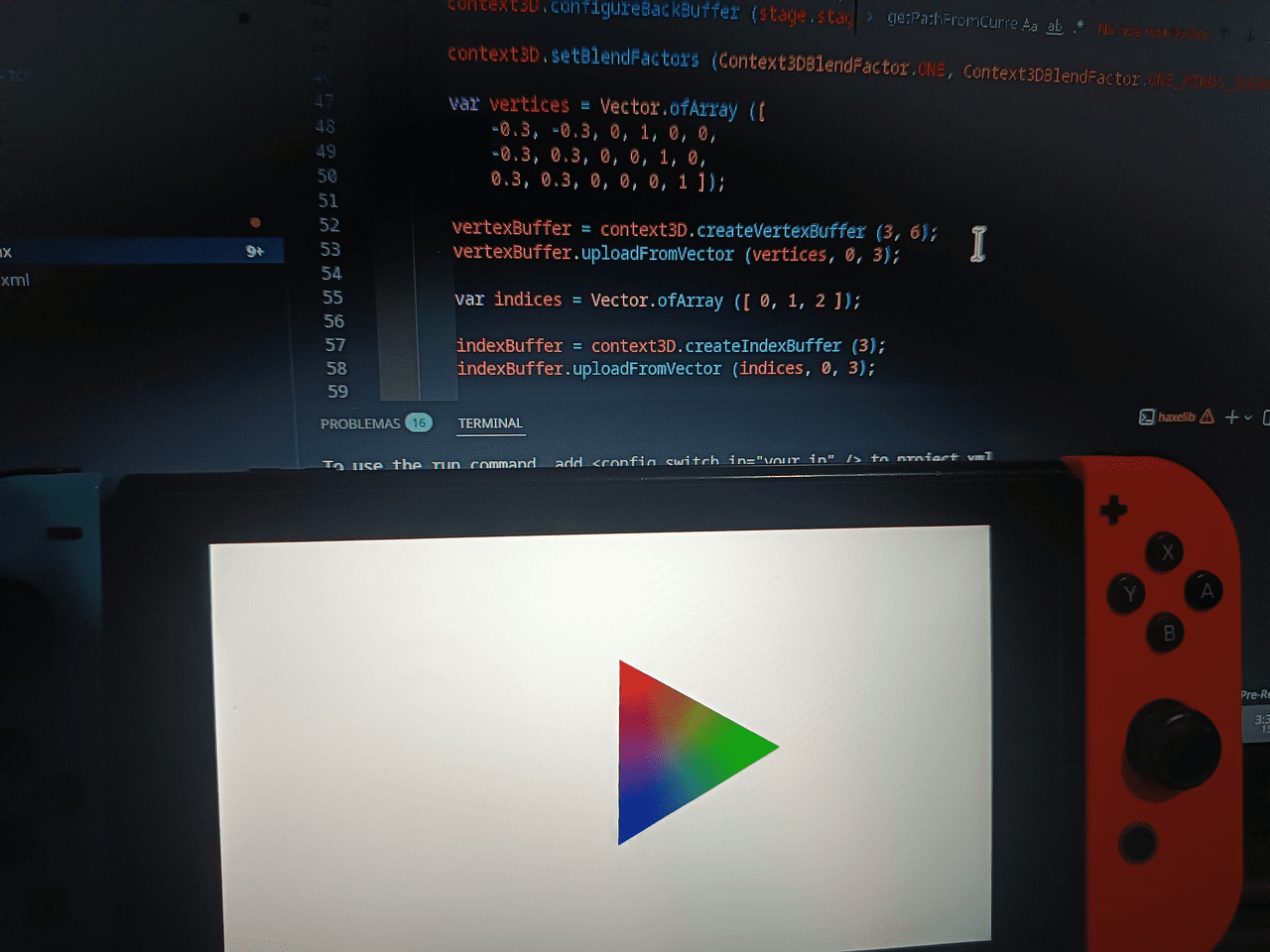
Screenshots
|
|

Media
HaxeFlixel MODE on Nintendo Switch (Andres_Venezuela)
External links
- GitHub - https://github.com/Slushi-Github/lime-nx
- HaxeFlixel Mode demo on Switch (YouTube) - https://youtu.be/8hwZIDWoHnI
- HaxeFlixel Mode build release - https://github.com/Slushi-Github/lime-nx/releases/tag/HaxeFIxelMode
- Switch Funkin' (Psych Engine 1.0.4) - https://github.com/Slushi-Github/Switch-Funkin
- Switch Funkin' on GameBanana - https://gamebanana.com/tools/21807
- Original Lime repository - https://github.com/openfl/lime