
Dungeons of Daggorath PSP
More actions
| Dungeons of Daggorath PSP | |
|---|---|
 | |
| General | |
| Author | Darkweb (pyroticinsanity) |
| Type | Role Playing |
| Version | 0.7 |
| License | GPL-3.0 |
| Last Updated | 2008/12/12 |
| Links | |
| Download | |
| Website | |
| Source | |
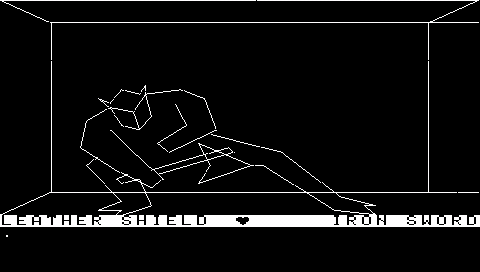
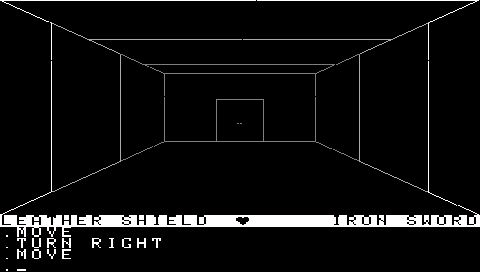
Dungeons of Daggorath PSP Port. For those of you that don't know, Dungeons of Daggorath is a wicked "3D" dungeon crawler from 1982 for the TRS-80.
User guide
The command creator allows you to create all combinations of commands you will ever need.
ZSAVE and ZLOAD will use the default save file game.dod.
In the Command Creator Menu (L), CROSS is select and CIRCLE is cancel. If choosing an item, you can press TRIANGLE to specify the type of item.
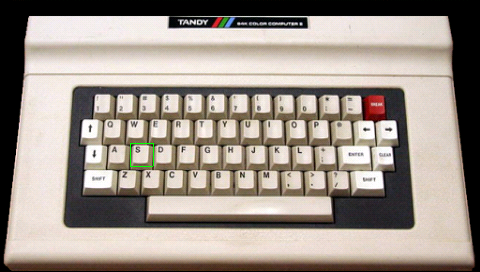
The keyboard lets you type in whatever command you want.
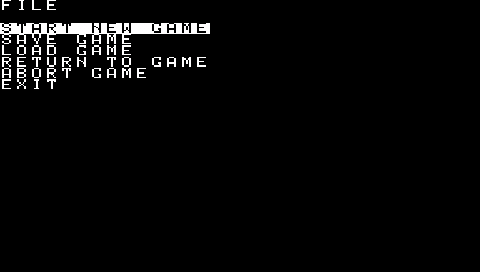
The game menu has a few extras in it just for the PSP.
You can Save and Load the game from 10 different slots to give some variety for those that don't feel like typing in a save command.
In the Configure menu:
- FULL SCREEN - does nothing
- VIDEO MODE - allows you to change the resolution from the original size, to fit to height, or stretch to screen.
The rest has the regular functionality of the original game.
Currently the game is a bit slow using the original graphics mode (the Vector mode is recommended).
Controls
Up/Down - Move forward/backward
Left/Right - Turn left/right
Cross - Attack right
Square - Attack left
Circle - Bring up the keyboard
Triangle - Examine/Look (depending on what mode you're in)
L - Bring up the command creator menu
R - Turn around
Start - Bring up the game menu
Select - execute p l t, u l, p r sw (only good for getting started)
Screenshots
Known issues
- Commands don't always get input correctly.
- PSP locked up while cancelling incant menu?
Changelog
Version 0.7
- Works for the psp slim.
- Implemented Command Creator.
- Implemented Keyboard.
- Added screen resolution changes.
- Added save menu.
Credits
Based off of Daggorath PC-Port Version 0.3 by Richard Hunerlach.
Other contributors:
- Dan Gendreau: Graphics, sound, and cheat enhancements
- Tim Lindner: WAV files
- Michael Spencer: Discussion Forum Host
- Louis Jordan: Inspirer of the 'Adventure Survivors'
- Sputnik: Additional enhancements & bug fixes
External links
- Project site - http://darkweb.retroemu.com/ (archived)
- GitHub - https://github.com/pyroticinsanity/pspdod