
NBA Jam Vita
More actions
| NBA Jam Vita | |
|---|---|
 | |
| General | |
| Author | elliencode |
| Type | Arcade Games |
| Version | 1.0 |
| License | N/A |
| Last Updated | 2026/02/02 |
| Links | |
| Download | |
| Website | |
| Source | |
A PlayStation Vita port of NBA Jam for Android (v.4.00.80). This is an over-the-top, high-flying, 2-on-2 arcade basketball game featuring stars from all 30 NBA teams.
This port uses a loader based on the Android SO Loader by TheFloW. The loader provides a minimal Android-like environment to run the official ARMv7 game executable on the PS Vita.
Setup Instructions
To properly install the game, follow these steps precisely:
- Install or update Kubridge and FdFix by copying
kubridge.skprxandfd_fix.skprxto your taiHEN plugins folder (usuallyur0:tai) and adding the following two entries to yourconfig.txtunder*KERNEL:
  *KERNEL
  ur0:tai/kubridge.skprx
  ur0:tai/fd_fix.skprx
! ⚠️ Don't install `fd_fix.skprx` if you're using the rePatch plugin!
- Make sure you have
libshacccg.suprxin theur0:/data/folder on your console. If you don't, use ShaRKBR33D Vita to get it quickly and easily.
- Legally obtain your copy of NBA Jam for Android in the form of
.apkand.obbfiles. This port is tailored for the v.4.00.80 (latest) version of the game. Other versions may not work.- If you have it installed on your phone, you can get all the required files directly from it or by using any APK extractor that you can find on Google Play.
ℹ️ Verify that your build is the correct version using sha1sum (can also be found as an online tool). The sha1sum for
lib/armeabi-v7a/libnbajam.somust be7D230A3A59B0F382DE055B9AF15BC2F3D87E010F
- Open the
.apkwith any ZIP explorer (like 7-Zip) and extract the filelib/armeabi-v7a/libnbajam.sointoux0:data/com.eamobile.nbajam_row_wf/on your Vita. The correct resulting path:ux0:data/com.eamobile.nbajam_row_wf/libnbajam.so
- Open
main.40080.com.eamobile.nbajam_row_wf.obbwith any ZIP explorer (like 7-Zip) and extract all of its context into a separate folder on your computer.
- Install Total Commander and its PSARC plugin.
- Launch Total Commander and navigate up to the folder you just created.
- Select all the files and directories inside the folder, click on File -> Pack.
- Set
psarcas Compressor and then click onConfigurebutton right below.
- Set
PSARC Versionto1.3,CompressiontoZLIBandRatioto0and pressOK
- Press
OKto launch the compression, it will create a file inC:\ArchiveName.psarc. (If you get an error, manually change the location in the command line stringpsarc: DESTINATIONFOLDER\ArchiveName.psarc).
- Rename the newly created psarc archive to
data.psarcand transfer it toux0:data/com.eamobile.nbajam_row_wf/.
- Install
com.eamobile.nbajam_row_wf.vpk(from Releases).
Media
NBA JAM by EA SPORTS ios/Android Gameplay #1 (Mobile Gamer)
New NBA JAM PS Vita Port 2026 (Robles Junior)
Screenshots
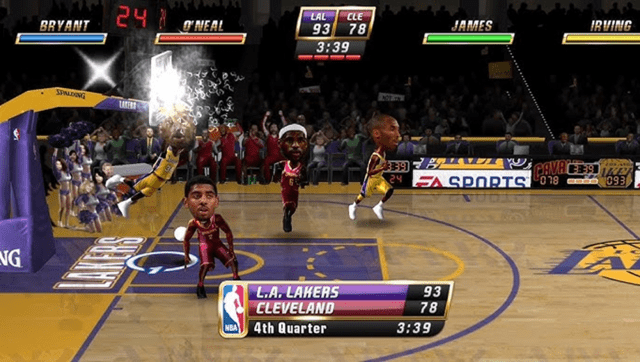
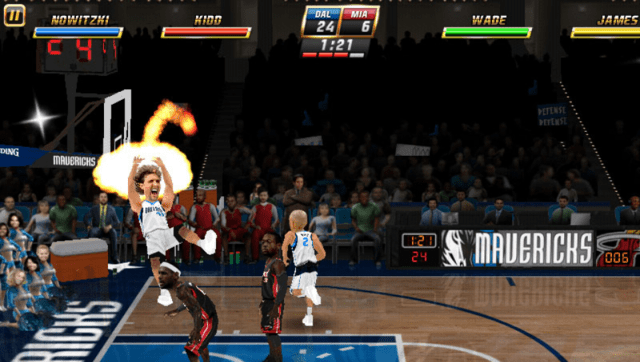
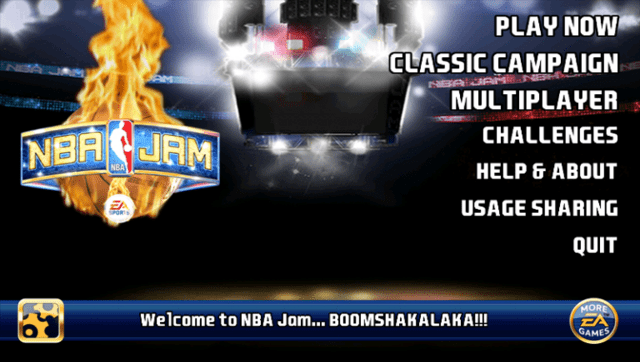
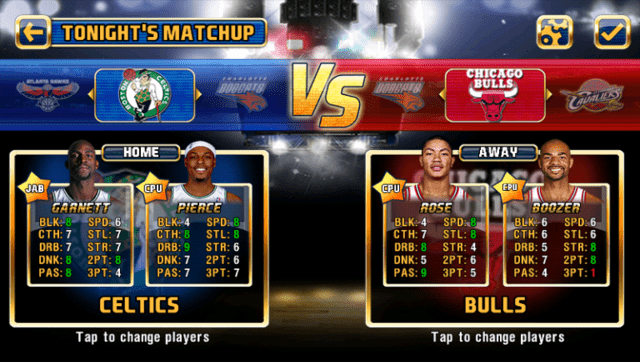
Controls
The port features support for physical/gamepad controls. In-game help menu contains information and tutorials on using them.
Known issues
- Loading times when you start a match from the main menu and when you quit from a match back to the main menu are quite slow (up to 1 minute). Unfortunately, nothing can be done about that. The game is heavy on disk IO and before switching to PSARC for data files and some extra optimizations, it took around 40 minutes to load a single level. How it is right now is the best it can be on this platform.
- Multiplayer doesn't work. I do plan to take another look at it in the future.
Changelog
v1.0
- First Release.
Credits
- The FloW for the original .so loader.
- Rinnegatamante for VitaGL.
- gl33ntwine for SoLoBoP and teaching me everything I know about this.