
Inscryption Vita
More actions
| Inscryption Vita | |
|---|---|
 | |
| General | |
| Author | gl00mm |
| Type | Card |
| Version | alpha.1 |
| License | N/A |
| Last Updated | 2025/09/19 |
| Links | |
| Download | |
| Website | |
| Support Author | |
Inscryption is an inky black card-based odyssey that blends the deckbuilding roguelike, escape-room style puzzles, and psychological horror into a blood-laced smoothie. Darker still are the secrets inscrybed upon the cards...
Notes
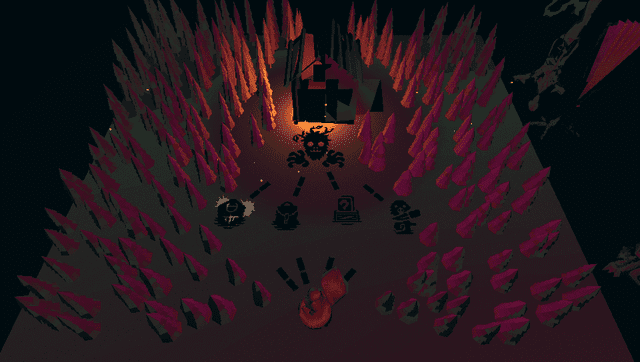
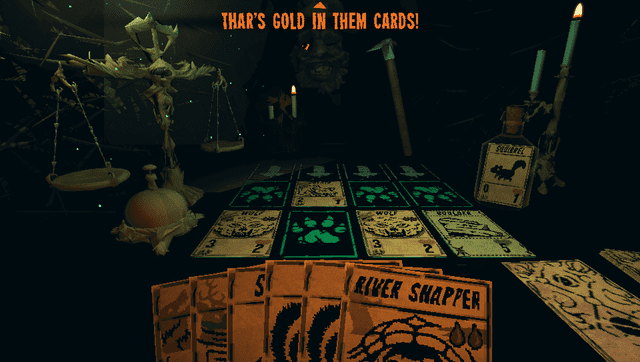
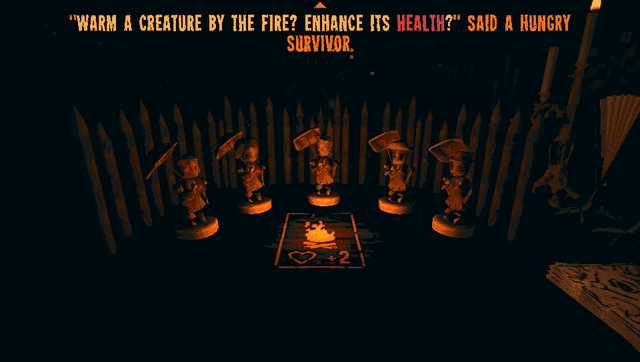
Inscryption is a quite recent game that relies a lot on graphics (arts, effects, lighting, …) for its ambiance, so porting it on our old beloved vita required some sacrifices.
Don’t expect the same graphics and performance as official versions, but I personally find the ambiance and game feel remains intact.
Considering the type of game, I tried to reach a frame rate around 15 fps, which was for me the right balance between comfort, graphics quality and cpu/ram usage. See for yourself the result in the video below.
If not yet done, support the dev by buying the game.
Sacrifices had to be made
- All shaders had to be rewritten for vita specs, so expect visual differences
- Textures resolution decreased
- Meshes (3D models) have been simplified for cpu and ram usage
- Some meshes were removed or replaced (for critical ones) because they were broken
- Some tricks were used to reach a decent frame rate (reduced field of view, shortened animations, hidden objects)
- Some languages were removed for ram usage : Chinese, Japanese, Russian, Turkish (sorry guys)
User Guide
PS VITA Set up
In order to have the best possible experience, I recommend you to use following plugins:
- ioplus.skprx
- iostaging.skprx
+ Full CPU Overclock (500Mhz)
Patching procedure
- Download Inscryption vpk from vitadb or from latest release and install it.
- Go to the Release page and download
InscryptionVitaSteam.zip. - Extract it.
- Put the game's data folder(
../steamapps/common/Inscryption/Inscryption_Data) inside the extracted folder (Should be official Steam version 1.10) - Launch
ApplyPatch.batand wait. - Let it finish and there should be a .ZIP file named
InscryptionVita.zip. - Open VitaShell, connect your PS Vita to your PC and copy the contents of the .ZIP file
(Zip file should be around 650MB before unpacking)over toux0:app/INSC12345/. - Click on "Replace the files in destination" when it asks you to.
- Launch the game and have fun!
Controls
Cursor can be moved with touch screen but is (most of the time) not clickable.
Some parts can be played using dpad (card selection, table slot selection, map destination selection, …)
- X/L : select (where cursor is or on highlighted interactable)
- R : Ring bell to end turn
- Dpad : Change interactable selection / Move player
- Right stick : Look / Flip rulebook page
- Triangle : Open rulebook when cursor is on rulebook icon
- Circle : Cancel
- Start : Open Pause menu
Media
Inscryption - Official Launch Trailer (GameTrailers)
Inscryption PS VITA port version ALPHA.1 - 14 minutes of early gameplay
(gl00mm)
Screenshots
Known issues (that could be addressed in future version if any)
- Rulebook in cabin is buggy (low perf shader + page changing to right )
- Subtitles are not visible when playing videos
- Framerate drops when some animations are running
- Some meshes are missing
- Teeth collisions are sometimes buggy
- Crash can happen when vita is running out of memory (as usual with Unity games)
Changelog
alpha.1
- First Release.