
FrogGBA PSP
From GameBrew
More actions
| FrogGBA | |
|---|---|
 | |
| General | |
| Author | tzubertowski |
| Type | Handheld |
| Version | 0.1.0 |
| License | N/A |
| Last Updated | 2025/08/06 |
| Links | |
| Download | |
| Website | |
| Source | |
FrogGBA is a newly released, heavily optimized GBA emulator based on a fork of TempGBA4PSP Mod, offering around a 22% performance boost. With the latest libretro-gpsp improvements, PSP-specific optimizations, and several added features, it delivers smoother gameplay across the board. Pokémon Unbound now runs at 50–55 FPS (fully playable with Frameskip 1), and most GBA games achieve full 100% speed.
Features
Performance & Quality Improvements
- Color Correction: Added GPSP and Retro color correction modes for authentic GBA screen look
- Fast Forward: SELECT + R to toggle 2x/3x speed modes for faster gameplay
- Turbo Buttons: Triangle and Square as dedicated turbo buttons for rapid-fire
- FPS Display: SELECT + Square to toggle FPS counter for performance monitoring
- UI Enhancement: Added mod attribution in all menus
Technical Optimizations (Permanently Enabled)
- PSP Cycle Batching: Reduces dynamic recompiler overhead for smoother gameplay
- Memory Waitstate Optimization: ~50% reduced memory access delays for better performance
- Sprite Rendering Optimizations: Unrolled loops and culling for sprite-heavy games like Metroid
- Cache Invalidation Reduction: Conservative cache management to reduce performance drops
- Timer Prescaling Optimization: Improved timing precision for better audio/video sync
- Block Coalescing: Better instruction cache usage for consistent framerates
Performance Impact
- Metroid Zero Mission: Improved from 45 FPS → 55+ FPS (22% improvement)
- Sprite-heavy games: Significant performance boost with optimized rendering pipeline
- General gameplay: More consistent framerates with reduced stuttering
Original TempGBA Features
- Added gpsp kai's cheats function
- Added Chinese language support
- Added restore function
- New menu icon
- Imported code from TempGBA-mod-dstwo-26750220
- Modern PSP SDK compatibility
- Docker-based build system
Installation
You need to have a CFW installed on your PSP.
- Unzip the folder
- Copy the unzipped PSP folder into root of your PSP SD card
- Acquire and copy GBA bios file into PSP/GAME/FrogGBA/gba_bios.bin file
- Launch the emulator on the console
Screenshots
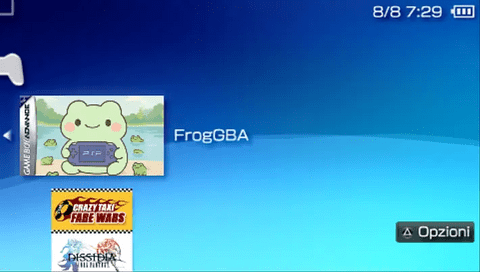
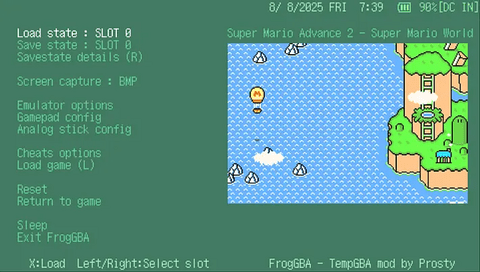
Changelog
v0.1.0
- First Release.