
2 Ship 2 Harkinian Switch
From GameBrew
More actions
| 2 Ship 2 Harkinian | |
|---|---|
 | |
| General | |
| Author | YoshiCrystal9 |
| Type | Adventure |
| Version | 1.1.2 |
| License | CC0-1.0 |
| Last Updated | 2025/03/03 |
| Links | |
| Download | |
| Website | |
| Source | |
Majora's Mask for Nintendo Switch. This is YoshiCrystal9's port of Majora's Mask (2 Ship 2 Harkinian) for the Nintendo Switch. Yes, you can use mods!
Usage
What You Need
- An original copy of Majora's Mask (NTSC-U version for N64 or GameCube)
- A modded Nintendo Switch
- A Windows, Mac, or Linux computer to create the mm.o2r file
How to Install
- Download the 2Ship 2Harkinian program on your computer. Select the version for your system.
- Run the 2ship program and select your Majora's Mask ROM. This will create a file named mm.o2r.
- Download the latest Nintendo Switch version of the game.
- On your Switch's SD card, open the "switch" folder and create a new folder there.
- Place the Nintendo Switch port file (.nro) and your mm.o2r file into the new folder.
Media
Ship of Harkinian 2 for Majora's Mask is Finally Here (Klink)
Screenshots
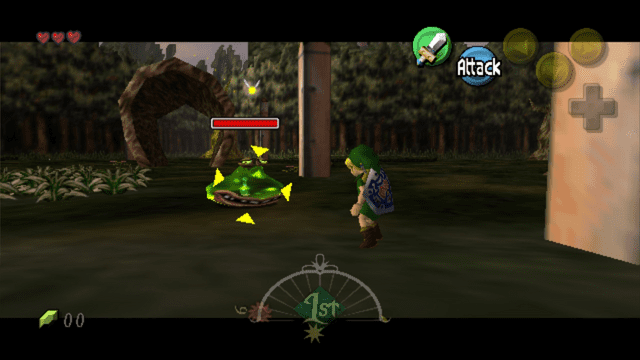
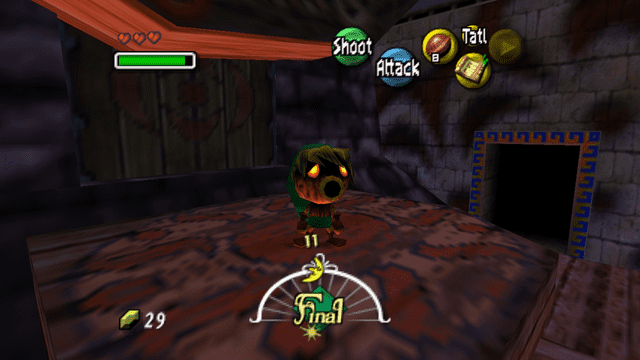
Changelog
v1.1.2
- First Release.
Credits
- Harbour Masters 64: Created the original PC version.
- Majora's Mask Decompilation Team: Provided the original game code.
- Lywx: Created the original Switch port code for Ship of Harkinian (Ocarina of Time).